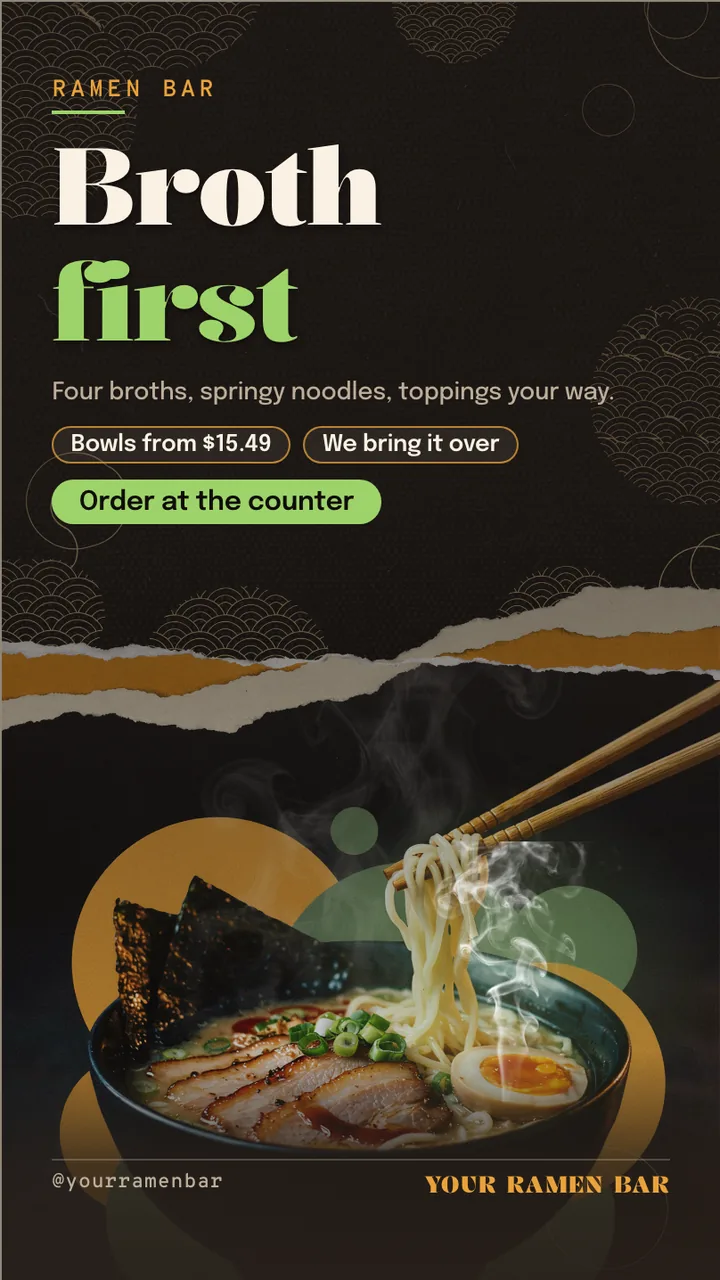
Ramen shop menu board · Portrait for a ramen shop: slide 1 of 4, the headline and what the business offers
Official Restaurant & menu 9:16

Ramen shop menu board · Portrait Free restaurant & menu digital signage template

A ramen shop stands a TV on its end by the door: four bowls with prices, add-ons, spice levels and hours.

A free ramen shop menu board for any TV. A portrait ramen shop menu board: bowls, add-ons, spice levels and hours. Every word, price and time is editable.

By
ChannelOS
Slides
4
Likes
0
  • ramen
  • ramen shop
  • noodle bar
  • tonkotsu
  • broth
  • toppings
  • add ons
  • menu board
  • restaurant tv menu
  • japanese restaurant
Use this template, free
  1. 1 Create a free account and this template opens in your own workspace.
  2. 2 Change every word, price and photo in the editor, on a phone or a computer.
  3. 3 On the TV, open play.channelos.tv, pair it from your phone with the code it shows, then publish the board to it.

Every slide in this template

4 slides, rendered exactly as they air on a TV.

Every word on these slides is text you can change
  1. Slide 1

    • RAMEN BAR
    • Broth
    • first
    • Four broths, springy noodles, toppings your way.
    • Bowls from $15.49
    • We bring it over
    • Order at the counter
    • @yourramenbar
    • YOUR RAMEN BAR
  2. Slide 2

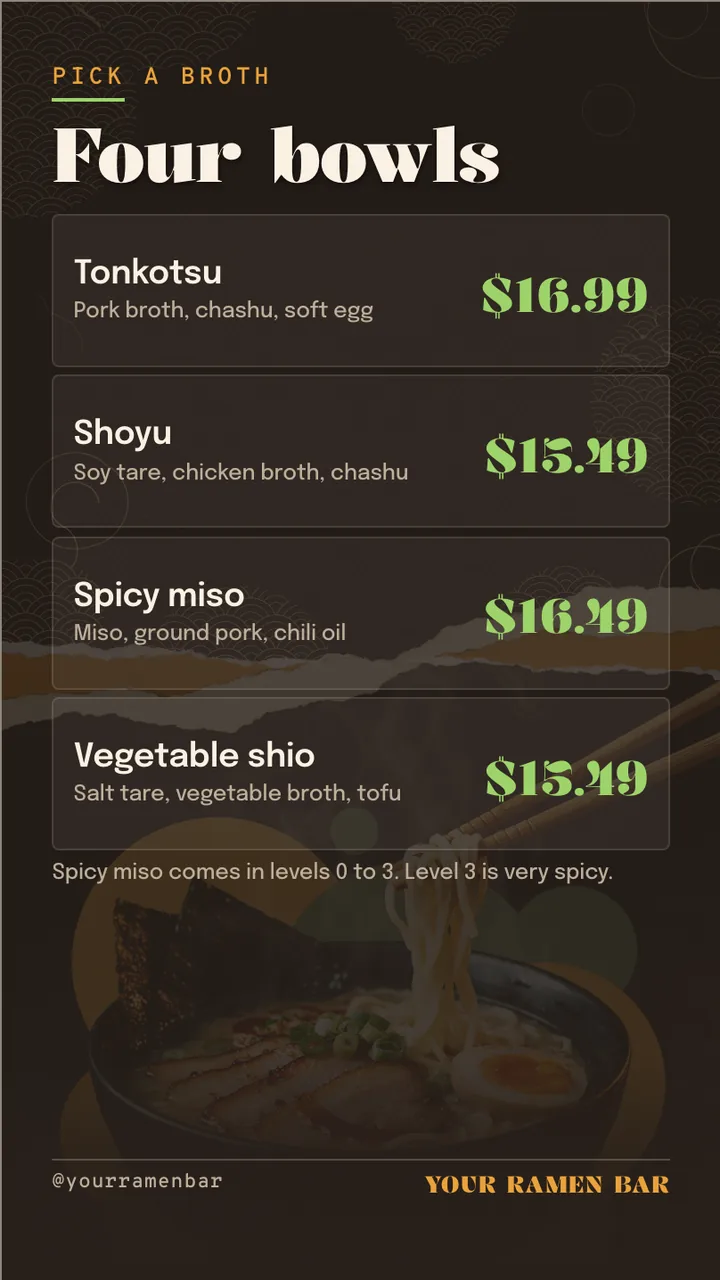
    • PICK A BROTH
    • Four bowls
    • Tonkotsu
    • Pork broth, chashu, soft egg
    • $16.99
    • Shoyu
    • Soy tare, chicken broth, chashu
    • $15.49
    • Spicy miso
    • Miso, ground pork, chili oil
    • $16.49
    • Vegetable shio
    • Salt tare, vegetable broth, tofu
    • $15.49
    • Spicy miso comes in levels 0 to 3. Level 3 is very spicy.
    • @yourramenbar
    • YOUR RAMEN BAR
  3. Slide 3

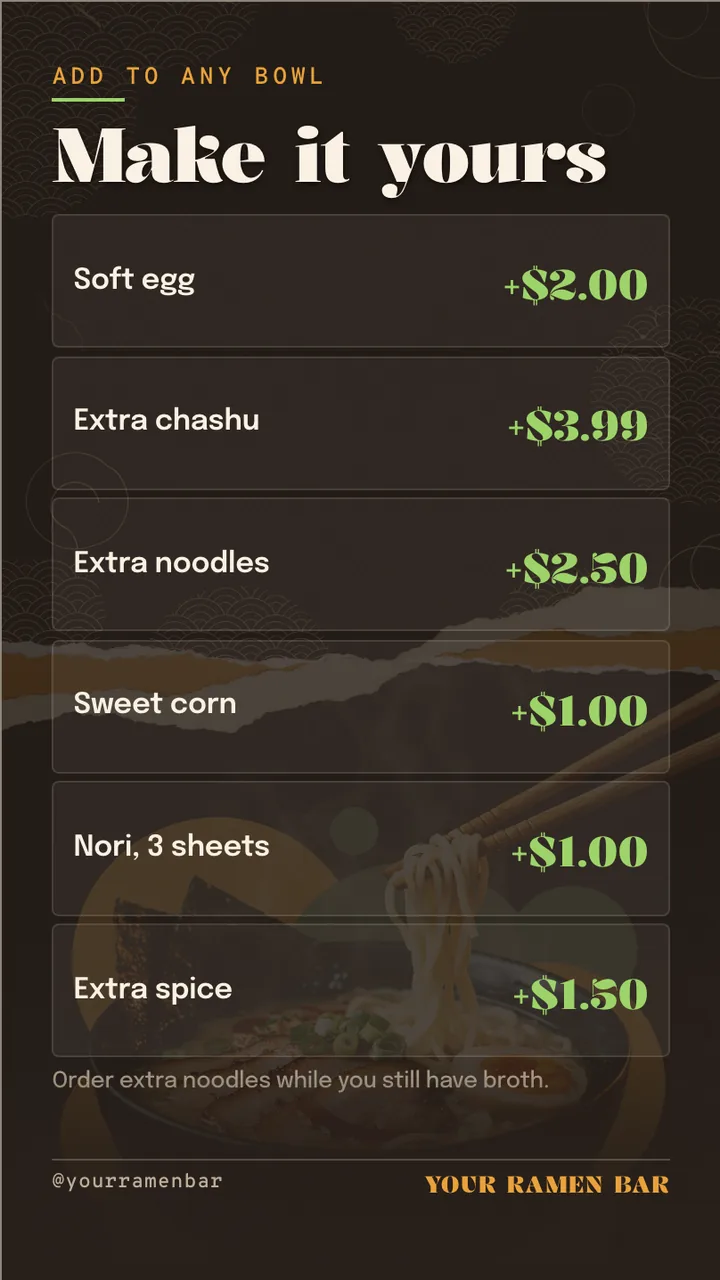
    • ADD TO ANY BOWL
    • Make it yours
    • Soft egg
    • +$2.00
    • Extra chashu
    • +$3.99
    • Extra noodles
    • +$2.50
    • Sweet corn
    • +$1.00
    • Nori, 3 sheets
    • +$1.00
    • Extra spice
    • +$1.50
    • Order extra noodles while you still have broth.
    • @yourramenbar
    • YOUR RAMEN BAR
  4. Slide 4

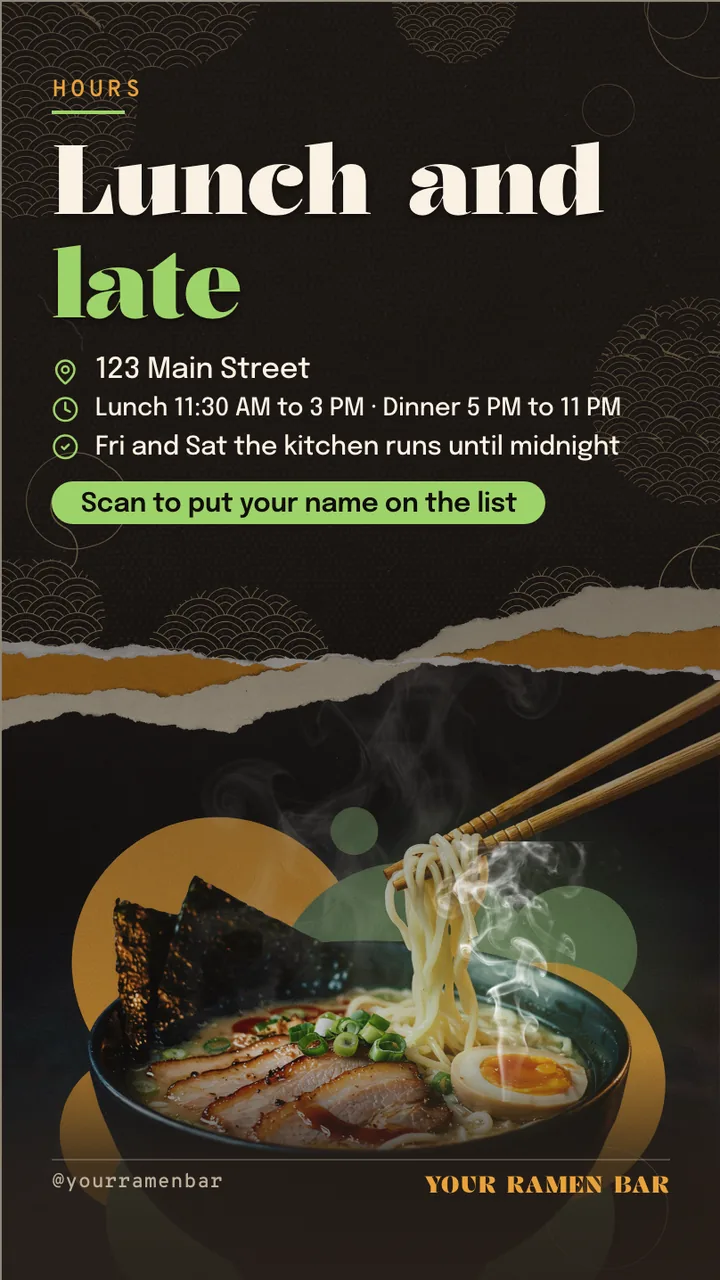
    • HOURS
    • Lunch and
    • late
    • 123 Main Street
    • Lunch 11:30 AM to 3 PM · Dinner 5 PM to 11 PM
    • Fri and Sat the kitchen runs until midnight
    • Scan to put your name on the list
    • @yourramenbar
    • YOUR RAMEN BAR

What is a ramen shop menu board?

A ramen shop menu board lists a ramen shop's bowls, broths, toppings, add-ons and prices, often posted by the entrance for the line outside. This portrait board runs four slides: the shop, four bowls with prices, add-ons such as extra chashu, and hours with late kitchen times.

This board runs on

Any screen with a modern browser. There is no media player box to buy and nothing to install: you open a link on the TV, pair it once, and change what it shows from your phone.

It is authored at 9:16, so stand the TV on its end and the board fills it.

Questions people actually ask

Why put a ramen menu by the door?
Because ramen shops often have a line, and people who choose while they wait are ready to order when they sit. A TV on its end by the entrance or window shows the bowls and prices to the queue, inside or through the glass.
What add-ons should a ramen menu list?
The ones people actually add, with prices: a soft egg, extra chashu, extra noodles, corn, nori and extra spice. This board lists six and adds a tip to order extra noodles while there is still broth, which is when that add-on makes sense.
Should the menu mention allergens like sesame or wheat?
Yes, briefly. Ramen noodles contain wheat, and sesame, soy and egg are common in toppings and tare. A line asking customers to tell staff about allergies before ordering, with ingredient details on request, covers the screen's part.
What happens if the shop's wifi drops?
A screen that is already playing keeps playing. After a power cut it needs the internet back before the board returns, because nothing is stored on the TV. Place the TV within good range of the router.

More restaurant & menu templates

Make this one yours.

Remix it into your workspace, change what you like, and put it on a TV. Your first screen is free. Free screens show a small "Made with ChannelOS" badge in one corner. Any paid plan removes it.

Sell it instead of buying it. The ChannelOS partner program pays 20% of what each business you refer pays us for their first 12 months, then 10% for as long as they stay. Free to join, nothing to stock.

See the partner program →