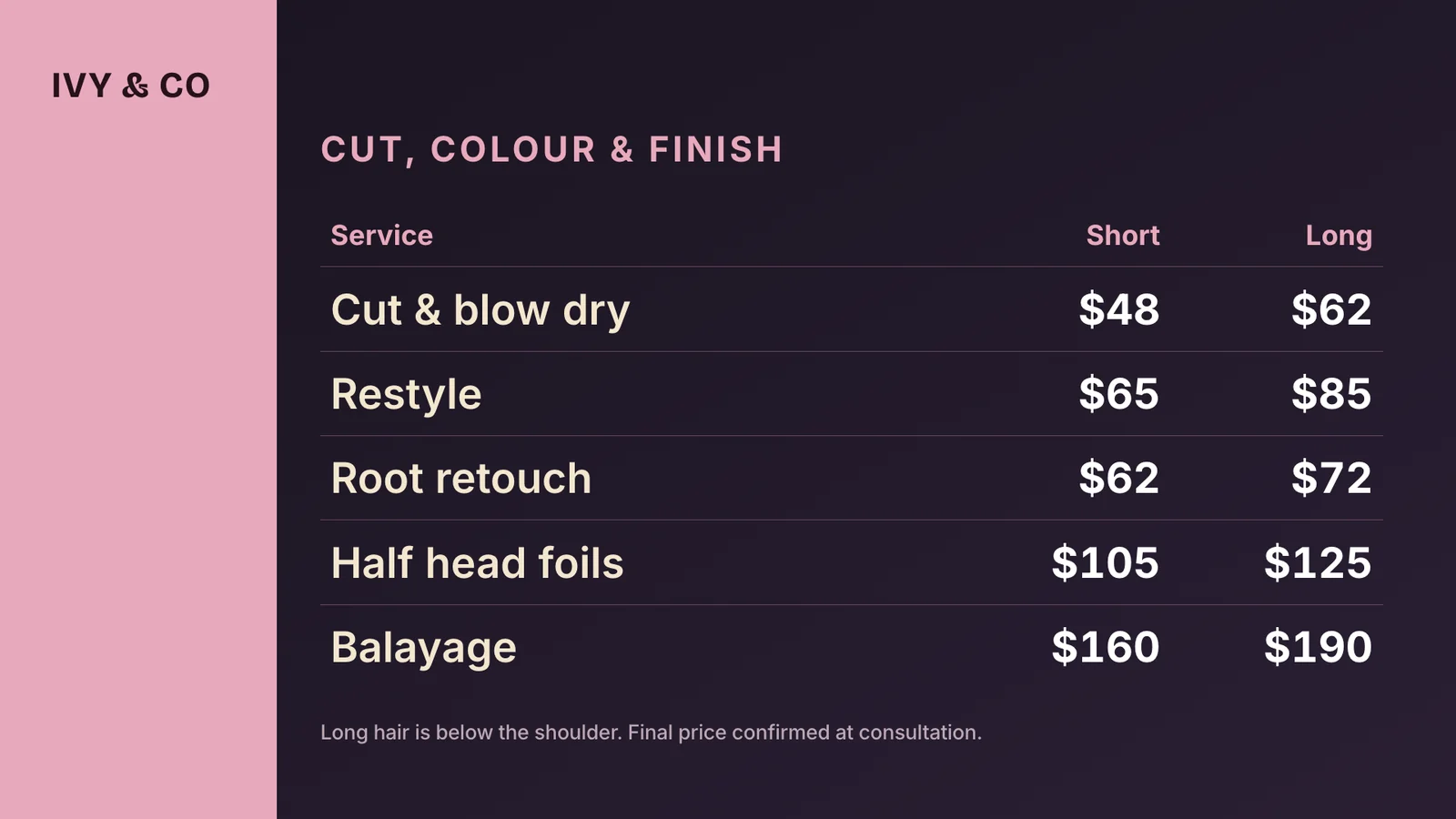
- Where can I create a price list for free?
- In this browser tab. Pick a template, type your services and prices, and download a 1920x1080 image with no account, no email and no watermark. If what you want is a printed A4 price list, Canva and Adobe Express have far more artwork and are the better tool for that job. This one is built for a price list that lives on a screen, so it renders through the same engine a TV runs and the prices can be changed after it is on the wall.
- What is a digital price list?
- A digital price list is a price board shown on a screen instead of printed on a card, so changing a price is an edit rather than a reprint. The practical difference is the day you put your prices up: a printed list has to be redesigned, printed, cut and stuck up in every room, and a screen version is one number typed on a phone.
- Is this price list maker really free?
- Yes. Building the list and downloading the 1920x1080 PNG needs no account, no card and no email address. A free ChannelOS account is only needed for the part a design tool cannot do: showing the list on an actual screen and changing it after it is live.
- How many price columns can I have?
- Up to four in each block, which is what a real price list needs: a service with a short-hair and a long-hair price, a wash priced by vehicle size, a clean priced by number of bedrooms. Four is the ceiling because past that each cell is too narrow to read from across the room, which is the only test that matters on a board on a wall. You can have two blocks side by side, so eight columns in total.
- How should I lay out a price list that people read standing up?
- Group by what the customer is deciding between, not by what your till calls things. One heading per decision (cut, colour, treatment), the service on the left and the number hard right, and no more than five or six lines under each heading. If a price depends on something, put that something in its own column rather than in brackets after the name: a reader scanning a wall follows a row across, and cannot parse a parenthesis at six metres.
- What do I do about prices that start at a number?
- Give the column a header that says so. A column headed From is understood instantly and is honest, where the same number bare reads as a fixed price and starts an argument at the desk. For anything genuinely quoted, write the word you would say out loud (Quoted at consultation) rather than leaving the cell empty, which reads as an oversight.
- Can I show a service as unavailable without deleting it?
- Yes. Mark the row and it stays on the list, struck through and dimmed, with its price intact. That is deliberate: a board that shows what is not available today answers the question before it is asked, and nothing has to be retyped when it comes back.
- What do I need to put the price list on a screen?
- A screen that can open a web page: a smart TV browser, a cheap streaming stick, or an old laptop plugged into the HDMI port. You open the player address on the screen and pair it from your phone. There is no media player to buy and nothing to install. The first screen is free for ever, with a ChannelOS banner along the bottom that any paid plan removes.
- Can I change a price after the list is on the wall?
- Yes, from your phone or laptop, and the screen updates itself. This is the part an exported image cannot do: once a PNG is on a screen, changing a number means making a new file and putting it there by hand.
- Can I use one price list in two currencies?
- The currency picker sets one symbol for the whole board, which is what a single shop needs. If you run locations in two currencies, build the list once and duplicate it, then change the symbol and the numbers on the copy. On a paid plan each screen can be sent a different one.