ChannelOS vs Rise Vision: a Rise Vision alternative with no media player
An honest ChannelOS and Rise Vision comparison, and a Rise Vision alternative that needs no media player — browser pairing, AI that drafts the whole show, edit-once-airs-everywhere scheduling, and who each tool really fits.
Rise Vision is a mature, well-supported digital-signage platform built primarily for education — 750+ templates, emergency and classroom alerts, screen sharing, and procurement that fits how schools buy. If you run signage for a K-12 district or a university, it earns its reputation. Most people searching for a Rise Vision alternative aren’t unhappy with the software at all — they’re unhappy that every screen needs a device on it.
ChannelOS is for the person on the other side of the trial clock: you want the whole show drafted before you touch a slide, and you want to keep the screen when the fourteen days are up. This is an honest look at where the two diverge — on hardware, AI, and how changes reach screens.
A Rise Vision alternative that needs no player device
The reason to look for a Rise Vision alternative is almost never the software. It’s the box: a device on every screen to buy, provision, update, licence and count. ChannelOS removes that layer entirely — the TV’s own browser is the player. You open one URL on the TV, scan the pairing code with your phone, and the screen is live in about two minutes, on Android TV, Google TV, webOS, Fire TV, a Chromebox or a laptop in kiosk mode. Nothing to sideload, nothing to keep patched, no per-device licence to track. (No media player required explains the mechanism; digital signage without an Android player covers the TVs already on the wall.)
Who should switch. Cafés, shops, gyms, clinics, salons, churches, single-site offices and small multi-site groups — operators running one to a few dozen screens with no AV team and no procurement process to satisfy. Especially if nobody on staff designs: AI drafts a complete, on-brand, editable multi-slide show from one sentence, and reads a PDF, an image or a webpage URL straight into slides. The first screen is free forever and it’s per screen per month after that (pricing), with the template gallery and the free menu board maker as running starts.
Who should not switch. Schools and districts, first — the education toolkit spelled out further down is the whole point of Rise Vision, and ChannelOS has no equivalent to it. Anyone with a hard offline requirement, too: a player device holds content locally and keeps playing through a network drop, whereas a browser tab depends on the connection staying up. And anyone who has already bought and amortised a fleet of players — the hardware saving you’d be switching for is money you have already spent.
What you give up by switching. 750+ education-specific templates. Emergency and classroom alerts. Screen sharing. 40+ integrations, against which ChannelOS’s list is short. PO and tax-exempt purchasing. Device-level control of certified hardware, including the freedom to reuse players you already own — Rise Vision’s hardware-agnostic range is genuinely broad, and “the TV is the player” is a narrower door by design. If two or more of those are load-bearing for you, stay where you are. This is a different tool for a different buyer, not a strictly better one.
Do I need a media player or device for Rise Vision?
Yes — Rise Vision runs an installed player app on a dedicated device on every screen, whereas ChannelOS needs no player at all. Rise Vision is hardware-agnostic and generous about it: it runs on Android, Apple TV, the Amazon Signage Stick (pre-loaded), BrightSign, Raspberry Pi, Chrome OS, Windows, Linux and Airtame, and they sell an optional Rise Vision Media Player outright or as Hardware-as-a-Service. So you can reuse devices you own — but a managed player still runs on each screen, pulling scheduled content from the cloud.
ChannelOS drops that assumption entirely. The TV is the player: you open play.channelos.tv in the TV’s own browser — Android TV, Google TV, webOS, Fire TV, a browser on an HDMI stick, even a laptop in kiosk mode — scan the on-screen code from your phone, and the screen is live in about two minutes. no player box to provision, no per-device license to track.
Why it matters: “hardware-agnostic” still means a device and a player app on every screen. No player at all is a smaller bill and nothing to keep updated on the TV.
Can AI build the whole show, or do I design every slide?
Rise Vision’s AI generates single design layouts, while ChannelOS’s AI drafts a complete multi-slide show. Rise Vision launched an AI design tool in March 2026: you type a prompt and it returns three distinct, professional design options, which you then edit — text, colors, images — in the built-in editor. It’s a genuine head start on one layout, metered by AI credits, but it composes a single design rather than authoring a whole deck.
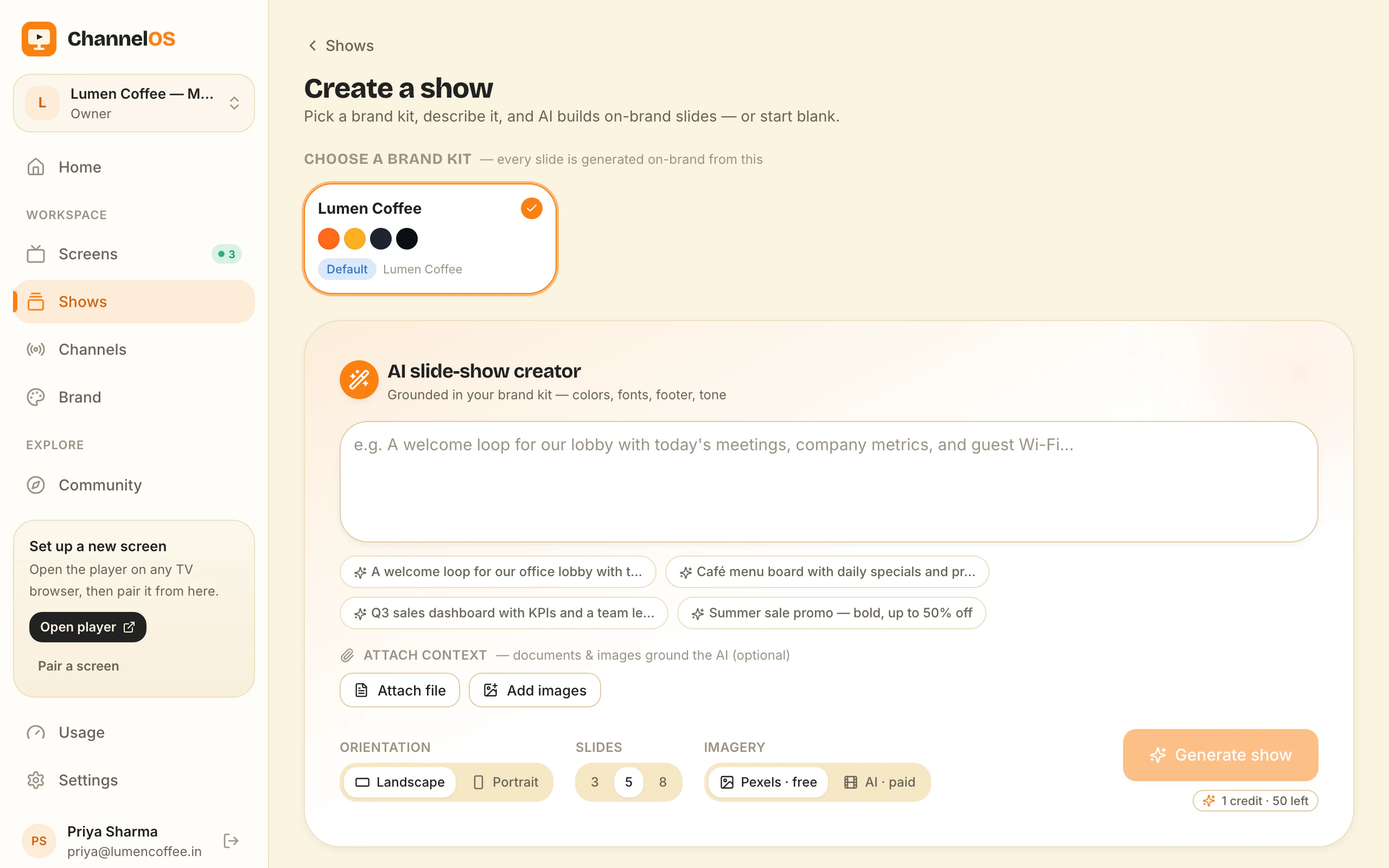
ChannelOS is AI-first end to end. You pick a subject, goal and look from chips — no prompt-writing — and AI drafts a complete, on-brand, multi-slide show, reading attached PDFs, images and a webpage URL straight into slides. The result isn’t a flat export: it opens as a real, editable show in a Canva-style editor where every element is selectable, with one-tap background removal and live clock, weather and QR widgets.
Why it matters: one great layout still leaves you to build the other nine slides. A whole first-draft show means the deck exists before you make a single layout decision.
How fast do changes reach every screen?
With ChannelOS a change airs everywhere the instant you save it; Rise Vision re-publishes scheduled content out to each device. Both do real scheduling and dayparting well — Rise Vision organizes content into Schedules and Playlists with control over dates, weekdays, time of day and duration, plus override schedules and meal-period menu rotation, all without staff intervention. That’s a strong, granular scheduler.
The difference is the update path. In ChannelOS, what a screen shows is derived in real time from the show, the channel schedule and the clock — never pushed screen by screen. Edit once and every screen on that channel updates at once, with no publish-and-wait. Channels support dayparting (different content by hour and weekday/weekend, set once) and a live takeover to drop an urgent message on every screen, then resume the schedule.
Why it matters: a typo on the lunch menu is fixed on every screen the moment you save — not after devices sync.
What does Rise Vision cost vs ChannelOS?
Rise Vision is a paid per-display subscription with no ongoing free plan, while ChannelOS gives you your first screen free. Rise Vision positions itself as a paid solution: published K-12 tiers run roughly $11/display/month (Basic) to $13/display/month (Advanced), with an Enterprise tier around $164/display/year or $1,399/school/year unlimited, plus annual, volume and $1,200/display/year) are sizeable add-ons on top of the per-display fee.10% education/nonprofit discounts. Onboarding is a 14-day free trial — full features, 750+ templates, no card. Extra AI credits ($300 per 600/year) and Interactive Templates (
ChannelOS is per screen per month with no seats to count and no setup fees — and because the TV is the player, there’s no media-player hardware in the total either. Your first screen is free, for as long as you want it.
Why it matters: the true cost of a screen includes the device and its player. Removing the player, and keeping a free first screen, changes the math for a small shop.
Who should still choose Rise Vision?
Schools and universities should seriously consider Rise Vision — it’s purpose-built for them. Its 750+ templates lean school-specific, it ships emergency alerts, classroom alerts and screen sharing tuned for K-12 and higher ed, offers 40+ integrations, and supports PO and tax-exempt purchasing that fits district procurement. Add its hardware freedom — reuse almost any player you own — and for an education buyer with existing devices and an IT team, Rise Vision is a natural fit, not a polite nod.
The two tools, job by job
| The job | Rise Vision | ChannelOS |
|---|---|---|
| Get a screen live | Install a player app on a dedicated device, then schedule to it | Open one URL in the TV browser — it mints a screen in ~2 min |
| Make a show | AI drafts one layout (three options); build the rest of the deck by hand | Describe it — AI drafts the whole multi-slide show, fully editable |
| Change what’s playing | Re-publish scheduled content out to devices | Edit once — it airs everywhere instantly |
| Run the wall | Cloud web app managing per-device playback | One live board: play · pause · blank · mute · next · hold |
| Setup before pixel one | Player device + installed app on every screen | None — pair in the browser and publish |
Feature by feature
| Feature | Rise Vision | ChannelOS |
|---|---|---|
| Media-player hardware | Required (device + player app per screen; BYO or their player) | None — the TV browser is the player |
| Free tier | ✗ (14-day trial only) | ✓ first screen free, with a ChannelOS banner along the bottom of the screen |
| AI drafts the full show | Partial (single layouts, three options) | ✓ whole multi-slide show |
| Browser pairing (no app on TV) | ✗ | ✓ scan a code, live in ~2 min |
| Edit once, airs everywhere | Partial (re-publish/sync to devices) | ✓ derived from schedule in real time |
| Dayparting / scheduling | ✓ schedules, playlists, overrides | ✓ dayparting + live takeover |
| Pricing model | Per display/month, paid; AI + templates add-ons | Per screen/month, first screen free |
So which should you choose?
Choose Rise Vision if you’re a school or university that wants a deep education toolkit — emergency and classroom alerts, screen sharing, 750+ school templates, 40+ integrations — and you’re happy running a player device on each screen, reusing hardware you already own, bought through normal procurement.
Choose ChannelOS if you want a screen live in the browser with no media player, a whole show drafted by AI from a description, and edit-once-airs-everywhere scheduling you run from your phone. Your first screen is free and it stays free. The test: build one board and come back in three weeks. If it is still current, the tool fits how you actually work. If it is stale, no amount of templates was ever going to fix that.
Frequently asked questions
- What's the main difference between ChannelOS and Rise Vision?
- Rise Vision runs an installed player app on a dedicated device on every screen and is built primarily for schools, with an AI tool that generates single design layouts. ChannelOS runs as a web page in the TV's own browser with no player device, and its AI drafts a complete multi-slide show from a description, not just one layout.
- Do I need a media player or device for Rise Vision?
- Yes. Rise Vision needs an installed player app on a dedicated device per screen — Android, Apple TV, the Amazon Signage Stick, BrightSign, Raspberry Pi, Chrome OS and others, or their own Rise Vision Media Player. It's hardware-agnostic so you can reuse existing devices, but a player still runs on each screen. ChannelOS needs no player at all — you open a URL in the TV's browser.
- Is ChannelOS cheaper than Rise Vision?
- Rise Vision is a paid, per-display subscription (published K-12 tiers run roughly $11-$13/display/month) with a 14-day trial and no ongoing free plan; extra AI credits and interactive templates are sizeable add-ons. ChannelOS's first screen is free, then it's per screen per month with no seats or setup fees — and no player hardware to buy. Free screens show a ChannelOS banner along the bottom of the screen, and any paid plan removes it.
- Who should still use Rise Vision?
- Schools and universities that want a deep education library — 750+ templates, emergency and classroom alerts, screen sharing, 40+ integrations — plus PO/tax-exempt procurement and the freedom to reuse existing player devices. Rise Vision is purpose-built for K-12 and higher ed.
- What is the best Rise Vision alternative?
- It depends on why you are leaving. If the reason is the player device on every screen, ChannelOS is the closest fit: it runs in the TV's own browser with no player box and no per-device licence, its AI drafts a complete multi-slide show from one sentence, and every screen derives what it plays from the schedule in real time rather than waiting for a sync. If the reason is feature depth for a school, Rise Vision itself is hard to beat — its education template library, classroom and emergency alerting and 40+ integrations have no ChannelOS equivalent. ChannelOS's first screen is free forever, so testing the fit costs nothing. Free screens show a ChannelOS banner along the bottom of the screen, and any paid plan removes it.
- How hard is it to switch from Rise Vision to ChannelOS?
- Moving a screen takes about two minutes: you open one URL in the TV's own browser and scan the pairing code from your phone, so there is no device to re-provision — the old player box simply gets unplugged. Content does not transfer automatically, as Rise Vision presentations and playlists do not export into ChannelOS. Rebuilding is usually faster than porting, though, because you can describe the show and let AI draft the slides, upload the same PDF or images you gave Rise Vision, or start from a template. Most people move one screen first, leave the remaining players running, and switch the rest once they are happy.
Your screen is two minutes away.
Open the player on a TV, scan the code, publish a show. Your first screen is free.
Free screens show a ChannelOS banner along the bottom of the screen, and any paid plan removes it.

