
Sold out in one tap: running a digital menu board from the counter
Running out of a dish mid service is the edit a menu board actually needs, and it should not mean retyping a line. Here is how to mark an item sold out on a ChannelOS board from a phone or a laptop, plus how to manage the items, the type and the colours.
Read the postComparison
17 posts- 11 min read
Which digital signage software has a genuinely free plan?
Which platforms run a permanent free plan instead of a 14-day trial, the five things every free tier holds back, and exactly where the ChannelOS free screen stops. Written to be checked, not believed.
-
 7 min read
Digital signage templates in Canva and PowerPoint: where the handoff breaks
Canva and PowerPoint are genuinely good at making the picture. Neither one gets it onto the TV, changes it when the price changes, or knows it is Saturday. Here is exactly where the handoff breaks, and when you should keep using them anyway.
-
 9 min read
ChannelOS vs Screenly and Anthias (formerly Screenly OSE): signage with no Pi to run
An honest comparison of ChannelOS with Screenly and Anthias — the project formerly called Screenly OSE. Raspberry Pi self-hosting versus a TV browser, hand-made artwork versus AI-drafted shows, and who should stay put.
-
 9 min read
ChannelOS vs PosterBooking: a PosterBooking alternative that drafts the show for you
An honest ChannelOS and PosterBooking comparison — where PosterBooking's free tier genuinely wins, and where a browser-based, AI-first PosterBooking alternative gets a screen live faster.
- 8 min read
OptiSigns vs Yodeck: an honest comparison of two player-based platforms
OptiSigns vs Yodeck compared on hardware, pricing model, editor, scheduling, integrations, support and free tiers — plus a straight verdict on which one suits which kind of team.
- 9 min read
Samsung MagicInfo alternative: run signage in any TV browser, no server, no integrator
An honest look at Samsung MagicInfo — what it genuinely does better, and what it asks of you first — plus a Samsung MagicInfo alternative that runs in any TV's browser, including a consumer Samsung set, with no MagicInfo server and no AV integrator.
- 11 min read
Top 10 digital signage software in 2026: an honest roundup
An honest top 10 digital signage software roundup for 2026 — who each tool is really for, hardware, AI and pricing — plus how to pick the best digital signage software for your team.
- 8 min read
ChannelOS vs NoviSign: no player app, AI drafts the show
An honest comparison of ChannelOS and NoviSign, and why ChannelOS is a NoviSign alternative with no player app: pair a TV in its own browser, let AI draft the whole show, and air edits everywhere at once.
- 7 min read
ChannelOS vs Kitcast: no-hardware, AI-first signage compared
An honest comparison of ChannelOS and Kitcast — media players versus browser pairing, whether AI drafts the whole show or one asset, edit-once scheduling and real pricing — plus who a Kitcast alternative actually suits.
-
 8 min read
ChannelOS vs Play Digital Signage: no hardware, AI-drafted shows
An honest comparison of ChannelOS and Play Digital Signage, and where ChannelOS works as a Play Digital Signage alternative: Play is low-cost BYO-hardware signage; ChannelOS pairs a TV in the browser, drafts the whole show with AI, and edits once to air everywhere.
- 9 min read
ChannelOS vs OptiSigns: no player app, AI-drafted shows
Looking for an OptiSigns alternative? OptiSigns installs a player app per device; ChannelOS pairs a TV in its own browser, drafts the whole show with AI, and edits once to air everywhere.
- 8 min read
ChannelOS vs ScreenCloud: AI-first vs enterprise signage
ScreenCloud is an enterprise signage CMS with 80+ integrations. Most people weighing ScreenCloud alternatives want the same screens without the player app, the hardware or the per-screen minimum — an honest look at both.
- 9 min read
ChannelOS vs Raydiant: the Raydiant alternative with no player box
A Raydiant alternative that needs no player box: an honest comparison of ChannelOS and Raydiant/Displai — Raydiant pushes a ScreenRay media stick and quote-only pricing; ChannelOS pairs a TV in the browser, drafts the whole show with AI, edits once to air everywhere.
- 9 min read
ChannelOS vs TelemetryTV: a TelemetryTV alternative with no player hardware
An honest comparison of ChannelOS and TelemetryTV, and a TelemetryTV alternative that needs no player hardware: browser pairing, AI that drafts the whole show, and edit-once-airs-everywhere scheduling versus TelemetryTV's data-heavy, device-based approach.
- 8 min read
ChannelOS vs Xibo (Xibo Signage / Spring Signage Ltd): the Xibo alternative with no player app
A Xibo alternative that needs no player app: an honest comparison of ChannelOS and Xibo on pairing, AI-drafted shows vs hand-built layouts, and edit-once scheduling.
- 9 min read
ChannelOS vs Rise Vision: a Rise Vision alternative with no media player
An honest ChannelOS and Rise Vision comparison, and a Rise Vision alternative that needs no media player — browser pairing, AI that drafts the whole show, edit-once-airs-everywhere scheduling, and who each tool really fits.
- 10 min read
ChannelOS vs Yodeck: a Yodeck alternative with no player hardware
An honest ChannelOS and Yodeck comparison, and a Yodeck alternative that needs no player hardware — getting a screen live, building shows, running the wall, and who should switch.
Guide
12 posts- 8 min read
Digital signage size and resolution: the numbers to build your boards at
What size should a digital sign actually be? 1920x1080 for a landscape TV, 1080x1920 for one hung sideways, and a 5% margin you keep clear at every edge. Here are the pixel numbers, the safe area, and why the resolution matters far less than people are told.
- 8 min read
Cheap digital signage: where the money actually goes
Cheap digital signage is rarely about the software price. Here is the real cost structure — panel, player, licence, install, and the labour of changing it — and which lines disappear when the TV is the player.
- 9 min read
Digital menu board design: the numbers that make a board readable at 6 metres
Digital menu board design as arithmetic, not taste — type size against viewing distance, the contrast floor, how many items fit on one screen, price alignment, when a photo is just noise, and how long a panel should hold.
- 9 min read
Digital menu board software: what it has to do, and what it costs
A buyer's guide to digital menu board software — the five jobs it has to do (price edits, dayparting, multi-screen, offline resilience, no design skill), what the price actually covers, and how to compare vendors honestly.
- 9 min read
Digital Menu Boards for Restaurants: Running the Whole Wall
Digital menu boards for restaurants, plural — a menu wall of three or four screens, prices changed everywhere at once, breakfast swapped for lunch on the clock, and sold-out items pulled in seconds.
- 9 min read
Drive-Thru Digital Menu Boards: Pre-Sell, Order Point and the Breakfast Changeover
An honest guide to drive-thru digital menu boards — what the pre-sell board and the order-point board each have to do, how to make them legible at speed, how to daypart the breakfast changeover, and which hardware you still have to buy.
- 8 min read
Free Digital Signage Software: An Honest Roundup of What's Actually Free
Free digital signage software compared honestly — Anthias, Xibo, PosterBooking, OptiSigns and ChannelOS, and exactly what each free tier costs you in time, screens or limits.
- 9 min read
Outdoor Digital Menu Boards: An Honest Guide to What Survives Outside
What outdoor digital menu boards actually need — brightness in nits, glare and anti-reflective glass, IP ratings, heat and cold, enclosures — and where the software layer starts.
- 8 min read
Digital menu board for restaurant TVs: the simple way
How to put a digital menu board for restaurant screens on a TV you already own — pair it from your phone, draft the menu with AI or the free menu-board maker, and change a price live on every screen.
- 6 min read
Move anything: exporting and importing shows and channels
How ChannelOS bundles work — export a show (.show.channelos.tv) or a whole channel (.channel.channelos.tv) with schedule, shows and media baked in, then import it into any workspace as a fresh, self-contained copy.
- 8 min read
Finding your channels and shows — and what the editor can do
Where channels and shows live in ChannelOS, how to open and edit them, and a full tour of the slide editor: canvas, toolbar, elements, Pexels media, background removal and keyboard shortcuts.
-
 7 min read
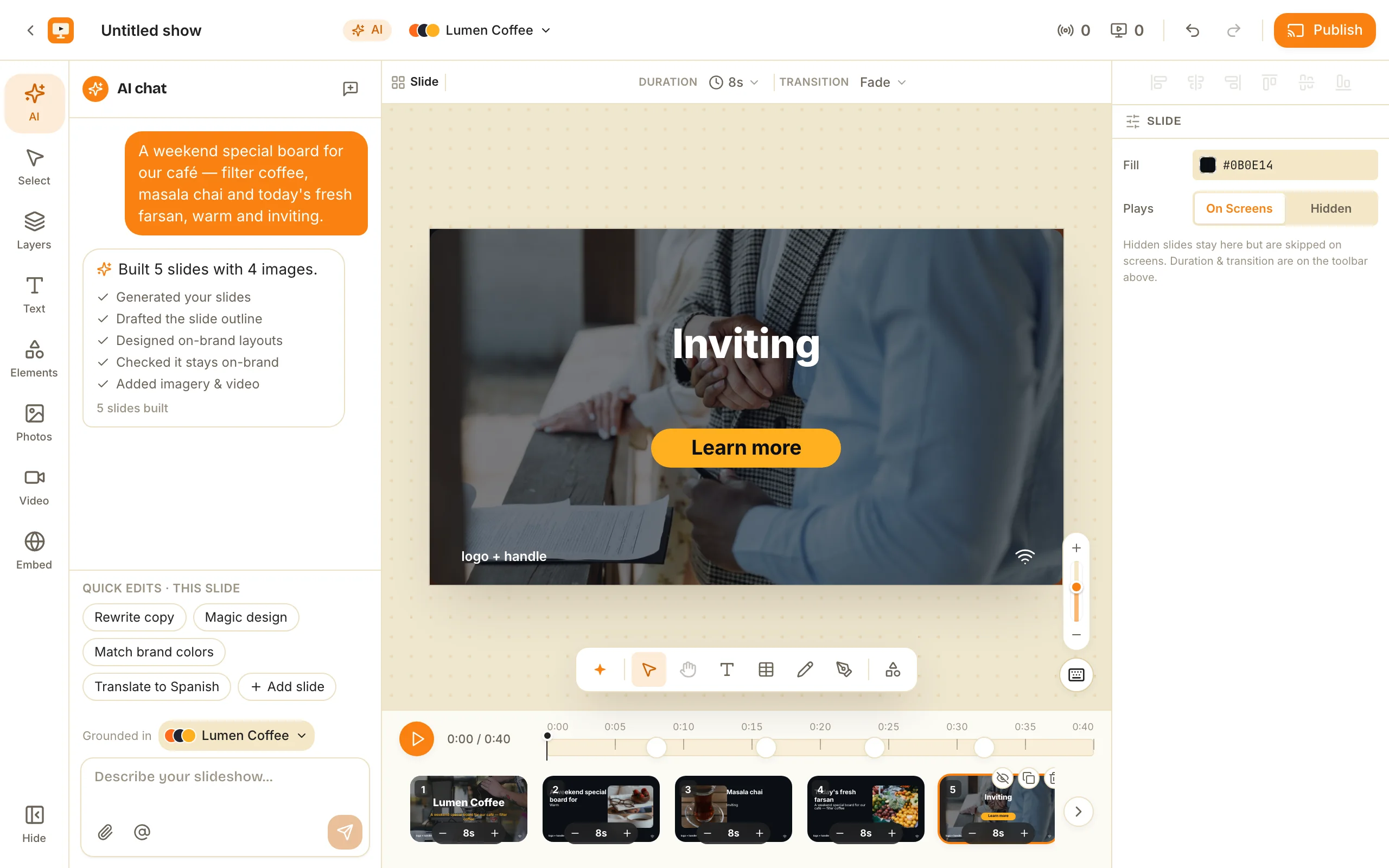
From brand kit to a scheduled channel: build your first show in ChannelOS
A step-by-step walkthrough: create a brand kit, generate an on-brand show with AI, preview it, then build a channel and put the show on a repeating weekly schedule.
How-to
12 posts- 8 min read
Waiting Room TV Slideshow: What to Put on the Screen, and What Never To
The slides that earn their place on a waiting room TV, a realistic loop length and dwell time, the things that must never appear on a screen in a public room, and how to stop the whole thing going stale by week three.
-
 8 min read
Portrait digital signage: hanging the TV sideways, and telling ChannelOS which way you turned it
There is no portrait switch in ChannelOS, on purpose. You pick one of four quarter turns, because a two-state toggle cannot say which way the set was turned, and 90 against 270 is the difference between a readable board and an upside-down one.
- 8 min read
How to Make a Digital Menu Board: Three Routes, Start to Screen
How to make a digital menu board three ways — a free browser maker with no sign-up, an AI draft read from a photo or PDF of your current menu, or from scratch in the editor — then pair the TV in about two minutes.
- 10 min read
Digital signage TV: how to turn the TV you already own into a sign
What makes a good digital signage TV, and the three ways to run one — pair the TV's own browser (no hardware), a Raspberry Pi (~$35), or a dedicated media player. Plus burn-in, always-on duty cycles, and commercial versus consumer panels.
- 6 min read
AI slideshow generation: from a sentence to a finished show in seconds
How ChannelOS's AI slideshow generation works and why it's fast: describe the screen in a sentence and AI drafts every slide on-brand in seconds, reads PDFs and images for context, and hands you a real editable show — so you can turn around a new board in minutes, not a weekend.
-
 7 min read
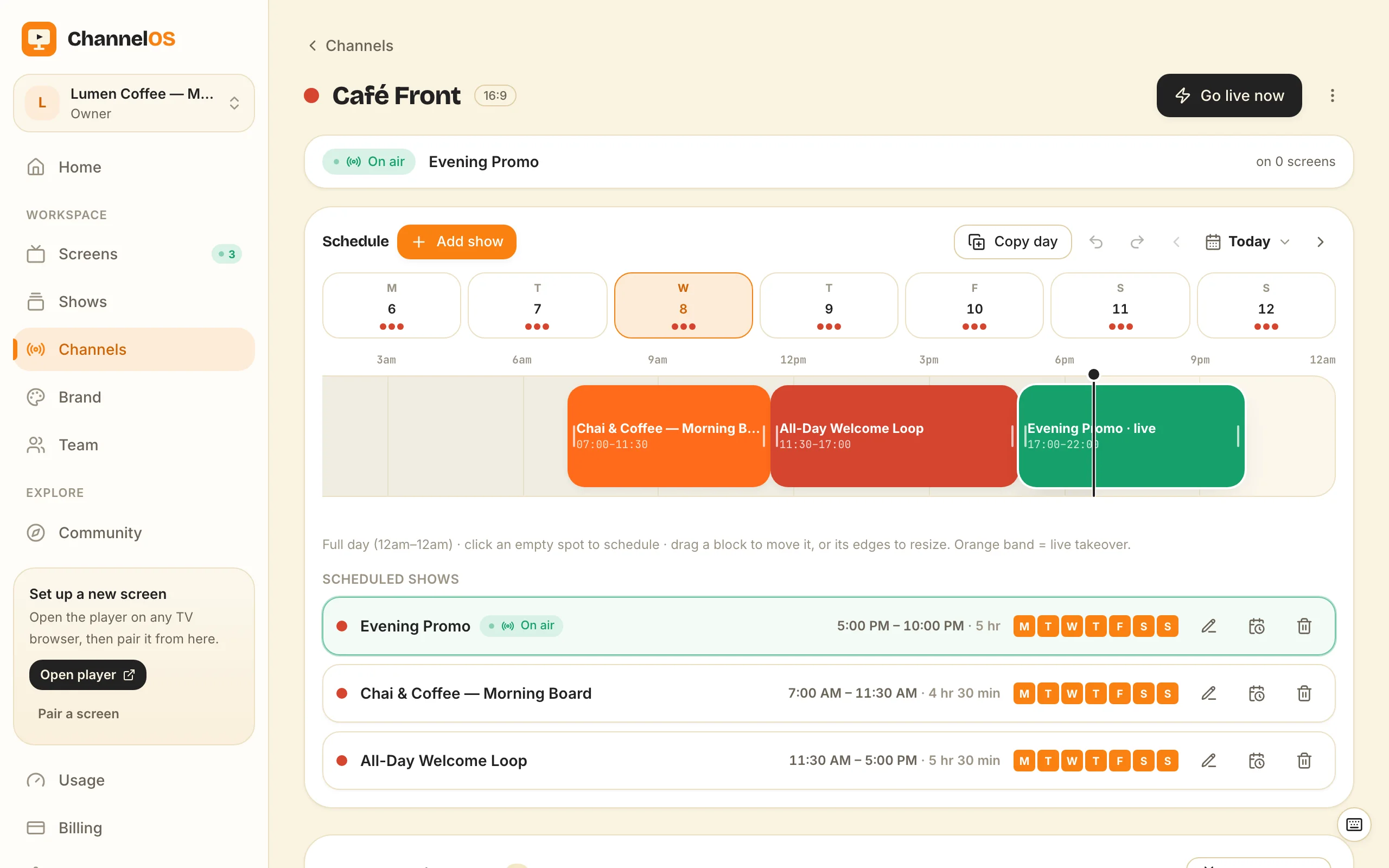
Why your screens deserve TV-broadcaster controls
ChannelOS treats a wall of screens like a TV station: a channel is a named feed with a daily timeline, dayparting, live takeover and a go-live-now button — why broadcast controls beat a flat playlist for real-world signage.
- 8 min read
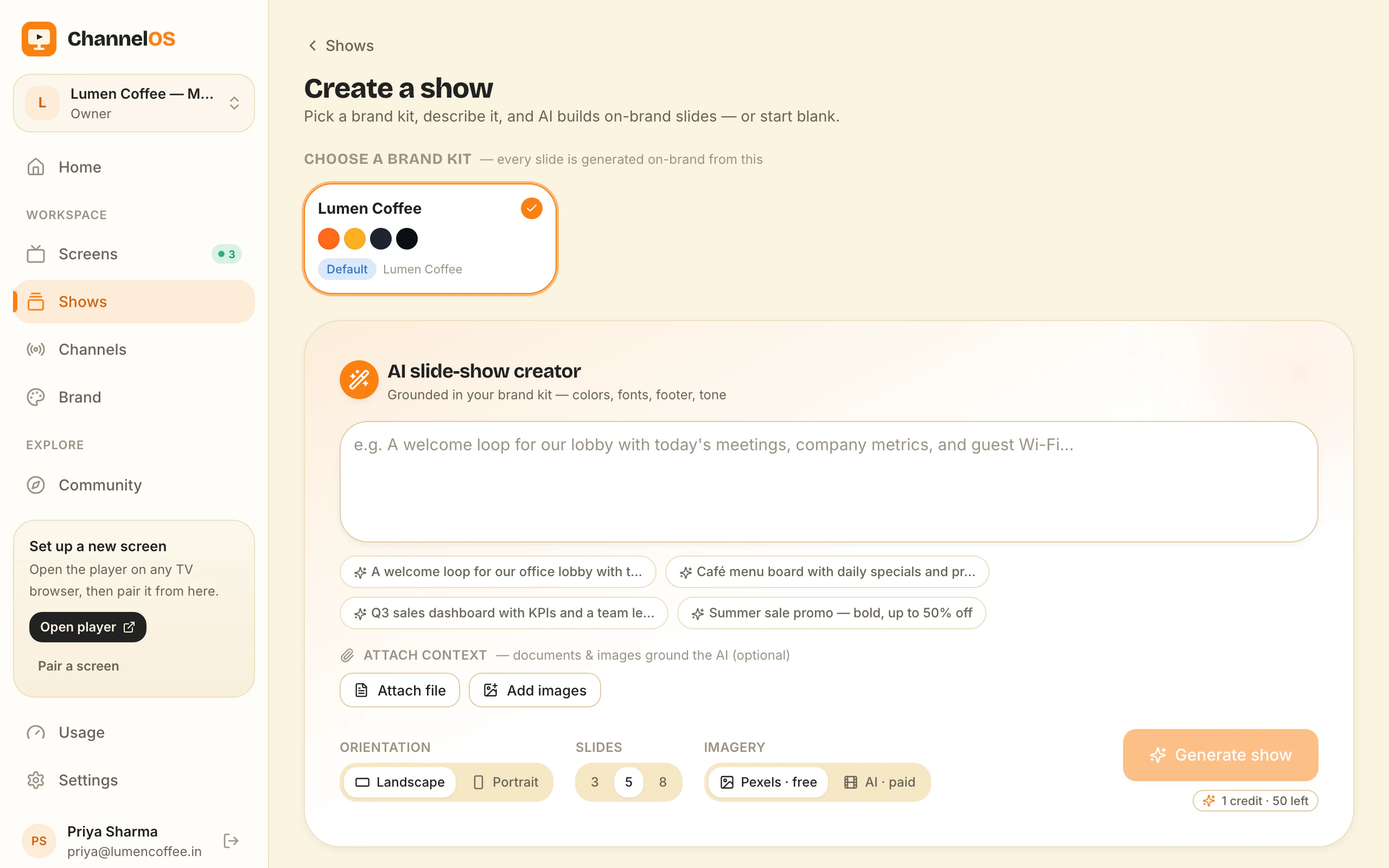
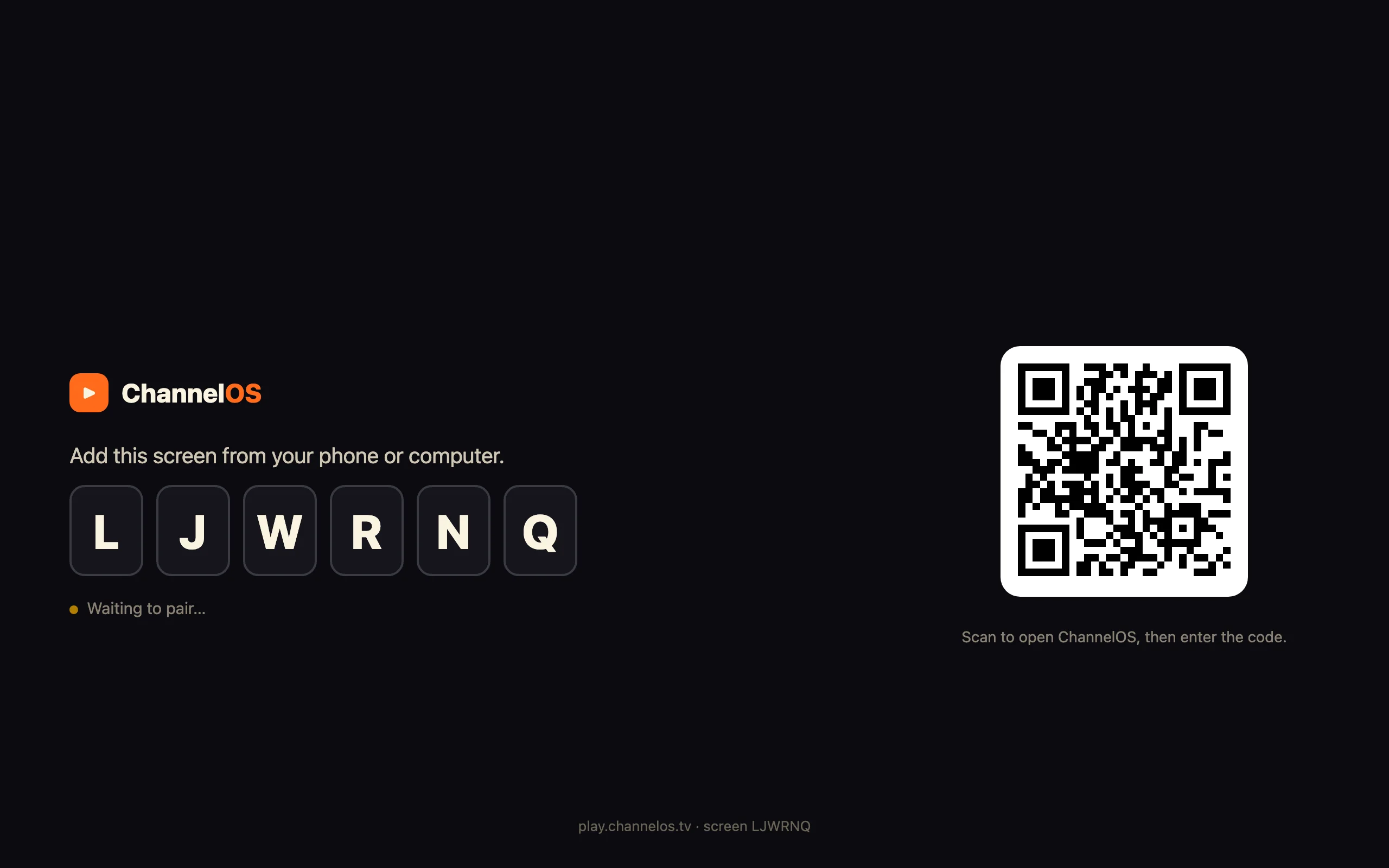
The ChannelOS flow: create a show, schedule a channel, pair a screen
A screenshot-by-screenshot walkthrough of the core ChannelOS flow: create a show with AI, program it onto a channel's daily schedule, pair a TV as a screen, then run everything from one live board.
-
 7 min read
How ChannelOS works: shows, channels, screens, and one live board
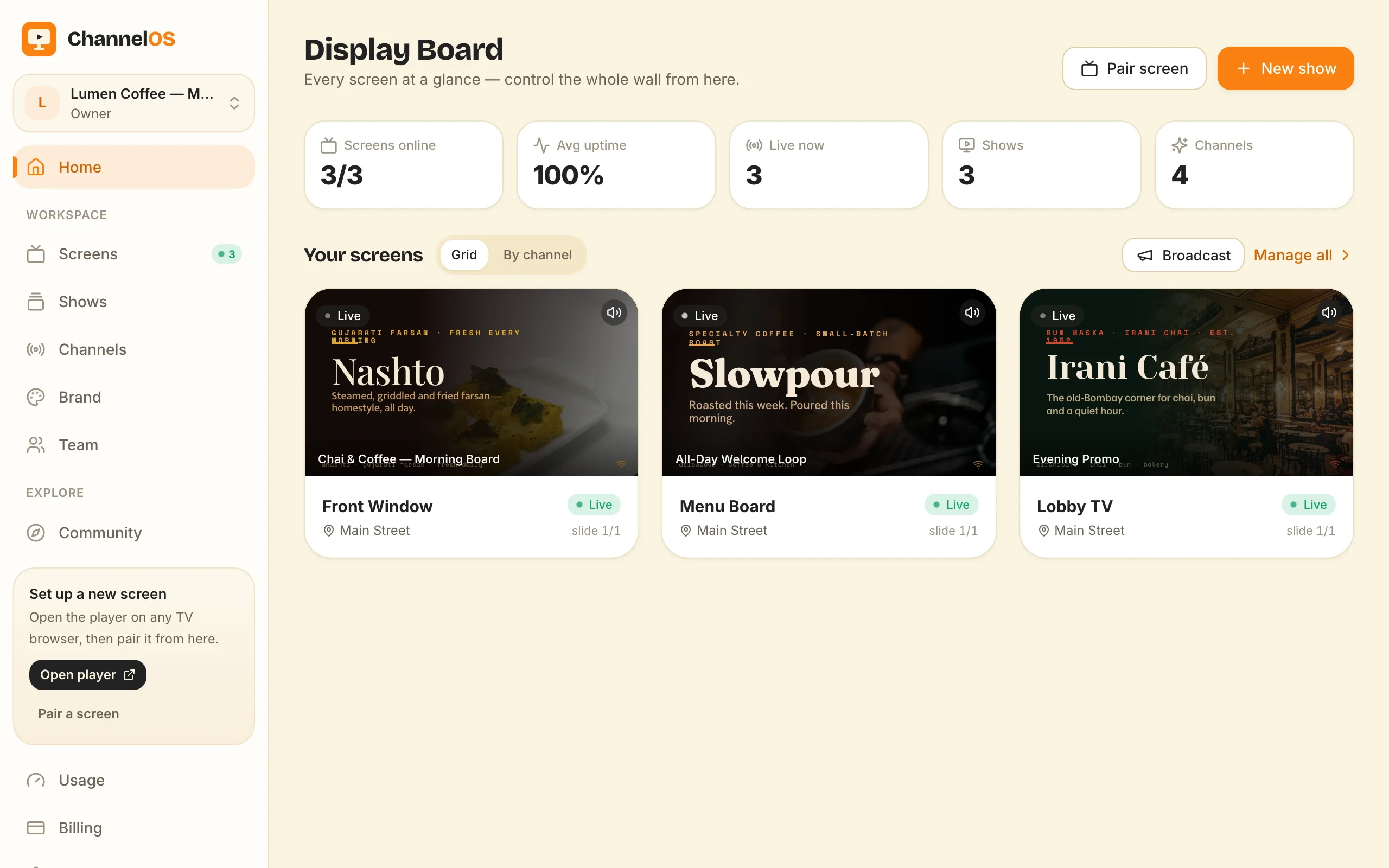
How ChannelOS works, end to end: build a show, program it onto a channel, pair a TV as a screen, and run the whole wall from one board — where every screen's picture is derived from the schedule, so one edit airs everywhere.
- 7 min read
How to manage many screens at once with channels and scheduling
Running lots of screens? Point them all at one channel, edit the show once, and it airs everywhere. How ChannelOS uses channels, dayparting and one live board to run a whole wall — or many locations — without touching each TV.
- 8 min read
How to run a local advertising business with a second-hand Android TV
A practical playbook for a tiny local out-of-home advertising business: rent a wall spot, plug in a used Android TV, and use ChannelOS to pair it, schedule advertisers into dayparts, and run several locations from one board. You sell the ads; ChannelOS runs the screens.
- 6 min read
What you need to run digital signage with ChannelOS
The complete list of what you need for digital signage with ChannelOS: a TV with a web browser, a phone or laptop to control it, and a free account. No media player, no designer, no AV team.
- 7 min read
Why ChannelOS works differently from Yodeck and the rest
The product philosophy behind ChannelOS: why setup should disappear, why a screen's content should be derived from a schedule instead of pushed to a device, why AI should draft the whole show, and why your phone is the remote.
Use case
7 posts- 9 min read
Digital Signage for Church Lobbies: Service Times, Giving QR, Volunteer-Run
Digital signage for church foyers on the TVs you already own — no player box. AI drafts the announcement slides, a channel handles the weekly rhythm, and a volunteer can run it on Sunday.
- 8 min read
Digital Menu Boards for Food Trucks: One Screen, One Phone, No Player Box
Digital menu boards for food trucks on the screen in your serving window — no player box. AI drafts the board, and you pull a sold-out item from your phone at the kerb.
- 8 min read
Digital Signage for Gym Screens: Timetables That Change With the Day
Digital signage for gym floors, studios and receptions on the TVs you already own — no player box. AI drafts the boards, and a weekly channel swaps Monday's timetable for Saturday's on its own.
- 9 min read
Digital Signage for Office Lobbies, Meeting Rooms and Internal Comms
Digital signage for office reception screens, meeting-room boards and internal comms — running in the TV's own browser, with no player box, no APK and no per-device licence.
- 9 min read
Digital Signage for Schools: Hallway Boards Without an IT Project
Digital signage for schools on the TVs already mounted in your corridors — no player box, no per-device licence. AI drafts the notices, dayparting follows the bell schedule, and cafeteria menus update themselves.
- 9 min read
Digital Signage for Restaurants: Menu Boards That Update Themselves
Digital signage for restaurants on the TVs you already own — no media player box. AI turns your PDF menu into slides, and dayparting swaps breakfast, lunch and dinner automatically.
- 8 min read
Digital signage for retail on the screens you already have
Digital signage for retail without a media player per screen — stand up window and in-store displays in minutes, push a price or offer change once, and it airs across every store.
How it works
4 posts- 8 min read
The Android TV signage app: what your screen does at 6am with nobody in the room
The browser tab gets a board onto the TV. It cannot bring it back after a power cut, retry a failed load, or put a menu on the remote when the board is blank. Here is what a native Android TV app adds, what it deliberately does not do, and where to get it while it is not on Google Play.
- 8 min read
Digital Signage Player: Do You Actually Need One?
An honest buyer's guide to the digital signage player — what BrightSign, the Yodeck Player, OptiSigns sticks and a Raspberry Pi really do, the four cases where you genuinely need one, and when the TV's own browser is enough.
- 9 min read
Digital signage player Android box? Run signage on any TV instead
You don't need a digital signage player Android box: ChannelOS runs in the TV's own browser — webOS, Fire TV, a Chromebox or a laptop — with AI-drafted, schedule-driven screens.
- 6 min read
No media player required: signage on hardware you already own
Why ChannelOS runs as a web page on the TV itself — no dedicated media player, no per-device license — and how channels, dayparting and self-updating screens work on hardware you already have.
Templates
3 posts- 8 min read
Digital menu board template: 14 cuisine presets and a gallery you can remix
Where to get a digital menu board template that isn't a flat image — 14 cuisine presets in the free menu board maker, plus community digital menu boards template designs you remix in one click.
- 8 min read
Free digital signage templates you can remix — and a screen that stays free
Free digital signage in two parts: a gallery of free digital signage templates you remix in one click, and a first screen that stays free forever — no media player, no per-device license.
- 6 min read
Digital signage template designer: make your own template
A digital signage template designer that runs in your browser — design a template layer by layer or let AI draft it, publish it to the gallery, and remix anyone else's in one click.
AI
2 posts- 8 min read
AI menu generator free to use: describe the menu, AI lays out the board
An AI menu generator free to use — type one sentence, or upload a photo or PDF of the printed menu, and AI drafts a complete, editable digital menu board for the TV you already own.
- 6 min read
AI-first signage: describe your screen, watch the show appear
What 'AI-first' actually means for digital signage — drafting whole multi-slide shows from a description, reading PDFs and webpages into slides, and why the output is an editable show, not a dead export.