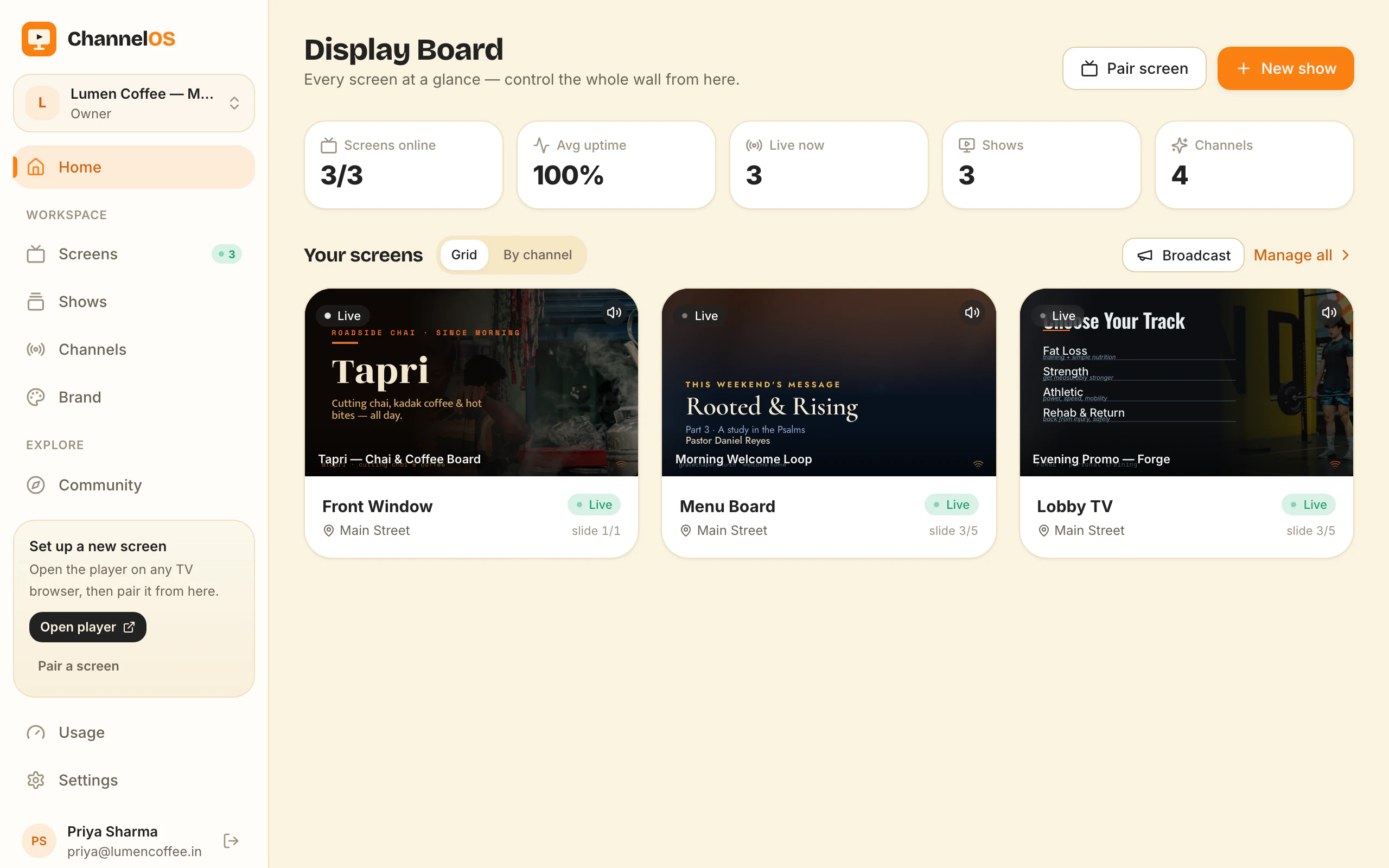
AI-first signage: describe your screen, watch the show appear
What 'AI-first' actually means for digital signage — drafting whole multi-slide shows from a description, reading PDFs and webpages into slides, and why the output is an editable show, not a dead export.
Ask anyone who runs a café why the screen behind the counter is showing last season’s promotion and the answer is never “the software would not let me”. It is that changing it means making something, making something means designing it, and nobody in the building is a designer. The blank canvas is where signage projects go to die.
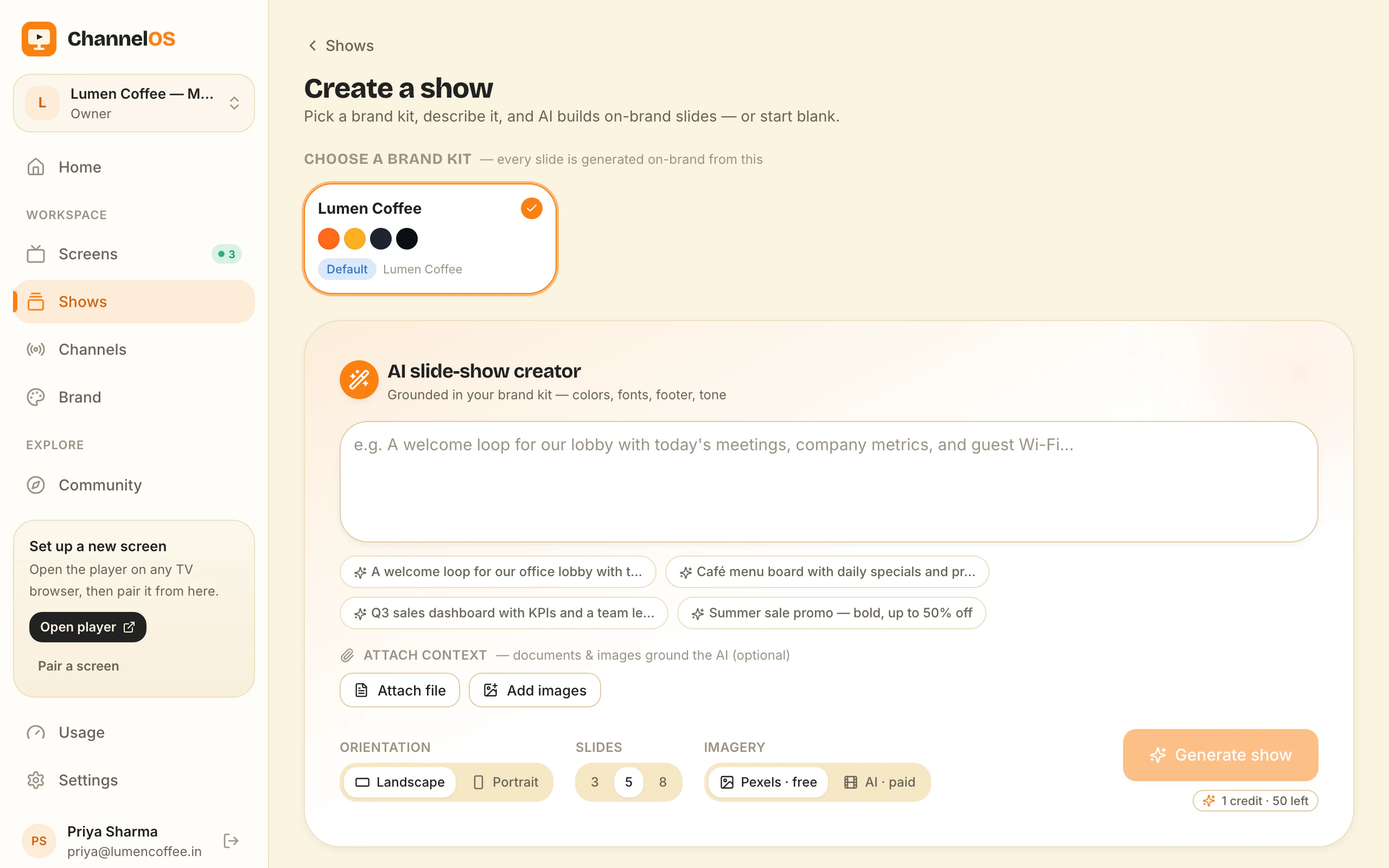
“AI-first” is an overused phrase, so let’s be concrete about what it means in ChannelOS: you describe what a screen is for, and a complete, on-brand, multi-slide show appears — ready to edit.
That’s a different thing from a chatbot bolted onto a design tool. The AI isn’t a side panel; it’s the default way you create.
Creation by description
Building a show normally means starting at a blank canvas and making a hundred small decisions. ChannelOS inverts that. You pick a subject, goal and look from chips — no prompt-writing required — and the AI drafts every slide for you. A café menu, a clinic waiting room, a gym promo, an office welcome board: each comes out structured, legible and on-brand in seconds.
The blank canvas is still there. It’s just no longer where you start.
It reads your material
You rarely create signage from nothing — you have a menu PDF, a price list, a logo, a webpage. ChannelOS ingests them:
- PDFs and images are parsed for text, headings and colours, then turned into slides.
- A webpage URL can seed a show from content you already publish.
- Your brand — colours, mood, whether to allow video — steers both layout and the imagery the AI pulls from Pexels.
So the draft isn’t generic. It reflects your material from the first render.
The output is a show, not an export
This is the part that matters most. A lot of “AI design” tools hand you a flattened image or a locked template. ChannelOS’s AI output is a real, editable show in the same editor you’d use by hand: every element is selectable, every slide is yours to drag, retime, rewrite or delete.
That means AI is a starting line you can always overrule — never a ceiling. Generate the draft, then take it the last 10%: swap a photo, lift a clean cutout with one-tap background removal, drop in a live clock or weather widget, fix a headline.
Why AI-first fits signage specifically
Signage has a brutal constraint most design work doesn’t: it has to be readable from across a room, instantly. That’s exactly the kind of consistent, rules-driven layout AI is good at — big type, high contrast, one idea per slide, on-brand colour. Letting the machine handle the scaffolding frees the human to do the part that actually needs judgment: deciding what to say.
Describe the screen. Watch the show appear. Then make it yours.
So test the only claim that matters here. Describe your business in one sentence and look at what comes back. If the first draft is something you would edit, AI has removed the blank canvas and the screen will keep changing. If it is something you would throw away, we have not earned the wall and you should say so.
Frequently asked questions
- Does ChannelOS's AI generate a whole slideshow or just one slide?
- A whole show. You describe the screen's purpose and pick a subject, goal and look from chips, and the AI drafts every slide on-brand. You can also attach PDFs and images, and it reads their text, headings and colours into slides.
- Can I edit what the AI makes?
- Yes — that's the point. Every AI draft is a real, editable show in the same Canva-style editor you'd use to build from scratch. Nothing is locked or flattened.
- Is AI required to use ChannelOS?
- No. AI is the fast on-ramp, but you can build any show entirely by hand in the editor. The two paths produce the same kind of show.
Your screen is two minutes away.
Open the player on a TV, scan the code, publish a show. Your first screen is free.
Free screens show a ChannelOS banner along the bottom of the screen, and any paid plan removes it.