Why ChannelOS works differently from Yodeck and the rest
The product philosophy behind ChannelOS: why setup should disappear, why a screen's content should be derived from a schedule instead of pushed to a device, why AI should draft the whole show, and why your phone is the remote.
ChannelOS is shaped by a different belief than Yodeck-style tools: running a screen should feel like changing a channel, not deploying to hardware. The traditional model treats every TV as a device you provision, license, and push files to. ChannelOS treats a TV as a browser that tunes in — content is derived from a schedule in real time instead of pushed to each box, AI drafts the whole show instead of handing you a blank canvas, any browser is the player, and your phone is the remote. This post is about the why behind those choices, not a feature scorecard. If you want the mechanics, how ChannelOS works walks the pieces; here we’re talking mindset.
Five beliefs shape the product. Each one is a deliberate reaction to something the device-centric model makes you do.
Why should setting up a screen be scanning a code, not provisioning a box?
Because the setup step is where most signage projects stall. The traditional path is: buy a media player, image it, sideload an APK, register the device, assign a license, then wait for the first sync. That’s provisioning — IT work, done per screen.
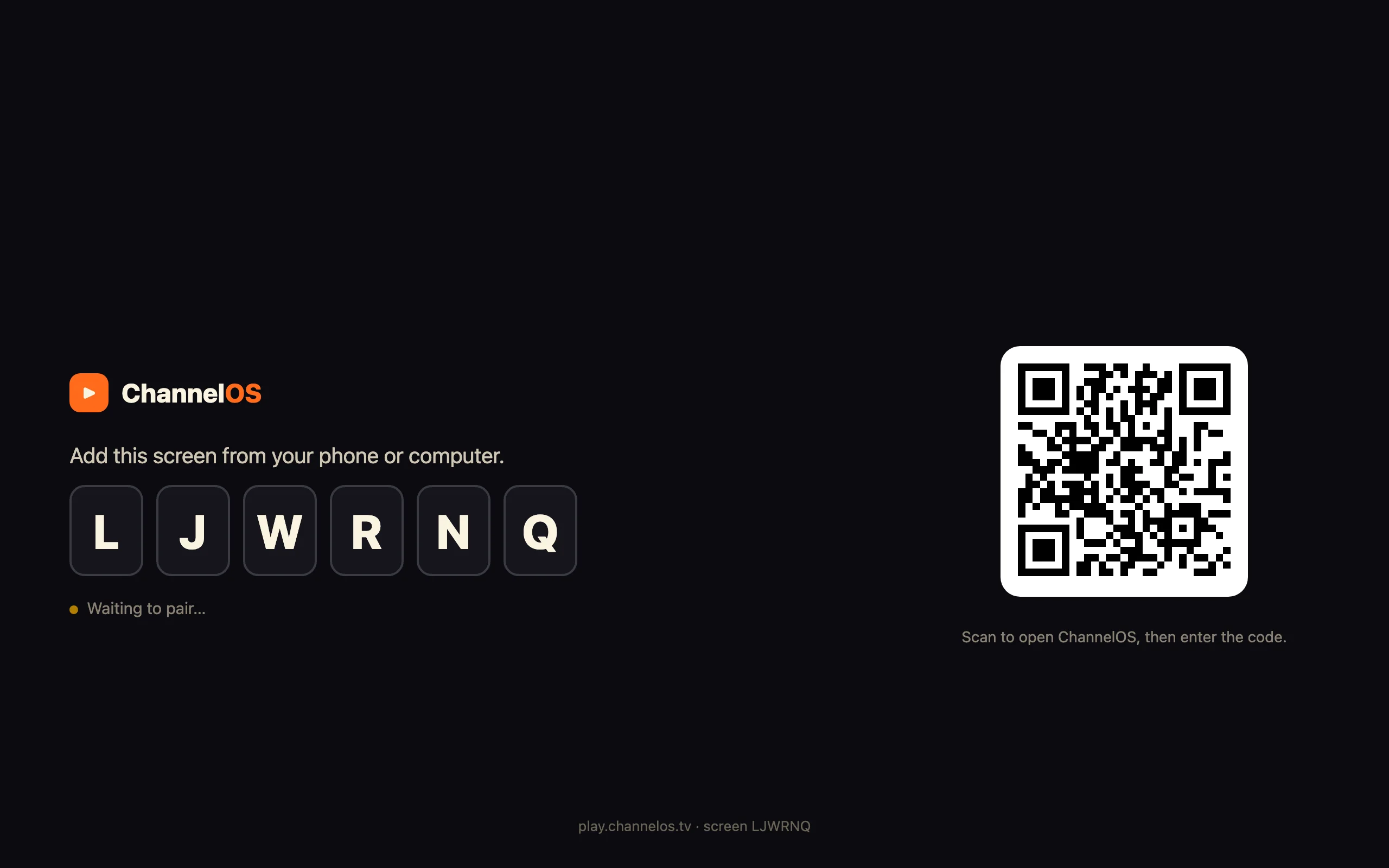
ChannelOS collapses it to pairing. Open play.channelos.tv in any TV browser and the page mints a screen and shows a 6-character code and a QR. Scan from your phone, and that screen links to your account. A corner store owner can walk a spare TV from the stockroom to the wall and have it live in about two minutes — no box to buy, no per-device license to assign.
The difference is philosophical, not just faster. Provisioning assumes a technician; pairing assumes the person who runs the shop. If a signage rollout genuinely shouldn’t take a weekend, setup has to be something anyone can do standing in front of the TV.
Why it matters: the hardest part of most signage deployments is getting each screen set up in the first place — so we deleted it.
Why should a screen’s content be derived from a schedule instead of pushed to it?
This is the big one — the invariant everything else hangs on. In the device model, content lives on the device. You edit a playlist, then you push it, then each media player downloads and caches the new files. The screen is a copy that can drift from the original until the next sync lands.
ChannelOS inverts that. What a screen shows is derived from the show plus the channel schedule in real time — never pushed file-by-file. A show is your slideshow, a channel is a named feed with a real daily timeline and dayparting, and a screen simply tunes into a channel. Change the show and every screen tuned to it updates instantly. Edit once, airs everywhere. There is no re-publish, no device-sync wait, no “did it land on screen 4?”
Picture a café correcting a typo on the lunch board at noon. In the push model that’s an edit, a publish, and a wait while each player re-downloads. In ChannelOS it’s one edit; the wall is already right, because the wall was never holding a copy — it was rendering the source. Realtime plumbing (Cloudflare Workers and Durable Objects) makes the update hit the glass in milliseconds, but the idea is what matters: the screen is a live view of a schedule, not a cache of files.
Why it matters: when content is derived rather than copied, screens can’t silently fall out of date — the thing you edit and the thing on the wall are the same thing.
Why should AI draft the whole show instead of handing you a blank canvas?
Because a blank canvas is a tax on the person who just wants a screen filled. Every traditional tool eventually drops you into an editor and says “design something.” That’s fine if you’re a designer; it’s a wall if you run a clinic waiting room and have twenty other things to do.
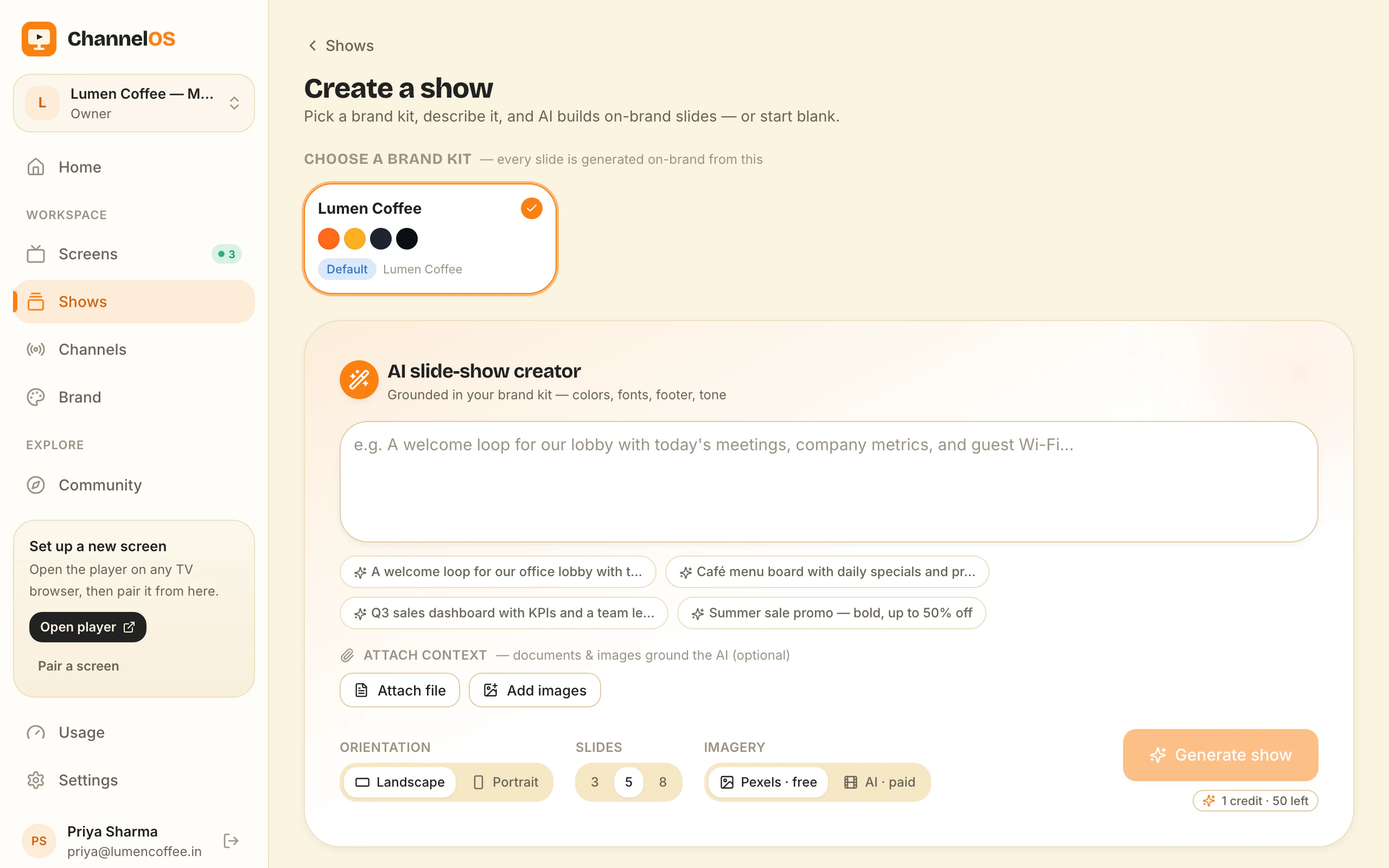
ChannelOS starts from description, not decoration. Click New show and you land in the editor with an AI chat open; type what the screen is for — “waiting-room loop with today’s clinics and check-in steps” — and it drafts every slide, on-brand, in seconds. You can attach a PDF, images, or a webpage URL for context, and the output is a real, editable show, not a flat export you can’t change. Because you make a brand kit once (colors, type, footer, tone), the draft already looks like you on the first try.
The Canva-style editor is still there — drag, resize, rotate, group, rich text, live widgets, background removal, free Pexels photos. But it’s the fallback for the last mile, not the starting line. The belief is that most people want to approve a screen, not author one from nothing. More on the AI-first stance in why AI should draft the first slide, not you.
Why it matters: the fastest way to a finished screen is to edit a good draft, not to start from an empty page.
Why should any browser be the player instead of a proprietary box?
Because tying signage to specific hardware is a constraint you inherit forever. Proprietary players mean a supported-device list, a firmware to maintain, and a purchase order for every new screen.
ChannelOS’s player is a web page. That means the “player” runs on Android TV, Google TV, LG webOS, Fire TV’s Silk browser, a Chromebox, a mini-PC, or a laptop in kiosk mode — anything that renders a modern web page. Screens self-update by polling for new builds and reloading themselves, and they accept a remote reload from the board, so you’re never walking around with a USB stick to patch firmware. Pairing is also honest: a screen knows when it’s been unpaired or taken over and says so on-screen, instead of going silently stale. You can read the fuller case in no media player required.
The mindset here is to meet the hardware you already own where it is. A TV is a browser with a big screen; treat it like one.
Why it matters: when the player is a web page, your device list is “anything that opens a URL” — and it stays current on its own.
Why should your phone be the remote?
Because the wall should be controllable from wherever you’re standing, not from a back-office login. In the device model, “control” means a dashboard you push changes out from and hope they arrive.
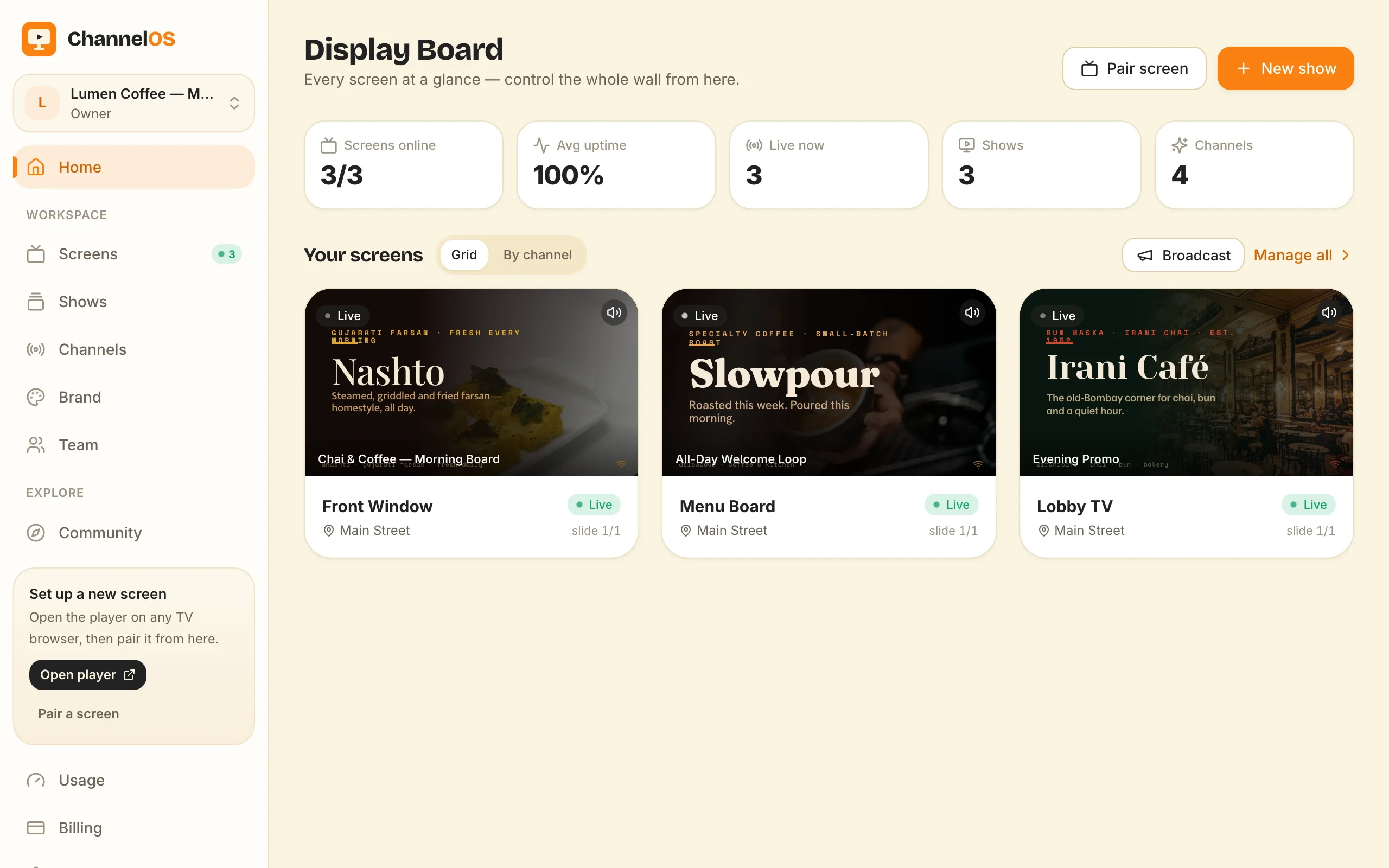
ChannelOS gives you one live board — the Display Board — with every paired screen shown as a real rendered preview, live status, and one-tap controls: play, pause, blank, mute, next, and broadcast/takeover. It’s a room you watch and touch, not a queue you push to. A lobby manager can blank a screen from their phone the moment a fire drill starts and un-blank it after, no laptop required. Because the board and the screens share the same realtime layer, an action hits the glass in milliseconds and the preview reflects reality.
Why it matters: a screen you can pause, blank, or take over from your pocket is a screen you actually run — not one you hope is fine.
When is the traditional device-and-playlist model still the right call?
Being fair means naming where the other model genuinely wins. A hardened offline media player is real resilience. If your screen sits somewhere with flaky or no internet — a warehouse floor, a remote branch, a vehicle — a box that caches its playlist to local storage keeps playing through an outage. A browser-based screen depends on the network to render a live view; that’s the honest trade for staying always-current.
The device model also offers tight kiosk lockdown: purpose-built hardware in a locked enclosure, stripped of everything but playback, is hard to beat for a screen the public can physically reach and tamper with. If your requirements are “must survive a day-long ISP outage” or “must be a sealed, single-purpose appliance,” a traditional player earns its keep — and you should choose it.
ChannelOS is built for the far more common case: connected screens run by the people who run the business, changed often, from a phone. For a side-by-side of where each model lands, see ChannelOS vs Yodeck. This isn’t “old model bad” — it’s two different bets, and we made ours for the connected, edit-often world.
Why it matters: the right question isn’t which tool is better, it’s whether your screens live online and change often — if they do, deriving beats pushing.
The through-line
Setup disappears, content is derived not pushed, AI drafts instead of blanking, the browser is the player, and your phone is the remote. Pull on any one of those and you land on the same idea: signage should feel like tuning a channel, not shipping to hardware.
Want to feel the difference? Your first screen is free. Open play.channelos.tv on any TV, scan the code with your phone, and describe what the screen is for — the AI drafts the show, and you’re running a live wall in about two minutes. No box, no APK, no weekend.
Frequently asked questions
- Is ChannelOS just a cheaper Yodeck?
- No — it's a different mental model, not the same product at a different price. A device-and-playlist tool pushes files to each media player; ChannelOS derives what a screen shows from the show plus the channel schedule in real time, so editing a show updates every screen tuned to it with no re-publish step.
- Do I still need a media player or Android box to use ChannelOS?
- No. Any TV that renders a modern web page becomes the player — open play.channelos.tv in the TV browser, scan the code from your phone, and it's paired in about two minutes. There's no per-device license.
- If I edit a show, do I have to re-publish it to every screen?
- No. A screen's content is derived from the show and the channel schedule, not pushed file-by-file. Edit the show once and every screen tuned to that channel updates in real time — "edit once, airs everywhere."
- When should I still choose a traditional media-player system instead?
- When you need guaranteed cached playback through an internet outage or tight, locked-down kiosk hardware. A hardened offline media player keeps running from local storage when the network drops — that's a genuine strength of the device-centric model, and an honest reason to pick it.
Your screen is two minutes away.
Open the player on a TV, scan the code, publish a show. Your first screen is free.
Free screens show a ChannelOS banner along the bottom of the screen, and any paid plan removes it.