What you need to run digital signage with ChannelOS
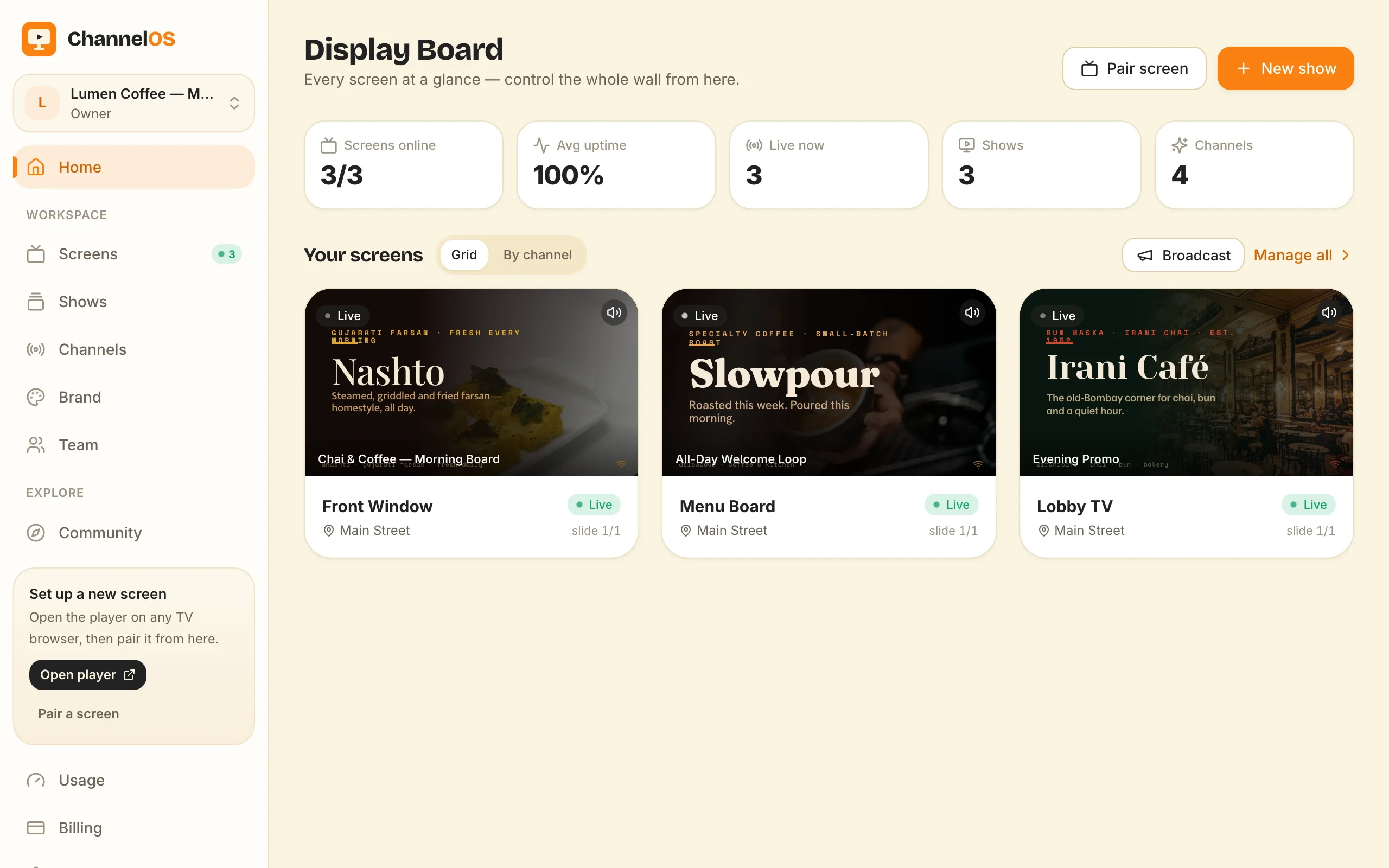
The complete list of what you need for digital signage with ChannelOS: a TV with a web browser, a phone or laptop to control it, and a free account. No media player, no designer, no AV team.
To run digital signage with ChannelOS you need exactly three things: a screen with a modern web browser (any TV, or a laptop), a phone or laptop to pair and control it, and a free ChannelOS account. Add ordinary Wi-Fi or internet and you’re done. There’s no media-player box to buy, no per-device license, and no designer on staff. The first screen is free, and pairing takes about two minutes.
What do I actually need?
Here’s the whole list — nothing hidden below the fold:
- A screen with a modern browser. A TV, a monitor, or even a laptop in kiosk mode. If it renders a web page, it can be a sign.
- A phone or laptop to control it. You pair from your phone by scanning a code, then run everything from one board.
- A free account. Sign up, and your first screen is free.
- Ordinary internet or Wi-Fi. The same connection your TV already uses.
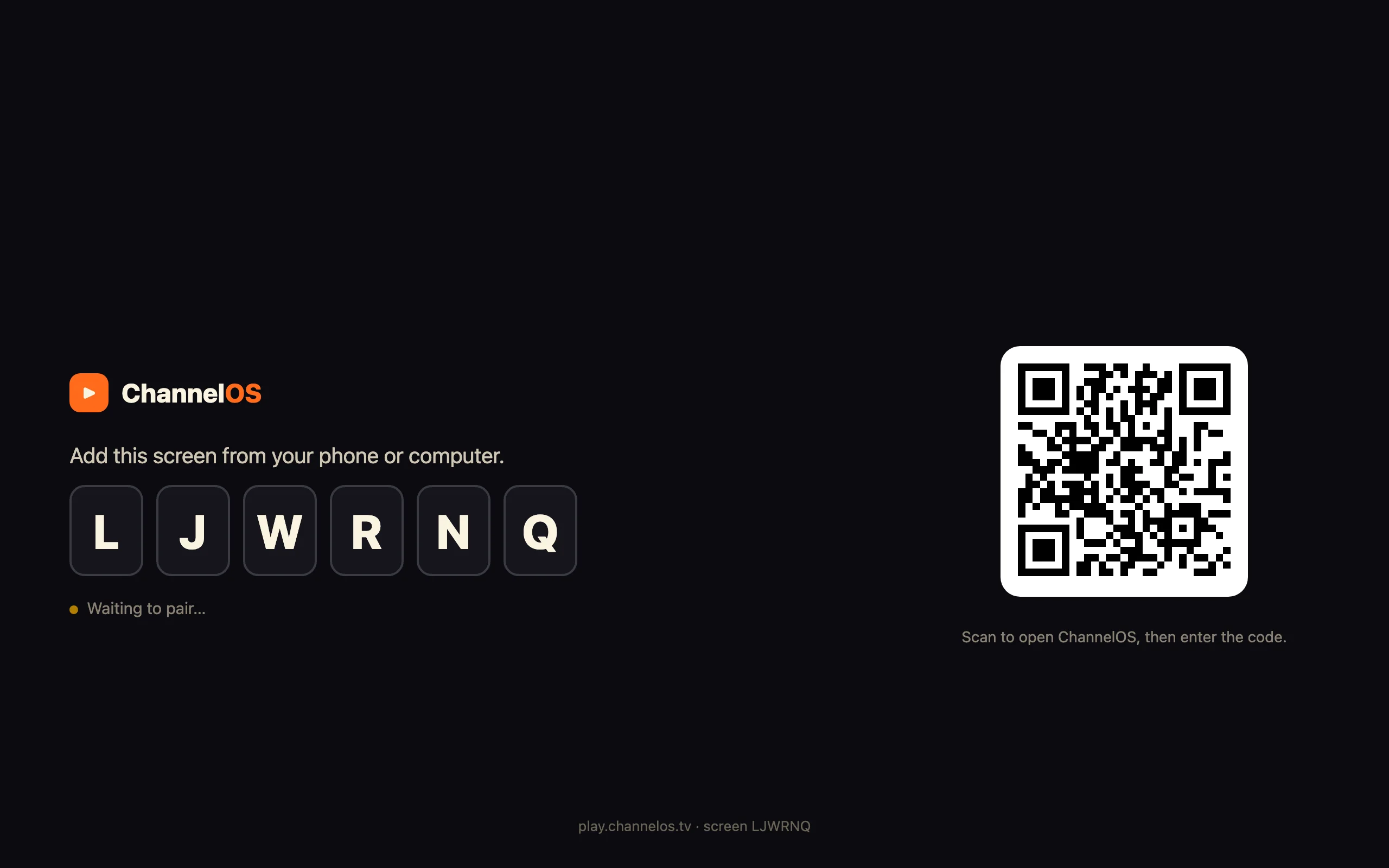
That’s it. To go live, you open play.channelos.tv in the TV’s browser. The page mints a screen and shows a 6-character code and a QR code — “Add this screen from your phone or computer.” Scan it from your phone, the screen links to your account, and you’re live in about two minutes.
Take a corner café: the owner opens the browser on the TV already mounted behind the counter, scans the code with the phone in their apron, and the menu board is theirs — no purchase order, no install, no waiting on a technician.
Why it matters: the barrier to a first screen is a web page and a phone, not a hardware budget.
What do I NOT need?
This is where signage usually gets expensive and slow. With ChannelOS, you can cross all of it off:
- No media-player box or stick. The TV is the player. Nothing plugs in behind it.
- No installed app or APK. Nothing to sideload on the TV, nothing to keep updated by hand. Screens self-update — they poll for new builds and reload themselves, and you can trigger a remote reload from the board.
- No per-device license. Paid plans are per screen, per month, with no per-user seats — but the first screen costs nothing.
- No graphic designer. Describe what the screen is for and AI drafts every slide on-brand in seconds, or design it yourself in a Canva-style editor with free Pexels photos and video built in.
- No AV team or integrator. Pairing is a QR scan. There’s no rack, no cabling job, no site visit.
Because a screen doesn’t go silently stale, you also don’t need someone babysitting the fleet. Pairing is reversible and honest: a screen knows when it’s been unpaired or taken over and says so on the glass.
Why it matters: the traditional signage “starter kit” — a player per screen, an install, a license, a designer — is mostly cost you can skip.
How is that different from Yodeck-style setups?
Traditional platforms assume one dedicated media player per screen — typically a Raspberry Pi or an Android box — that you provision, license, and mount behind every TV. For a 10-screen rollout that’s 10 devices to buy, image, and maintain before a single slide goes up.
ChannelOS removes that layer entirely. The browser already on the TV is the player, so adding a screen is a scan, not a shipment. We walk through the removed hardware in signage with no media player required and the no-Android-player approach.
To be fair about where the old way still genuinely wins: a hardened offline media player caches content locally, so it can keep playing through an internet outage. A browser-based screen depends on its connection. If your site loses the network for hours and the screen must keep showing the last playlist no matter what, a dedicated offline player is the safer bet. For the vast majority of cafés, clinics, lobbies, and shops on normal Wi-Fi, that trade isn’t worth the per-device cost and busywork — but it’s a real difference, not a marketing footnote.
Why it matters: name the one place dedicated hardware still earns its keep — guaranteed cached playback through an outage — and skip it everywhere else.
Does my TV work?
Almost certainly, if it can open a web page. ChannelOS runs on:
- Android TV and Google TV
- LG webOS
- Fire TV (via the Silk browser)
- A Chromebox or mini-PC wired to any display
- A laptop in kiosk mode
The test is simple: can the device open play.channelos.tv in a browser? If yes, it pairs. You’re not buying compatible hardware — you’re using the screen you already have. And because ChannelOS depends only on 100% MIT / OFL licensed dependencies, there’s no proprietary runtime to license underneath it.
What does it cost to start?
Nothing, for your first screen. The first screen is free, and there are no per-user seats — paid plans are per screen, per month, so cost scales with screens, not staff.
The only other line is AI credits, and every plan gets a monthly pool: 50 a month on the free plan, 150 on Solo, 400 on Pro. It refills every month. Pexels stock imagery is free and draws none of it. Only AI-generated imagery and AI slide drafting spend credits, and the create-show page shows your balance as you go. A menu board built from free photos costs no credits at all.
So the honest sum for one screen is: a TV you already own, a phone, your wifi, and nothing else. Zero, and no card.
Here is the test worth running, because it is the one that decides whether any of this is worth your time. Put your real prices on one real screen this week. Then change one of them from your phone on a Tuesday afternoon while you are standing behind the counter. If that takes you longer than about a minute, we have not earned the screen and you should close the tab. If it takes ten seconds, you already know what the other four screens are for.
Ready in about two minutes
You already own the hard part: the screen. To see it work, open play.channelos.tv on your TV, scan the code with your phone, and describe what the screen is for — the AI drafts an on-brand show in seconds. The first screen is free, so there’s nothing to lose by pairing one.
New here? Start with how ChannelOS works, then walk the full create a show, schedule a channel, pair a screen flow end to end.
Frequently asked questions
- What do I need to start with digital signage?
- With ChannelOS you need four things: a screen with a modern web browser, a phone or laptop to control it, a free account, and ordinary internet or Wi-Fi. There's no media-player box, and no per-device license.
- Do I need a media player or Android box for ChannelOS?
- No. ChannelOS runs in the TV's own web browser, so there's no media-player stick, and no per-device license to track. Any device that renders a modern web page can be a screen.
- Will my existing TV work with ChannelOS?
- If it runs a modern web browser, yes. Android TV, Google TV, LG webOS, Fire TV via the Silk browser, a Chromebox, a mini-PC, or a laptop in kiosk mode all work — you open play.channelos.tv on the TV and pair it from your phone.
- How much does it cost to get started?
- The first screen is free. Free screens show a ChannelOS banner along the bottom of the screen, and any paid plan removes it. Paid plans are per screen, per month with no per-user seats, and Pexels stock imagery is free — only AI-generated images and AI slide drafting use credits.
Your screen is two minutes away.
Open the player on a TV, scan the code, publish a show. Your first screen is free.
Free screens show a ChannelOS banner along the bottom of the screen, and any paid plan removes it.