Other kitchens, other boards
Fourteen templates, and each opens the editor with a real starter menu and a palette built for that food. A sushi board and a barbecue board should not look like the same board.
Free tool · no sign-up
Three sizes across four milks is twelve prices for a single flat white, and no counter board has the room for that grid. What every busy espresso bar eventually lands on is to price the drink once, at its house size on dairy, then carry size and milk as two modifier lines the entire board inherits. A screen is where that structure actually holds: the drink column stays one price per line, and the matrix collapses into two numbers you can change in one place.
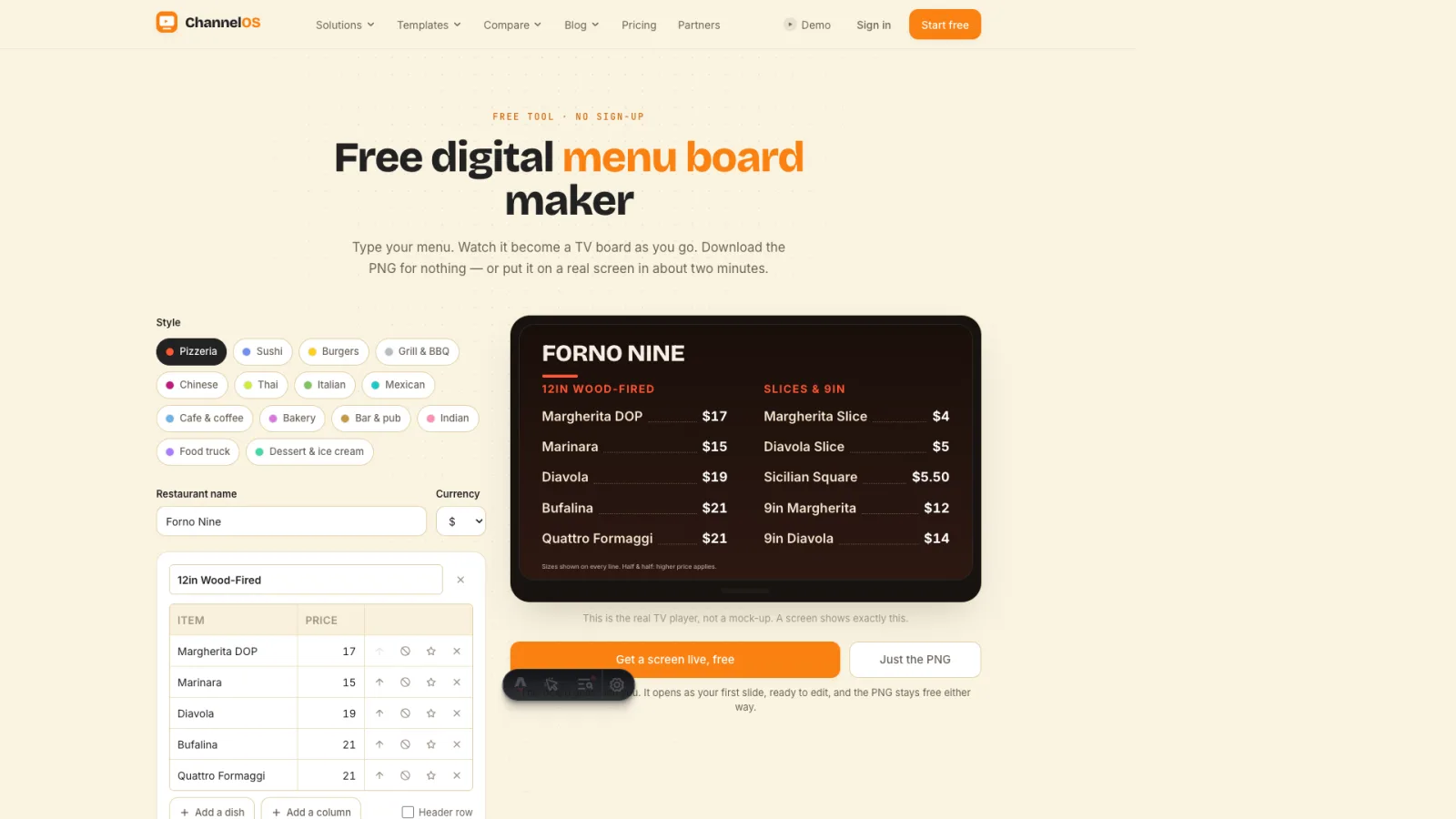
This is the real TV player, not a mock-up. A screen shows exactly this.
This board goes with you. It opens as your first slide, ready to edit, and the PNG stays free either way.
| Row actions | ||
|---|---|---|
| Row actions | ||
|---|---|---|
Allergens, hours, taxes: the small print at the bottom.
Optional. Drop in your online menu or ordering link and it lands in the corner of the board.
Two minutes, our own footage. Pair a screen, put the board on it, then change the price from a phone and watch the screen change.
Coffee-shop signage: one screen carries your espresso list, your brew methods, and the milk and size upcharges that would otherwise need twelve printed cells.
The board itself is the easy half. The half that decides whether it's worth having is what happens after: who changes the 6pm price, what shows on the second screen, and what the board falls back to when nobody's looking after it. A design tool hands you a file and stops there. Canva, for one, doesn't schedule or manage displays at all. This maker hands you the file too, and then keeps going.
One dish per line, name and price. Paste your existing menu straight in if you have one.
Fourteen cuisine styles, each with its own palette and board layout. Your menu keeps itself while you try them on.
Open the board on any screen: a smart TV browser, a stick, an old laptop. Pair it from your phone, with no media player to buy.
Fourteen templates, and each opens the editor with a real starter menu and a palette built for that food. A sushi board and a barbecue board should not look like the same board.
The maker gets you a board. These cover the parts that come after it: getting it onto a real screen, designing it so it reads from across the room, and what any of it costs.
Put it on a screen
Build a better board
Harder rooms
A screen, a phone, two minutes. Pair a TV, send this exact board to it, and change a price from the pass at 6pm without reprinting anything.
Free screens show a ChannelOS banner along the bottom of the screen, and any paid plan removes it.
Sell it instead of buying it. The ChannelOS partner program pays 20% of what each business you refer pays us for their first 12 months, then 10% for as long as they stay. Free to join, nothing to stock.
See the partner program →