ChannelOS vs Raydiant: the Raydiant alternative with no player box
A Raydiant alternative that needs no player box: an honest comparison of ChannelOS and Raydiant/Displai — Raydiant pushes a ScreenRay media stick and quote-only pricing; ChannelOS pairs a TV in the browser, drafts the whole show with AI, edits once to air everywhere.

If you’re shopping for a Raydiant alternative, the first thing to know is that the brand itself has moved. Raydiant — acquired by Displai Systems in May 2025 and now branded Displai (raydiant.com redirects to displai.ai) — is a capable, enterprise-grade signage platform. It leans hospitality-first, and it does one thing better than almost anyone: POS-driven menu boards, with live price and menu updates flowing straight from Toast, Square or Clover. For a multi-location restaurant or retail chain that wants a managed fleet with strong scheduling and in-store analytics, it does that job well.
ChannelOS is for the person on the other side of the sales call: you want to read the price on a page and have a screen live before anyone books a demo. ChannelOS is browser-based (no media box on the TV), AI-first (AI drafts the whole show), and schedule-first (edit once, it airs everywhere). This is an honest look at where the two diverge.
A Raydiant alternative that needs no player hardware
Most people searching for a Raydiant alternative are not unhappy with the software. They’re unhappy with two things wrapped around it: a $199 ScreenRay stick to buy and provision per screen, and a pricing page that answers every plan with a contact form. ChannelOS removes both — the TV’s own browser is the player, and the price is published — but it is not a like-for-like swap, and it’s worth being precise about who should make it.
Switch if your screens run promos, menus, notices and offers. A single café, salon, clinic, gym, dealership showroom, church or school office is usually paying enterprise money for a looping board. If nothing on your screens is fed by an integration, the enterprise machinery underneath Displai is cost you aren’t using. Pair a TV in about two minutes, describe the show and let AI draft it, then check the published pricing — the first screen is free forever. If menus are the job, the free menu board maker covers 14 cuisines, and the templates gallery is remixable.
Do not switch if the register drives your prices. Displai’s POS-driven menu boards — live price and menu updates through Toast, Square or Clover — are genuinely best-in-class, and ChannelOS has no POS integration at all. A twelve-site QSR whose board prices change when head office changes them in Toast would be trading a working system for manual edits. That’s a downgrade, not a saving.
What else you give up, plainly. The third-party marketplace of hundreds of partner apps. Visitor InSight, the computer-vision in-store analytics from the Perch Interactive acquisition — ChannelOS measures nothing about who walks past. The ~225,000-design PosterMyWall template library. Certified, remotely managed player hardware with LTE as a connectivity option, which genuinely earns its cost at a site with no reliable WiFi. And the browser approach has a real edge case: a cheap smart TV from 2016 may have a browser that struggles, in which case a cheap HDMI stick running a modern browser fixes it — which is why no media player is required rather than why hardware never helps.
What you gain. No box, no sideloaded app, no per-device licence to track, AI that drafts the whole multi-slide show from one sentence, and edit-once-airs-everywhere scheduling with no publish-and-wait step. If you want the wider field before deciding, the 2026 roundup covers ten platforms.
Do I need a media player or device for Raydiant?
Raydiant/Displai effectively requires a media device at each screen; ChannelOS needs no box and no app. Raydiant sells its own proprietary HDMI media stick, ScreenRay, for around $199 plus tax and shipping — it plugs into the TV’s HDMI and connects over WiFi, ethernet or LTE. You can bring your own hardware instead (Windows, Mac, Chromebox, Amazon Fire TV Stick or BrightSign, which Displai continues to support for existing customers), so you aren’t locked to their box — but a player device of some kind is still part of every screen.
ChannelOS makes the TV itself the player. You open play.channelos.tv in the TV’s own browser — Android TV, Google TV, webOS, Fire TV, a browser-on-a-stick, even a laptop in kiosk mode — scan the on-screen code from your phone, and the screen is live in about two minutes. No stick to buy, no per-device license to track.
Why it matters: the cost and setup of adding a screen drops to a TV you already own — no $199 box to order and provision before anything appears.
Can AI build the whole show, or do I design every slide?
Raydiant/Displai has no generative content AI; ChannelOS drafts the entire multi-slide show from one description. Raydiant’s “AI” is analytics and computer-vision oriented — its Visitor InSight & Analytics (bolstered by the 2023 Perch Interactive acquisition) measures how on-screen experiences affect in-location revenue. That’s a real capability, but it’s a different job. For content creation you drag-and-drop by hand or start from its large template library (~225,000 designs via a PosterMyWall partnership); there’s no verifiable AI that authors a whole slideshow from a text description.
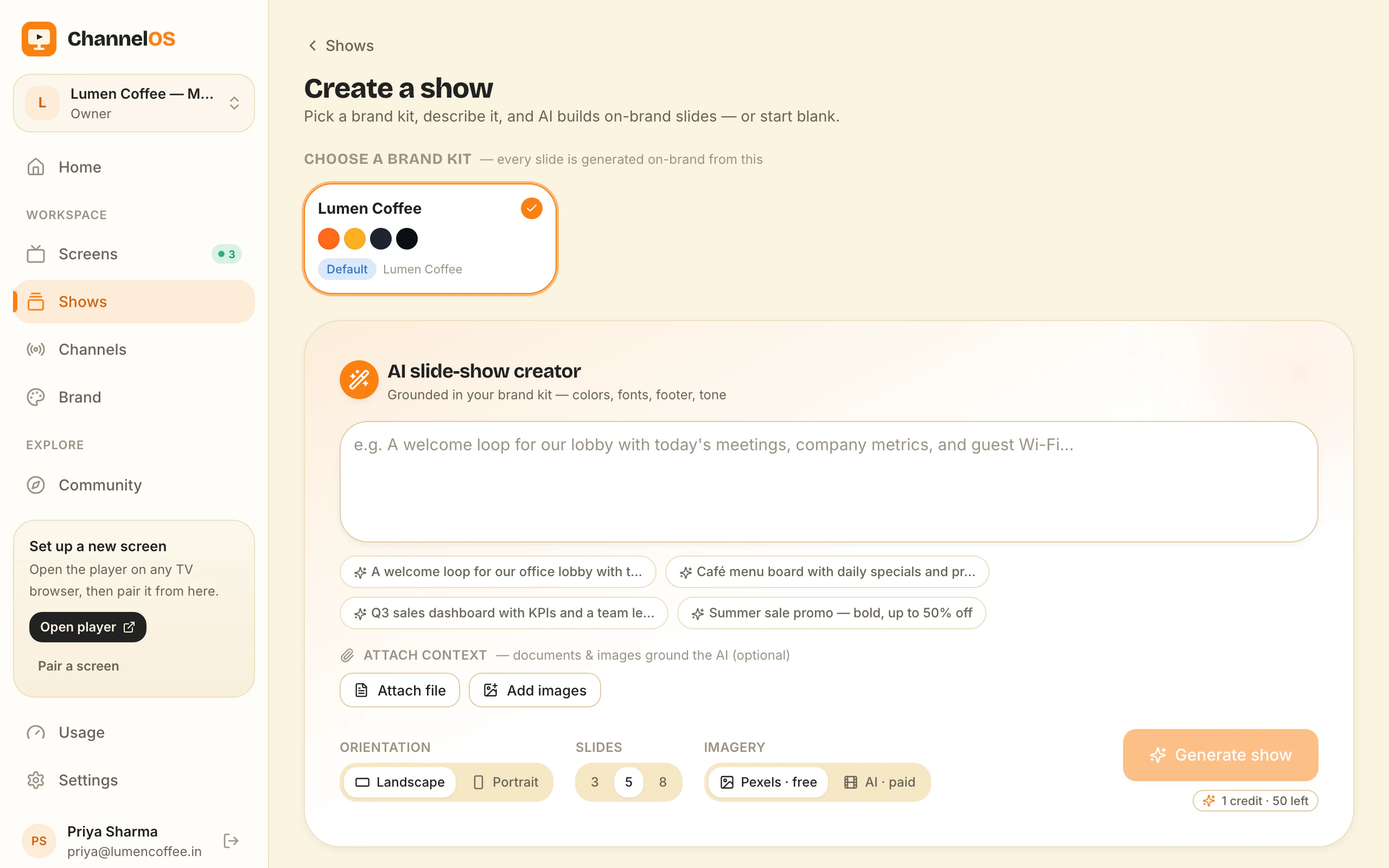
ChannelOS is AI-first end to end. You pick a subject, goal and look from chips — no prompt-writing — and AI drafts a complete, on-brand, multi-slide show. It reads attached PDFs, images and a webpage URL straight into slides. The output is a real editable show in a Canva-style editor, not a flat export: every element is selectable, with one-tap background removal and live clock, weather and QR widgets.
Why it matters: most people don’t have a designer. Description-first creation means the whole show exists — sequenced and on-brand — before you’ve made a single layout decision.
How fast do changes reach every screen?
Both schedule well; the difference is that ChannelOS derives every screen from the schedule in real time, so one edit airs everywhere instantly. Scheduling is a genuine Raydiant/Displai strength — content by time of day, day of week and by location, with multi-location customization, easy playlist switching and dayparting that’s core to hospitality menu engineering and POS-driven price updates. Content is distributed to the player apps running on your ScreenRay or supported devices.
In ChannelOS, what a screen shows is derived from the show plus the channel schedule plus the clock, moment to moment. Edit once and it airs everywhere with no publish-and-wait and no per-device sync. Channels support dayparting (different content by hour and weekday vs weekend, set once) and live takeover — drop an urgent message on every screen, then resume the schedule.
Why it matters: a typo on the lunch menu is fixed on every screen the instant you save it — no waiting on device sync, which reviewers cite as a real Raydiant pain point over WiFi.
What does Raydiant cost vs ChannelOS?
Raydiant/Displai is quote-only and among the priciest in the category with no free plan; ChannelOS gives your first screen free then flat per-screen pricing. Raydiant’s pricing page routes every plan to a sales contact form, so exact figures require a quote — sources put it at roughly $49–$59 per screen per month ($59 most commonly cited), widely described as 2–5x pricier than alternatives. There’s no free plan and no free trial, only a 30-day money-back guarantee, and the $199 ScreenRay hardware sits on top.
ChannelOS makes your first screen free, then charges per screen per month — no seats to count, no setup fees. The price is published, not gated behind a sales call, and because the TV is the player there’s no box to budget for.
Why it matters: with ChannelOS you can see the price and start for free today; with Raydiant/Displai the cheapest path to a number is a sales conversation.
Who should still choose Raydiant?
Choose Raydiant/Displai if you run multi-location hospitality or retail and need POS-driven menu boards plus a deep app marketplace. Its real strengths are concrete: best-in-class POS integrations (Toast, Square, Clover) with live price and menu updates for restaurants and QSR; a large third-party marketplace of hundreds of partners (Instagram, YouTube, Lightspeed, 7Shifts and more) alongside ~225,000 PosterMyWall templates; and robust multi-location fleet management with strong dayparting and in-store analytics. If you’re an enterprise or multi-location operator whose signage lives and dies by POS-integrated menu boards, Raydiant/Displai is a strong, purpose-built choice — and by its own positioning a poor fit for a single-location small business, nonprofit, school or church wanting basic, affordable signage.
Why it matters: the honest fork is POS-integrated menu boards and enterprise fleet depth (Raydiant/Displai) versus no hardware, AI-drafted shows and edit-once scheduling (ChannelOS).
The jobs, side by side
| The job | Raydiant / Displai | ChannelOS |
|---|---|---|
| Get a screen live | Install a ScreenRay stick or supported player, connect to the cloud | Open one URL on the TV — pair from your phone in ~2 min |
| Make a show | Drag-and-drop by hand or start from templates | Describe it — AI drafts the whole multi-slide show |
| Change what’s playing | Update playlists, push to devices | Edit once — it airs everywhere instantly |
| Run the wall | Multi-location fleet dashboards and scheduling | One live board: play · pause · blank · mute · next · hold |
| Setup before pixel one | Order hardware, provision each device, request a quote | None — pair and publish in minutes |
Feature comparison
| Feature | Raydiant / Displai | ChannelOS |
|---|---|---|
| Media-player hardware | $199 ScreenRay stick or BYO player (Fire TV, BrightSign) | None — the TV’s browser is the player |
| Free tier | ✗ no free plan; 30-day money-back guarantee | ✓ first screen free, with a ChannelOS banner along the bottom of the screen |
| AI drafts the full show | ✗ analytics/CV AI only; manual or template design | ✓ complete multi-slide show |
| Browser pairing (no app on TV) | ✗ device/player app required | ✓ pair a URL, no app |
| Edit once, airs everywhere | partial — schedule/push to devices | ✓ derived from schedule in real time |
| Dayparting / scheduling | ✓ | ✓ |
| Pricing model | Quote-only, ~$49–$59/screen/mo + hardware | Per screen, no seats, no setup fees |
So which should you choose?
Choose Raydiant/Displai if you run multi-location restaurants, QSR or hospitality and need POS-driven menu boards with live price updates, a broad integration marketplace and in-store analytics — and you have the budget and resources to provision a media device on each screen and go through a sales quote.
Choose ChannelOS if you want a screen live in minutes with no box on the TV, an AI-drafted show instead of a blank editor, and one live board where an edit airs everywhere at once. Your first screen is free and the prices are on a page you can read without talking to anyone. The test: get a board live before you would have finished a discovery call.
Frequently asked questions
- What's the main difference between ChannelOS and Raydiant?
- Raydiant, now Displai, is an enterprise hospitality-first CMS built around a media device (its own $199 ScreenRay stick or a supported player) with POS-integrated menu boards and quote-only pricing. ChannelOS runs as a web page in the TV's own browser with no box to buy, and its AI drafts a complete multi-slide show from one description rather than leaving you to drag-and-drop from templates.
- Do I need a media player or device for Raydiant?
- Effectively yes. Raydiant/Displai pushes its own ScreenRay HDMI media stick (around $199) and also supports bring-your-own players like Amazon Fire TV Stick and BrightSign, so a media device is required at each screen. ChannelOS needs no box and no app: you open a URL on the TV you already own and pair it from your phone in about two minutes.
- Is ChannelOS cheaper than Raydiant?
- Raydiant/Displai is widely described as the most expensive software-first signage CMS in the category — roughly $49–$59 per screen per month, quote-only through a sales form, with no free plan (just a 30-day money-back guarantee) and $199 ScreenRay hardware on top. ChannelOS makes your first screen free, then charges a flat per-screen price with no seats, no setup fees and no box to buy. Free screens show a ChannelOS banner along the bottom of the screen, and any paid plan removes it.
- Who should still use Raydiant?
- Multi-location restaurants, QSR and hospitality brands that need best-in-class POS-driven menu boards — live price and menu updates via Toast, Square or Clover — plus a large third-party app marketplace and in-store analytics, are a strong fit for Raydiant/Displai. ChannelOS is for people who want a screen live in minutes with no box and an AI-drafted show.
- What is the best Raydiant alternative?
- It depends on why you're leaving. If you need the POS-driven menu boards, the app marketplace or the in-store analytics that Raydiant — now Displai — is built around, the honest answer is that no cheaper tool replaces those, and you should stay. If what you actually run is promos, menus, notices and offers on a handful of screens, ChannelOS is the closest like-for-like Raydiant alternative that removes the two things people leave over: the media-player box and the sales quote. It runs in the TV's own browser, AI drafts the whole multi-slide show from one sentence, published pricing starts with a first screen free forever, and an edit is derived by every screen in real time. Free screens show a ChannelOS banner along the bottom of the screen, and any paid plan removes it.
- How hard is it to switch from Raydiant (Displai) to ChannelOS?
- ChannelOS has no automated importer for Displai content, so plan on rebuilding your shows rather than migrating them. In practice that is the fast part: point ChannelOS's AI at your existing PDF menu, price list, poster images or a webpage URL and it drafts a complete, editable multi-slide show, so most single-site operators rebuild a screen's worth of content in an afternoon. The hardware side is genuinely trivial — pair the TV in its own browser from your phone, check it for a week alongside the old screen, then unplug the ScreenRay stick. Run both in parallel until you're satisfied; the first ChannelOS screen is free, so the overlap costs nothing. Free screens show a ChannelOS banner along the bottom of the screen, and any paid plan removes it.
Your screen is two minutes away.
Open the player on a TV, scan the code, publish a show. Your first screen is free.
Free screens show a ChannelOS banner along the bottom of the screen, and any paid plan removes it.