ChannelOS vs Kitcast: no-hardware, AI-first signage compared
An honest comparison of ChannelOS and Kitcast — media players versus browser pairing, whether AI drafts the whole show or one asset, edit-once scheduling and real pricing — plus who a Kitcast alternative actually suits.

Kitcast is a capable, hardware-flexible digital-signage platform. If you run a fleet of Apple TVs, Fire TV sticks, BrightSign players or Samsung and LG commercial displays and need enterprise governance, it does that job well — and cheaply for what you get.
ChannelOS is for the person on the other side of the hardware decision: you already own the TV and you are not buying an Apple TV to put a menu on it. This is an honest look at where the two diverge.
Do I need a media player or device for Kitcast?
Kitcast often needs a plugged-in device, while ChannelOS never does. Kitcast is genuinely platform-agnostic — one of its real strengths — but on most TVs it runs an installed player app: Apple TV (its tvOS origin, native app since 2015), Fire TV, Android TV, BrightSign players, plus a system-on-chip app on Samsung Tizen and LG webOS commercial displays. A browser-based player exists, but only as a fallback for ChromeOS, Windows and Linux. So for a standard living-room or lobby TV, you’re still buying and provisioning a device.
ChannelOS drops that assumption entirely: the TV is the player. You open play.channelos.tv in the TV’s own browser — Android TV, Google TV, webOS, Fire TV, a browser-on-a-stick, even a laptop in kiosk mode — scan the on-screen code from your phone, and the screen is live in about two minutes. no player box, no per-device license.
Why it matters: Kitcast lets you reuse hardware you own, but “reuse” usually still means a device per screen. ChannelOS lets a TV you already have run the show with nothing plugged into it.
Can AI build the whole show, or do I design every slide?
ChannelOS AI drafts the entire multi-slide show; Kitcast’s AI makes one asset at a time. Kitcast has real AI, powered by Canva’s AI core — it generates an image, a short video, or copy to sit on a chosen background, and auto-lays out that single piece. That’s genuinely useful, but it’s an “AI content” widget: it does not draft a complete slideshow from one description, so building a full deck is still largely manual or template-driven (Kitcast ships 500+ templates to help).
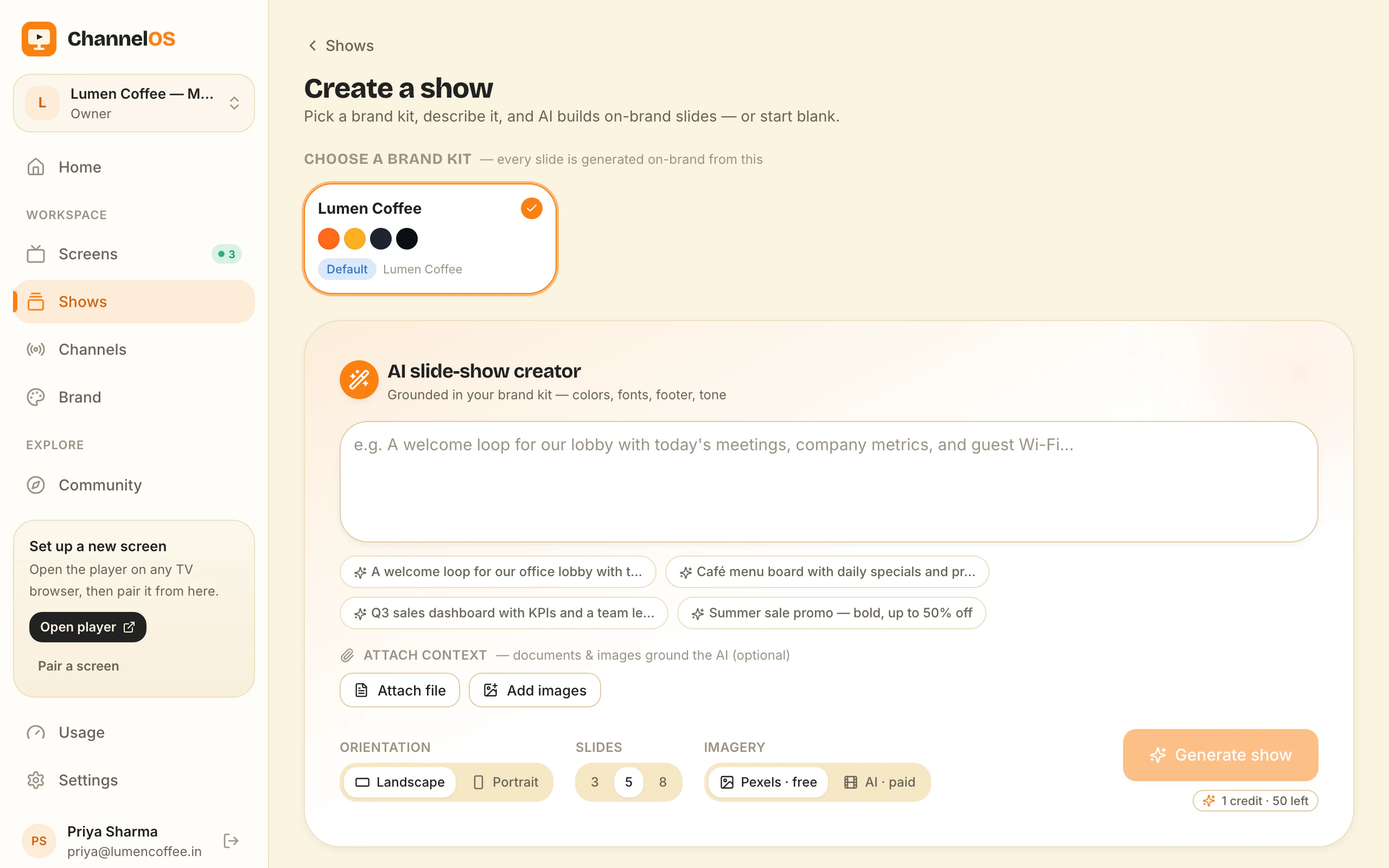
ChannelOS is AI-first end to end. You describe the screen by picking subject, goal and look from chips — no prompt-writing — and the AI drafts a complete, on-brand, multi-slide show. It reads attached PDFs, images and a webpage URL straight into slides. The output isn’t a flat export: it’s a real, editable show in a Canva-style editor where every element is selectable, with one-tap background removal and live clock, weather and QR widgets.
Why it matters: most people don’t have a designer. Asset-level AI still leaves you assembling the deck; show-level AI means the whole first draft exists before you’ve made a single layout decision.
How fast do changes reach every screen?
Both edit fast, but ChannelOS removes the publish-and-sync step. Kitcast has strong scheduling — start/end dates, recurring rules, dayparting by time block with automatic switching, plus time-based sync across screens, playlists, tags and location controls. It’s a robust system.
ChannelOS is schedule-first by design: what a screen shows is derived from the show, the channel schedule and the clock in real time. Edit once and it airs everywhere instantly — there’s no re-publish, no per-device sync to wait on. Channels support dayparting too (different content by hour and weekday/weekend, set once), plus a live takeover to drop an urgent message on every screen and then resume the schedule.
Why it matters: a typo on the lunch menu is fixed on every screen the moment you save it — nothing to push, nothing to wait for.
What does Kitcast cost vs ChannelOS?
Kitcast is per-screen monthly with a 14-day trial but no confirmed permanent free tier; ChannelOS makes your first screen free. On annual billing (20% off), Kitcast Starter is about $7/screen/mo and Pro about $10/screen/mo, with Enterprise custom; monthly billing is $9 and $14. The trial gives full Pro access with no credit card, but the richest features — REST API, SSO/SAML, emergency alerts, live streaming — are gated to the Pro tier, and cost scales linearly with every screen you add.
ChannelOS starts your first screen free, then prices per screen per month with no seats to count and no setup fees. Because there’s no media-player hardware to buy, the all-in cost of adding a screen is lower than a model that assumes a device behind each display.
Why it matters: with Kitcast you evaluate for 14 days then pay from screen one; with ChannelOS you can run a real screen for free indefinitely before deciding.
Who should still choose Kitcast?
Choose Kitcast if you’re a mid-market or enterprise team that needs governance and hardware breadth. Its Pro tier bundles SSO/SAML, SCIM, MDM and zero-touch enrollment, a REST API and audit logs cheaply at ~$10/screen — genuinely strong for the price. If you run 10+ distributed screens on a mix of BrightSign, Apple TV and Tizen/webOS displays, want offline caching for 24/7 reliability, 500+ templates and 24/7 human support, Kitcast is built for exactly that buyer: IT admins, facilities managers and franchise HQs standardizing a fleet.
ChannelOS is the better fit if you’re a non-technical operator who wants a screen live in minutes with no hardware, AI drafting the show, and one board to run everything.
A Kitcast alternative that needs no player hardware
Most people searching for a Kitcast alternative aren’t unhappy with Kitcast’s software. They’re unhappy with the line item underneath it: an Apple TV, a Fire stick or a BrightSign player behind every display, provisioned, enrolled and licensed before anything reaches the screen. ChannelOS removes that layer rather than making it cheaper — the TV’s own browser is the player, so a screen goes live by opening play.channelos.tv on it and scanning the code from your phone.
Switch if you run two to ten TVs that already have a browser — Android TV, Google TV, webOS, Fire TV, a Chromebox, or a laptop in kiosk mode — in a café, salon, gym, clinic, dental practice, showroom or single-site shop. Switch if nobody on your team designs: the AI drafts a whole multi-slide show from one sentence and will read your existing PDF menu, images or a webpage URL straight into slides, instead of handing you 500 templates to assemble. Switch if the publish step is what annoys you, since a ChannelOS screen derives what it shows from the schedule in real time — the edit is already on the wall. And switch if you want to evaluate on your own timetable: the first screen is free forever, against Kitcast’s 14 days.
Don’t switch if the governance stack is why you bought Kitcast. SSO/SAML, SCIM, MDM and zero-touch enrolment, a REST API, audit logs and 24/7 human support have no equivalent in ChannelOS today, and at roughly $10 per screen they are genuinely good value. Don’t switch if your fleet standard is BrightSign — ChannelOS pairing assumes a TV you can open a URL on and drive with a remote. And don’t switch if screens must keep playing through a network outage: Kitcast caches to the device for that reason, and a web page cannot make the same promise.
What you actually give up is device-level offline caching, enterprise identity and audit trails, and Kitcast’s tag-and-location targeting for large distributed fleets — ChannelOS organises screens by channel instead, which is simpler and less granular. What you get back is that there is nothing to install, nothing to enrol and nothing to buy. Rates are on the pricing page, the templates gallery is remixable, and the free menu board maker covers 14 cuisines if a menu is the job.
The job, side by side
| The job | Kitcast | ChannelOS |
|---|---|---|
| Get a screen live | Install the player app on a device (or browser on ChromeOS/Windows/Linux) | Open one URL on the TV’s browser — scan the code |
| Make a show | Build from 500+ templates; AI makes one asset at a time | Describe it — AI drafts the whole multi-slide show |
| Change what’s playing | Schedule and sync across screens | Edit once — it airs everywhere instantly |
| Run the wall | Central dashboard with tags, playlists, location controls | One live board: play · pause · blank · mute · next · hold |
| Setup before pixel one | Devices provisioned, app installed, screens enrolled | None — pair and publish in minutes |
Feature comparison
| Feature | Kitcast | ChannelOS |
|---|---|---|
| Media-player hardware | Usually — installed app on Apple TV, Fire TV, BrightSign, SoC displays | None — TV’s own browser |
| Free tier | 14-day trial only (no confirmed permanent free plan) | First screen free, with a ChannelOS banner along the bottom of the screen |
| AI drafts the full show | Partial — one asset at a time (Canva AI) | ✓ Full multi-slide show |
| Browser pairing (no app on TV) | Partial — browser only on ChromeOS/Windows/Linux | ✓ Any TV browser |
| Edit once, airs everywhere | ✓ Scheduling + time-based sync | ✓ Derived in real time, no publish step |
| Dayparting / scheduling | ✓ Dayparting, recurring, location rules | ✓ Dayparting + live takeover |
| Pricing model | Per screen / month (~$7–$10 annual) | Per screen / month, first screen free |
So which should you choose?
Choose Kitcast if you’re a mid-market or enterprise team that wants to reuse a mix of Apple TV, Fire TV, BrightSign and SoC displays, needs SSO, MDM and audit logs for governance, and is comfortable assembling shows from templates with asset-level AI help.
Choose ChannelOS if you want a screen live in minutes on hardware you already own, AI to draft the whole show for you, and one edit to reach every screen with no publish-and-wait. Your first screen is free. The test: get a board up on the TV you already own, today, without buying anything. If your TV’s browser will not cooperate, that is worth finding out for free.
Frequently asked questions
- What's the main difference between ChannelOS and Kitcast?
- Kitcast is a mature, hardware-flexible signage platform aimed at mid-market and enterprise teams, with an installed player app on most TV devices and Canva-powered AI that generates one image, video or block of copy at a time. ChannelOS runs as a web page on the TV, and its AI drafts a complete multi-slide show from one plain-language description.
- Do I need a media player or device for Kitcast?
- Often yes. Kitcast is platform-agnostic but runs an installed app on Apple TV, Fire TV, Android TV, BrightSign and SoC displays, with a browser fallback only on ChromeOS, Windows and Linux — so most TVs need a plugged-in device. ChannelOS pairs any TV through its own browser with no app and no player box.
- How much does Kitcast cost, and is there a free tier?
- Kitcast is per-screen per month: on annual billing Starter is about $7/screen/mo and Pro about $10/screen/mo, with Enterprise custom. It offers a 14-day free trial with full Pro access and no credit card, but its pricing page shows no permanent free plan. ChannelOS gives you your first screen free, then charges per screen per month. Free screens show a ChannelOS banner along the bottom of the screen, and any paid plan removes it.
- Who should still use Kitcast?
- Teams that need enterprise governance — SSO/SAML, SCIM, MDM/zero-touch, REST API and audit logs — or want to standardize on BrightSign and Apple TV hardware they already run, will be well served by Kitcast's Pro tier and 24/7 support. ChannelOS is for operators who want a screen live in minutes with no hardware and AI doing the design.
- What is the best Kitcast alternative?
- It depends on whether the player hardware is the problem. If you run a distributed fleet on BrightSign, Apple TV or SoC displays and need SSO, MDM enrolment and audit logs, nothing beats Kitcast at around $10 per screen per month — stay put. If the hardware layer is what you want gone, ChannelOS is the closer fit as a Kitcast alternative: it runs in the TV's own browser with no app and no player box, its AI drafts a complete multi-slide show from one sentence, and the first screen is free forever, so you can run a real screen beside your Kitcast setup before deciding anything. Free screens show a ChannelOS banner along the bottom of the screen, and any paid plan removes it.
- How hard is it to switch from Kitcast to ChannelOS?
- There is no migration tool between the two, so switching means rebuilding your shows — but that is usually an afternoon rather than a project, because the AI drafts a complete multi-slide show from one sentence and can read an existing PDF, image or webpage URL straight into slides. The practical path is to pair one TV on the free screen, rebuild your most-used show, run it alongside Kitcast for a week, then retire the player devices one screen at a time. Free screens show a ChannelOS banner along the bottom of the screen, and any paid plan removes it. Nothing is installed on the TV, so there is nothing to uninstall if you change your mind.
Your screen is two minutes away.
Open the player on a TV, scan the code, publish a show. Your first screen is free.
Free screens show a ChannelOS banner along the bottom of the screen, and any paid plan removes it.