ChannelOS vs TelemetryTV: a TelemetryTV alternative with no player hardware
An honest comparison of ChannelOS and TelemetryTV, and a TelemetryTV alternative that needs no player hardware: browser pairing, AI that drafts the whole show, and edit-once-airs-everywhere scheduling versus TelemetryTV's data-heavy, device-based approach.

TelemetryTV is a capable, well-regarded signage platform, and it is genuinely best-in-class at one thing: putting live data on screens. If your goal is native dashboards from Grafana, Power BI, Tableau, Google Analytics or a custom API — including secure Web Screenshots that capture private, logged-in dashboards — TelemetryTV does that better than almost anyone, and reviewers rate its ease of use and support very highly. Most people looking for a TelemetryTV alternative aren’t unhappy with the software at all — they’re unhappy that every screen needs a player device, a licence and somebody to provision it.
ChannelOS is for the person on the other side of the device minimum: you have one TV, maybe three, and no appetite for a ten-device tier. Where TelemetryTV runs a player app or its own Box OS on a screen-attached device, ChannelOS runs as a web page in the TV’s own browser. This is an honest look at where the two diverge.
Do I need a media player or device for TelemetryTV?
ChannelOS needs no media player; TelemetryTV needs a screen-attached device. TelemetryTV is hardware-flexible — you bring a certified device (Raspberry Pi 4/5 with the Pi 5 recommended, Intel NUC, Fire TV, Android, Chrome OS, BrightSign, a webOS smart TV or a mini-PC) or buy its first-party TelemetryTV Box running TelemetryOS. Either way there is a player and an OS to procure, provision and manage per screen.
ChannelOS drops that assumption entirely. The TV is the player: open play.channelos.tv in the TV’s own browser — Android TV, Google TV, webOS, Fire TV, a browser on an HDMI stick, even a laptop in kiosk mode — scan the on-screen code from your phone, and the screen is live in about two minutes. no per-device license, no box in the AV closet.
Why it matters: the gap between “I have a TV” and “it’s showing my content” is a phone scan, not a hardware order and a provisioning step.
Can AI build the whole show, or do I design every slide?
ChannelOS’s AI drafts the entire multi-slide show; with TelemetryTV you build content by hand. TelemetryTV’s only named AI is a 24/7 AI Chat Support assistant — a help bot, not a content generator. Actual content is built manually in its bundled Canva editor plus 70+ turnkey apps and drag-and-drop. There is no verifiable AI image generation, AI copywriting or AI layout assist, and no evidence it can turn a text description into a whole playlist.
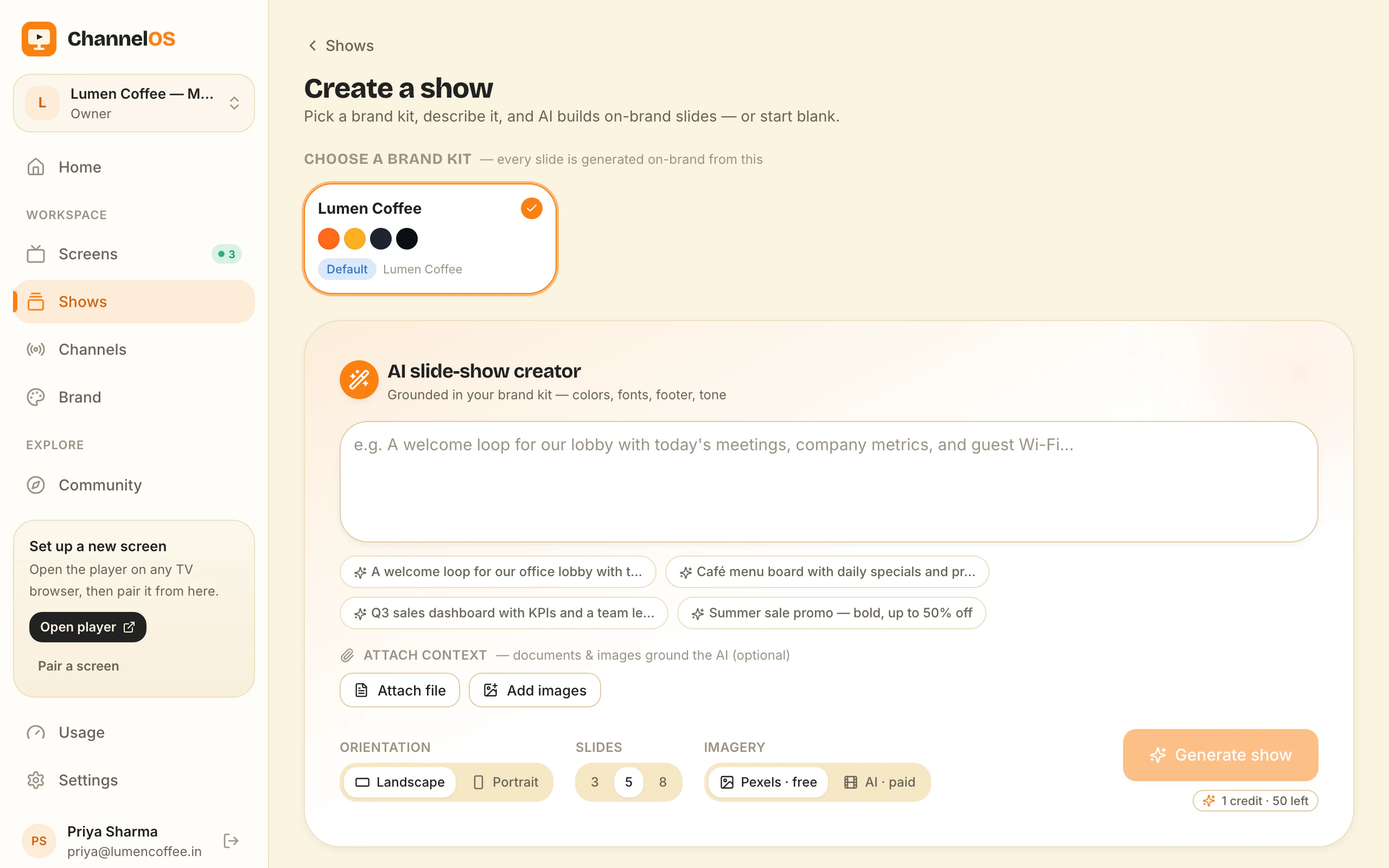
With ChannelOS you pick a subject, goal and look from chips — no prompt-writing — and AI drafts a complete, on-brand, multi-slide show. It can read attached PDFs, images and a webpage URL straight into slides. The result isn’t a flat locked export: it opens as a real, editable show in a Canva-style editor where every element is selectable, with one-tap background removal and live clock, weather and QR widgets.
Why it matters: most people don’t have a designer. Description-first creation means the first on-brand draft exists before you’ve made a single layout decision.
How fast do changes reach every screen?
ChannelOS airs edits everywhere instantly because what a screen shows is derived from the schedule and the clock in real time; TelemetryTV publishes updated playlists to devices. Both platforms do proper scheduling with dayparting — TelemetryTV supports time-based playlists, dayparting, content expiration and campaign targeting, and that’s a real strength for large networks.
The difference is the sync model. ChannelOS has no publish-and-wait step: a screen’s content is computed live from the show, the channel schedule and the current time, so you edit once and every screen updates the moment you save. Channels handle dayparting (different content by hour and weekday/weekend, set once), and a live takeover can drop an urgent message on every screen and then resume the schedule automatically.
Why it matters: a typo on the lunch menu is fixed on every screen the instant you save it — no per-device sync to wait on.
What does TelemetryTV cost vs ChannelOS?
TelemetryTV is per device per month with no perpetual free tier; ChannelOS’s first screen is free, then per screen per month. TelemetryTV’s published tiers as of 2026-07-08 are roughly Entry ~$8, Core ~$13 and Elite ~$16 per device/month (Elite is annual with a 10-device minimum), with Network and Enterprise quote-only; third-party listings quote slightly different figures, so treat the cents as approximate. There’s a 30-day trial but no free-forever plan, and cost is on top of the device you buy or provide.
ChannelOS gives you your first screen free, then charges per screen per month — no seats to count, no setup fees, and no player hardware to purchase because the TV you already own is the player. Reviewers note TelemetryTV’s per-device pricing gets steep at scale; ChannelOS keeps the total lower by removing the hardware line entirely.
Why it matters: with no device to buy and a free first screen, the cheapest way to evaluate ChannelOS costs nothing.
Who should still choose TelemetryTV?
Choose TelemetryTV if your core job is live business intelligence on screens and you have IT resources to run a device fleet. Its native dashboards from Grafana, Power BI, Tableau, Google Analytics and custom APIs — plus Web Screenshots that securely capture private, logged-in dashboards for TV display — are genuinely best-in-class, and its fleet management, auto-provisioning and API tooling are built for enterprise, education and comms teams running many screens.
That’s a real, specific fit, not a fake concession: if a wall of live KPIs and secure dashboards is the point, TelemetryTV is the stronger tool. ChannelOS is aimed elsewhere — at non-technical operators who want an AI-drafted show on a browser-paired TV, run from one live board.
Why it matters: the right tool depends on the job. Data walls for IT teams point to TelemetryTV; fast, AI-built, no-hardware signage points to ChannelOS.
The five jobs, side by side
| The job | TelemetryTV | ChannelOS |
|---|---|---|
| Get a screen live | Provision a device or Box OS, install the player, license per device | Open play.channelos.tv on the TV, scan the code — live in ~2 min |
| Make a show | Build it by hand in the Canva editor and 70+ apps | Describe it — AI drafts every slide, fully editable |
| Change what’s playing | Publish updated playlists, sync to devices | Edit once — derived live from schedule + clock, airs everywhere |
| Run the wall | Device fleet management dashboards and provisioning | One live board: play · pause · blank · mute · next · hold |
| Setup before pixel one | Buy/provision a player device + OS, then configure | None — pair in the browser and publish |
Feature comparison
| Feature | TelemetryTV | ChannelOS |
|---|---|---|
| Media-player hardware | Required (Pi, Fire TV, mini-PC or its Box) | ✗ None — the TV’s browser is the player |
| Free tier | ✗ 30-day trial only | ✓ First screen free, with a ChannelOS banner along the bottom of the screen |
| AI drafts the full show | ✗ Only an AI support chatbot | ✓ Whole multi-slide show from a description |
| Browser pairing (no app on TV) | Partial — PWA/Chrome path exists, but production is player/OS on a device | ✓ Scan a code, no install |
| Edit once, airs everywhere | Partial — publish playlists, sync to devices | ✓ Derived live, instant |
| Dayparting / scheduling | ✓ Full dayparting + expiration + targeting | ✓ Dayparting + live takeover |
| Pricing model | Per device / month, no free tier | Per screen / month, first free |
A TelemetryTV alternative that needs no player hardware
If you’re shopping for a TelemetryTV alternative, the useful question isn’t which product has more features — TelemetryTV has more, and far deeper data tooling. It’s whether the thing standing between you and a live, current screen is hardware, a licence minimum, or content.
Switch if it’s any of those three. ChannelOS suits the single-site or few-site operator — a café, gym, salon, clinic, dealership, school reception, church hall — where the screens are somebody’s second job rather than anybody’s department. Pairing is opening a URL on the TV and scanning a code: no device to procure, no OS to image, no provisioning queue, no per-device licence. The device minimum matters too — TelemetryTV’s Elite tier is quoted at ten devices annually, which a two-screen shop cannot reach, while ChannelOS starts at one screen free forever and bills per screen after that on the pricing page. And if the real reason a screen still shows last month’s promo is that nobody has time to design the next one, description-first creation beats any device feature: describe the show and AI drafts every slide, on-brand and editable, reading a PDF, an image or a webpage URL if you hand it one. The templates gallery and the free menu board maker each hand you a finished board to edit instead.
Don’t switch if any of these is a hard requirement. Live business-intelligence walls — Grafana, Power BI, Tableau, Google Analytics or a custom API feeding the screen. Web Screenshots of private, logged-in dashboards, which is a genuinely hard problem TelemetryTV solved well. Fleet-grade device management: remote reboot, auto-provisioning, per-device telemetry, API-driven rollout. A dependency on its 70+ turnkey apps. Screens on unreliable connections, where a player’s local storage keeps the panel lit through an outage and a browser tab does not. Or an IT team already standardised on TelemetryOS and happy — ripping out working players to delete a licence line is not a good trade.
What you give up by switching, plainly: the dashboard integrations, the app library, device-level control and telemetry, offline playback, and whatever you already spent on Pis, mini-PCs or TelemetryTV Boxes. What you get back: no hardware to buy, provision or replace, AI-drafted shows, and a schedule every screen derives in real time, so there’s no publish-and-wait step. That hardware trade is covered in no media player required.
So which should you choose?
Choose TelemetryTV if live data is the point — dashboards from Grafana, Power BI, Tableau or Google Analytics, secure Web Screenshots of logged-in views, and enterprise fleet tooling — and you have the IT resources to manage players and provisioning across many screens.
Choose ChannelOS if you want screens live fast, built by AI, and run from your phone — with no media player to buy, and edits that air everywhere the moment you save. Your first screen is free. The test: run one screen for a week and count how many times you changed it. If the answer is zero, you did not need either of us. If it is four, you now know what the fleet is worth.
Frequently asked questions
- What's the main difference between ChannelOS and TelemetryTV?
- TelemetryTV runs a player app or its own Box OS on a screen-attached device and is strongest at real-time data and BI dashboards for IT and comms teams. ChannelOS runs as a web page in the TV's own browser, and its AI drafts a complete multi-slide show from a short description. TelemetryTV's only named AI is a support chatbot, not content generation.
- Do I need a media player or box for TelemetryTV?
- Yes — TelemetryTV needs a screen-attached player. You bring a compatible device (Raspberry Pi 4/5, Fire TV, Android, Chrome OS, mini-PC, or a webOS smart TV) or buy its first-party TelemetryTV Box running TelemetryOS. ChannelOS needs no player: you open play.channelos.tv in the TV's browser and pair it with your phone.
- How much does TelemetryTV cost vs ChannelOS?
- TelemetryTV is per device per month — roughly Entry ~$8, Core ~$13, Elite ~$16 (annual, 10-device minimum) as of 2026-07-08, with a 30-day trial and no perpetual free tier. ChannelOS's first screen is free, then it's per screen per month with no seats to count and no player hardware to buy. Free screens show a ChannelOS banner along the bottom of the screen, and any paid plan removes it.
- Who should still use TelemetryTV?
- Teams whose core need is live business-intelligence on screens — native dashboards from Grafana, Power BI, Tableau or Google Analytics, plus secure Web Screenshots of logged-in dashboards — and who have IT resources to manage a device fleet. That data-visualization depth is TelemetryTV's real strength.
- What is the best TelemetryTV alternative?
- It depends on why you are leaving. If the blocker is the player device and its per-device licence, ChannelOS is the closest fit: it runs in the TV's own browser with nothing to install, AI drafts a complete multi-slide show from one sentence, and every screen derives what it plays from the schedule in real time. It also has no device minimum, so two screens is a legitimate account rather than a plan you cannot reach. If the blocker is price alone and you still want dashboards on the wall, other player-based platforms are the like-for-like swap — ChannelOS does not do live BI. ChannelOS's first screen is free forever, so testing the fit costs nothing. Free screens show a ChannelOS banner along the bottom of the screen, and any paid plan removes it.
- How hard is it to switch from TelemetryTV to ChannelOS?
- Getting a screen across takes about two minutes: open play.channelos.tv in the TV's own browser and scan the pairing code from your phone. There is no player to reimage and no device to enrol, so the fleet work disappears rather than migrating. Content does not transfer automatically — TelemetryTV playlists and app configurations do not export into ChannelOS — but rebuilding is usually quicker than porting, because you can describe the show and let AI draft the slides, hand it the same PDF or images you gave TelemetryTV, or start from a template. Most people move one screen first and leave the TelemetryTV players running the rest until they are satisfied.
Your screen is two minutes away.
Open the player on a TV, scan the code, publish a show. Your first screen is free.
Free screens show a ChannelOS banner along the bottom of the screen, and any paid plan removes it.