Free plan
1 screen · no card · no player box to buy
A digital sign is a television showing something useful instead of a channel. A menu. A price list. Today's offer. The class timetable. Whatever the people in that room need to read.
The software's only job is to let you change what is on that television without walking over to it. You change it on your phone, the television changes. That is the entire category.
Most companies who sell this will also sell you a small box to plug into the television, because that box is how their software gets onto the screen. ChannelOS does not need one. The television already has a web browser, and that browser is the player.
If you have a TV and wifi, you have everything.
Every one of these is inside the free plan. Drawn by the same renderer a paired TV runs.
Cafe & coffee · Third Shift Coffee
Indian · Kesar Rasoi
Pizzeria · Forno Nine
Gym · Forge
Clinic · BrightSmile
School · Brightfield Academy
These are our own sample venues, not customers. We have not put words in anyone's mouth: the boards are real product output, the businesses are made up, and we will say so until there are real ones here to name. Type your own menu and watch this happen →
People run ChannelOS screens in cafés and restaurants, gyms and studios, clinics and waiting rooms, schools and colleges, events, hotels and shops. One TV or one standee is enough to start.
What you get free
The free plan includes the making, not just the playing — which is the part most free tiers leave to you.
Not a 14-day trial. The free screen stays free when you add paid ones — it never converts.
It runs in the browser already built into the set: Android TV, Google TV, webOS, Fire TV, a Chromebox, or a laptop in kiosk mode. No APK, no media player box, no per-device licence.
Describe it in one sentence and you get a complete, on-brand, editable multi-slide show. It can read a PDF, an image or a webpage URL for context, so an existing menu becomes slides.
A Canva-style canvas with free Pexels photos and video, tables, groups, keyboard shortcuts and live widgets — clock, weather, QR, menu, ticker.
Pack any show or channel — slides, media and fonts — into one portable file and take it anywhere, on the free plan, from day one. No lock-in, and nothing to ask us for.
A rendered preview of the screen with real status, and one-tap control: play, pause, blank, mute, next.
The free screen shows your slides and nothing else. We don't put our name in the corner of a customer-facing board.
AI generation on the free plan runs on a monthly allowance rather than being unmetered — the current numbers live on the pricing page, so they can't go stale here.
In practice
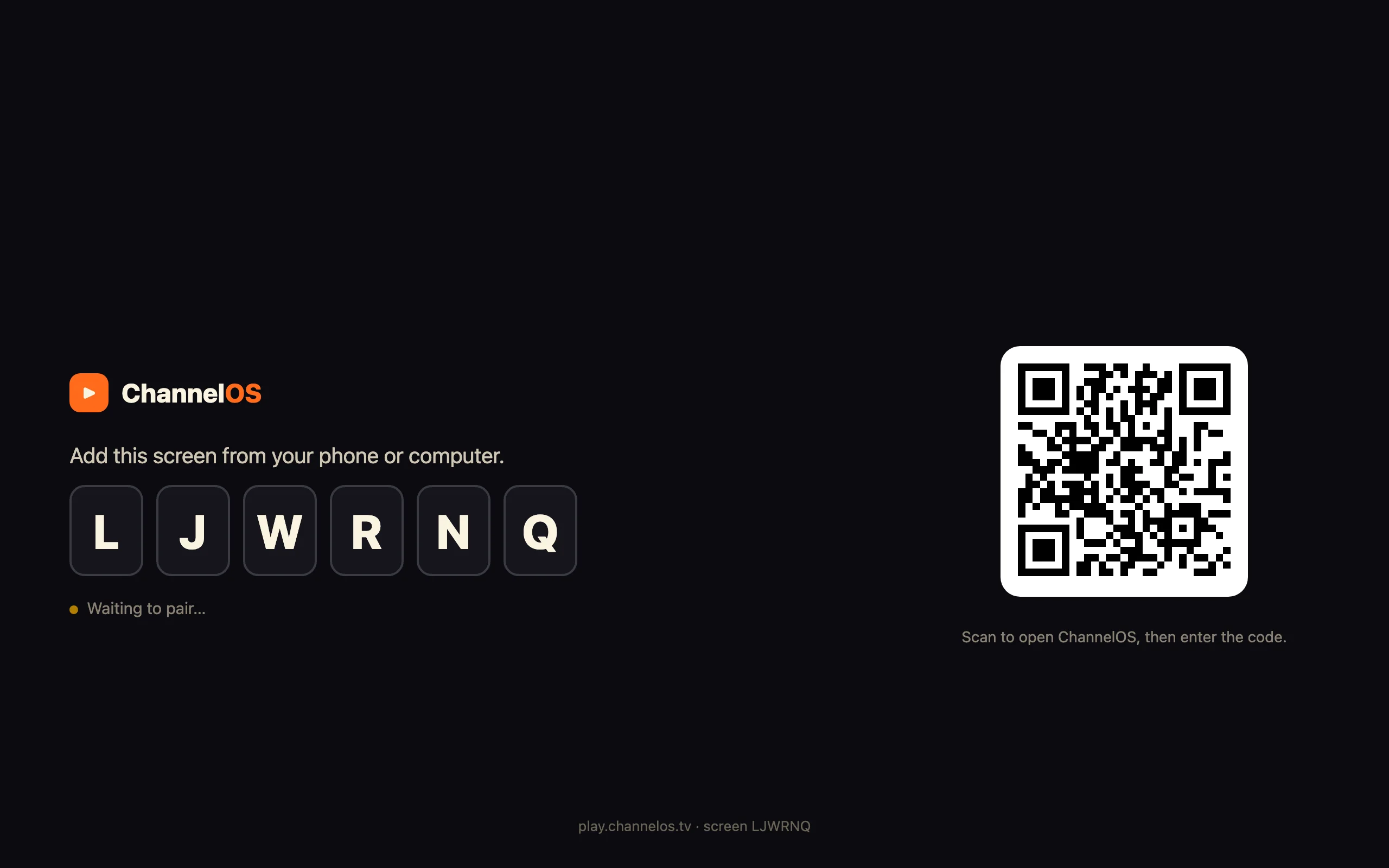
Pair · two minutes
Build · one sentence
The other half
A free claim with the conditions hidden somewhere else isn't a free claim. So the conditions are here, on the same page as the word.
| Not on the free plan | Where it starts |
|---|---|
| A second screen | Any paid plan — per screen, per month |
| Channels & dayparting (a weekly timeline, by hour and weekday) | Solo and up |
| Live takeover — cutting in over the schedule | Solo and up |
| One-tap background removal | Solo and up |
| Brand kits | Pro and up |
| More than one team seat | Paid plans |
| Email and priority support | Paid plans — free is community support |
A browser-based screen wants a working internet connection — a Raspberry Pi with local storage rides out an outage better than a web page does. And the TV needs a reasonably modern browser; a set from 2012 may not carry one. If your screens sit on genuinely unreliable Wi-Fi, a self-hosted player is the safer answer, and we'd rather say that now than after you've set one up.
No card to start. No trial clock. No watermark or vendor branding on the screen. No expiry on the free screen when you add paid ones, and no lock-in on the way out — every show and channel exports into one portable file, on the free plan too. Full plan-by-plan detail is on the pricing page.
Compared honestly
Open-source signage is free in a different currency, and for some setups it's the better answer. Two of them are genuinely good, so here's the straight version.
Formerly Screenly OSE. Flash it onto a Raspberry Pi, plug the Pi into the TV, manage a playlist of images, videos and URLs from the interface that Pi serves. It's genuinely simple, genuinely free of licence fees, and because everything sits on the Pi it keeps playing when the network wobbles — which a browser-based screen can't match. The bill is a Pi, an SD card and a mount per screen, no design tool at all, and one interface per screen rather than one view of the wall. Our longer take is in ChannelOS vs Screenly and Anthias.
The Xibo CMS is free and open source under AGPLv3, and it is not a toy: layouts with regions, real dayparting, DataSets, campaign scheduling. Feature for feature it outguns most paid tools. The cost is a web and database server you patch, back up and resurrect; layouts built by hand region by region; and the players — the Windows one is free, but the Android, Tizen and webOS players are licensed commercially per device, so an open-source CMS can still hand you a per-screen bill. Detail in ChannelOS vs Xibo.
If you have a server, a technical person and real scheduling needs, take Xibo. If you have a Pi, one screen and you enjoy the tinkering, take Anthias. If you have a TV, no artwork and no time, a hosted free plan is the one that gets a board on the wall this afternoon — and ours costs nothing to test against either of them. There's a wider roundup, including the other hosted free tiers, in our honest guide to what's actually free.
When you'd pay
We'd rather you knew them before you start than discovered them on the day you need them.
A second TV. The free screen stays free; screens two and up are per screen per month. That's the moment most people convert, and it's the honest one.
The day needs a schedule. Breakfast board until 11, lunch menu after, a different plan at the weekend. Channels give a screen a real daily timeline with dayparting by hour and weekday — that layer is paid.
Something has to cut in now. A live takeover airs over the schedule immediately and hands the day back afterwards. Also paid.
You need the work to be portable. Export and import bundle a show or a channel — slides, media, fonts — into one file you can move or archive. Paid, and the reason there's no lock-in argument to have.
The numbers, the currency toggle and the full plan matrix are on the pricing page — we don't reprint prices here, because two copies of a price is how one of them ends up wrong.
Thirty more, in plain words, on the answers page →
Open one URL on the TV, scan the code from your phone, and describe the board you want. Pay only when you add the next screen.
Sell it instead of buying it. The ChannelOS partner program pays 20% of what each business you refer pays us for their first 12 months, then 10% for as long as they stay. Free to join, nothing to stock.
See the partner program →