Digital signage template designer: make your own template
A digital signage template designer that runs in your browser — design a template layer by layer or let AI draft it, publish it to the gallery, and remix anyone else's in one click.
Every digital-signage tool ships with templates. The difference is where they come from. In most tools you get a fixed gallery you can pick from and nudge a little — someone else decided what’s in it, and that’s the list. This post is about the other way: the digital signage template designer in ChannelOS, how to make your own template with it, and how to remix anyone else’s in a single click.
The short version: a template isn’t a special thing you author differently. It’s just a show you decided to share.
The template designer, in a browser tab
The designer is the slide editor — the same one you build any show in. Nothing to install, no desktop app, no Android box in the loop.
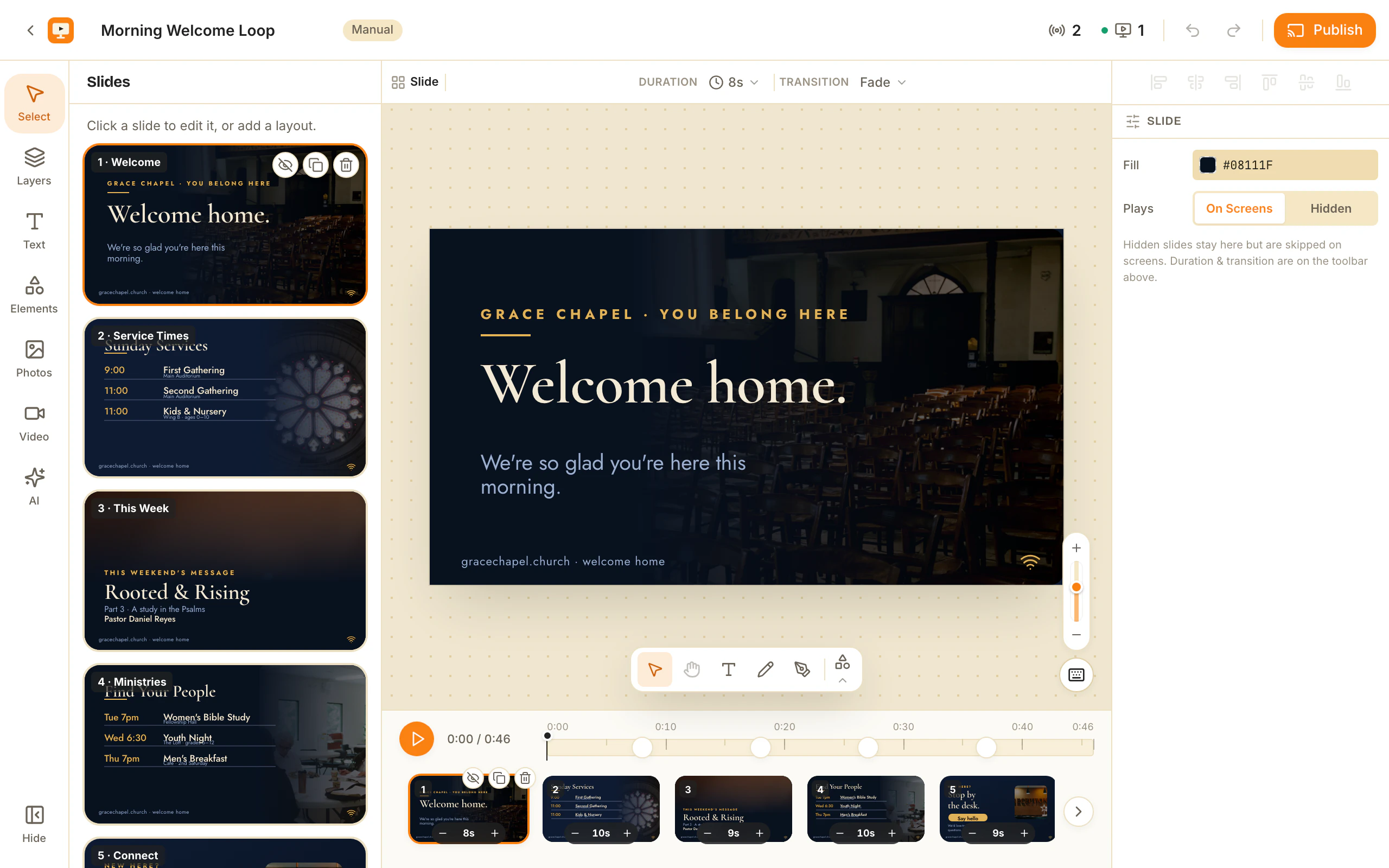
- Free-moving layers. Text, images, video, tables, shapes and live widgets (clock, QR code, ticker, weather, menu) placed anywhere on the canvas — drag, resize, rotate, group, snap.
- Both orientations. A 16:9 landscape canvas for a wall-mounted TV, 9:16 portrait for a lobby or window screen.
- Your brand, enforced. Point it at a brand kit and colours, fonts and logo come with it, so a template stays on-brand instead of drifting slide by slide.
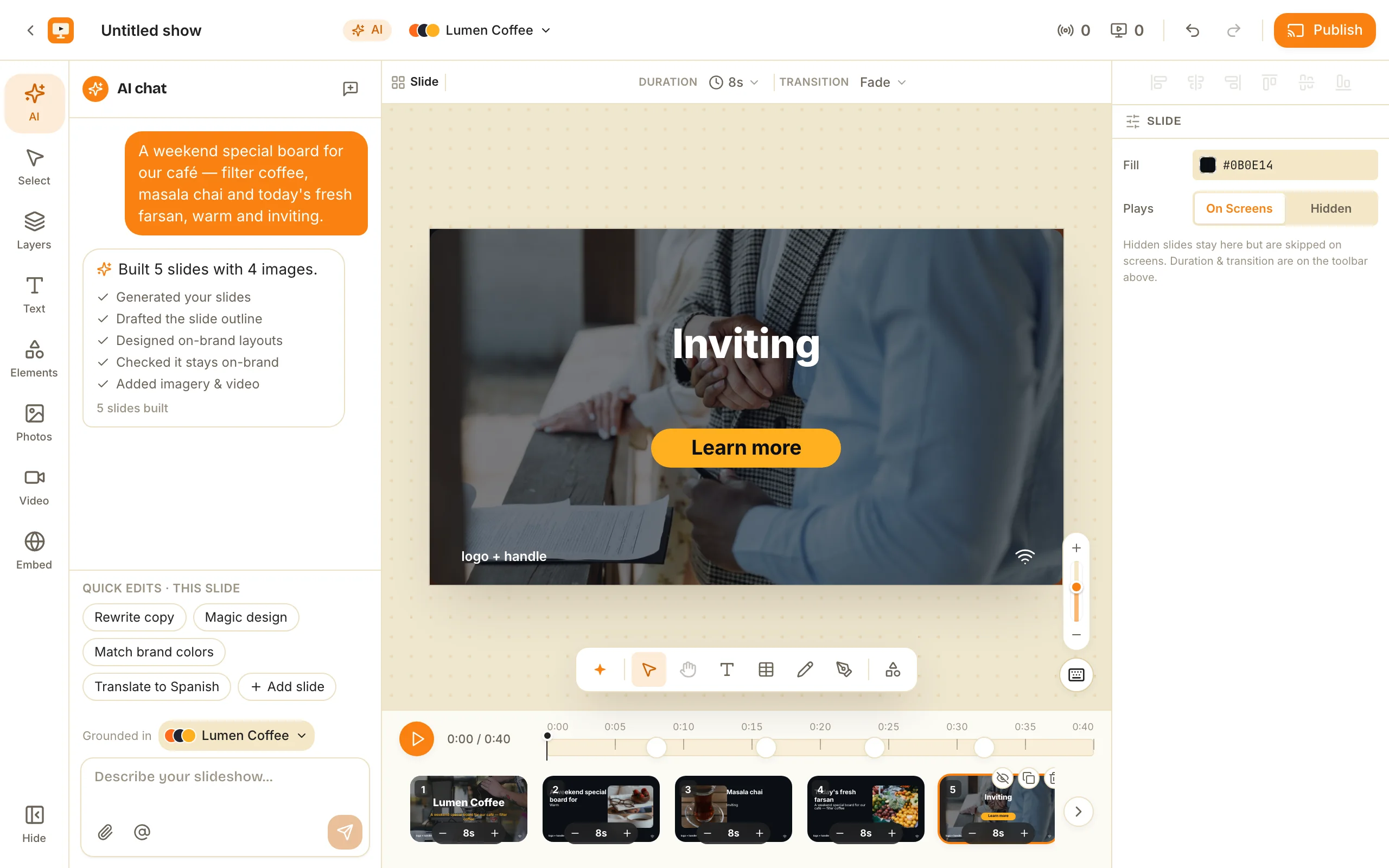
- AI first draft. Describe the show in one sentence — or hand it a PDF, image or URL — and the designer opens with a complete multi-slide draft you edit, not an empty canvas.
- Keyboard-first. ⌘Z / ⌘⇧Z undo-redo, ⌘D duplicate, ⌘K for the AI dock; the full chord table is one click away in the editor.
Why it matters: most “template designers” in signage are a slot-filling form — swap the headline, swap the photo, done. This one is a real layout tool, which is why the thing you publish can be a template and a working show at the same time.
How to make your own digital signage template
Build the slideshow first, then publish it. There is no separate “template mode” — you make a show the normal way, and any show can become a template.
- Create a show and design it in the slide editor — text, images, video, brand colours, the works. Or start from ChannelOS’s AI new-show creator and refine from there.
- When it’s good, publish it as a template. It gets a public share link and, if you want, a spot in the community gallery.
- That’s it. What you built is what people get.
Because ChannelOS is edit-once-airs-everywhere, the template you publish is a real, working show — not a mockup or a preview. Nothing about it is dressed up for the gallery and stripped later.
What the gallery looks like
The template gallery has two sections: Official templates made by ChannelOS, and Community templates made by people using the product. Your published template lands in Community.
Each template card carries the useful signals: a preview theater (a filmstrip of every slide, click to zoom), a like count with a heart, and a remix count so you can see what people are actually copying. Sort by popular or by newest. It reads like a place you’d browse, not a dropdown you tolerate.
Why it matters: the gallery grows with the product instead of waiting on one design team. The best café menu or lobby board might come from someone who runs a café, not from us.
Remix: one click from a link
Remixing copies a whole template into your workspace as a fresh, independent show — new IDs, media re-uploaded, and the original left completely untouched.
Open any public template link and hit Remix. ChannelOS makes a brand-new copy in your workspace: a frozen snapshot, not a live link back to the source. The person who published it can edit or delete their original and nothing happens to your copy. Then you edit yours freely — swap the text, drop in your logo, change the photos — and put it on any screen.
That’s the loop the whole gallery runs on: build one, remix anyone’s, share yours. If you want a running start, our free digital-signage templates post walks through starting from the gallery, and the restaurant menu board guide shows one worked example end to end.
Sharing privately, without the gallery
Not everything belongs in a public gallery. For those cases, export the file and hand it over directly.
A show downloads as a .show.channelos.tv file and a whole channel as a .channel.channelos.tv file. Each is a self-contained ZIP with a checksummed manifest and every image, video and brand asset frozen inside — no remote links to break. Send it however you like; whoever receives it imports it and gets a brand-new copy in their own workspace. It works offline and across workspaces, so it’s just as good for a backup as for a handoff to a client.
The tradeoff, honestly: a gallery template is discoverable and remixable by anyone with the link; an export file is private but you have to move it yourself. Pick the one that fits — the underlying copy is a fresh, independent show either way.
The part other signage tools don’t do
Here’s the wedge, stated plainly. No digital-signage platform lets the templates come from the people using it — build one, remix anyone’s in a click, share yours in a link.
Most signage tools treat templates as a curated catalog: a fixed set you choose from and lightly customize, full stop. ChannelOS treats them as a two-way gallery. That’s a different relationship with your own work — the show you sweat over can help someone else, and the show someone else sweat over can save you an afternoon.
If you have been making boards in a design tool and moving them across by hand, the comparison is worth reading on its own: digital signage templates in Canva and PowerPoint covers where each one genuinely wins and where the handoff to a screen breaks. And before you size anything, board sizes and resolutions has the pixel dimensions, the safe margins and the type sizes that survive being read from across a room.
Ready to try it? Open the app, build a show, and publish your first template. Then go browse the gallery and remix one while you’re there.
Frequently asked questions
- Is there a template designer for digital signage that does not need a desktop app?
- Yes, and it is the same editor you build a normal show in. A template designer for digital signage has to do two things a general design tool does not: lay out for a screen that is metres away rather than an arm's length away, and hand the finished thing to a television. ChannelOS does both in a browser tab. You place text, images, video, tables and live widgets as free-moving layers on a 16:9 or 9:16 canvas, and when it is right you publish it as a template that anyone can remix in one click. Nothing to install, and no export step: the same file is what a paired TV plays.
- Is there a digital signage template designer I can use in the browser?
- Yes — ChannelOS's slide editor is the template designer, and it runs in a browser tab with nothing to install. You place text, images, video, tables and live widgets as free-moving layers on a 16:9 or 9:16 canvas, snap them to your brand colours and fonts, and publish the result as a template. AI can draft the whole first version from one sentence, so you start by editing rather than from a blank canvas.
- How do I make my own digital signage template?
- Build a slideshow as a normal show in ChannelOS, then publish it as a template. It joins the gallery for others to find, or you share a public link. There's no separate template format — any show you can build, you can turn into a template.
- What happens when someone remixes my template?
- Remix makes a fresh, independent copy in the remixer's own workspace — new IDs, media re-uploaded, no live link back to yours. It's a frozen snapshot, so they can edit it freely and your original is never touched or changed by anything they do afterward.
- Can I share a template privately instead of publishing it?
- Yes. A show downloads as a self-contained .show.channelos.tv file and a whole channel as a .channel.channelos.tv file — each a ZIP with a checksummed manifest and all media frozen inside. Send it to anyone; they import it as a brand-new copy. It works offline and across workspaces.
- How is this different from other digital signage templates?
- Most signage tools give you a fixed gallery you can only pick from and lightly customize. In ChannelOS the templates are made by people using the product — you build one, remix anyone's in a click, and share yours with a link. It's a two-way gallery, not a locked catalog.
Your screen is two minutes away.
Open the player on a TV, scan the code, publish a show. Your first screen is free.
Free screens show a ChannelOS banner along the bottom of the screen, and any paid plan removes it.