Pair, Build, Publish: the three-verb model for digital signage
ChannelOS reduces running a screen to three verbs. Here's exactly what each one does, why pairing needs no app, and how 'edit once, airs everywhere' actually works.
The reason most screens in small businesses are dark, or stuck on an input-select message, is not that the software was too weak. It is that somebody opened it, met eleven concepts before they could put one sentence on a wall, closed the tab, and meant to come back.
Most signage platforms have dozens of concepts you must learn in order: devices, players, assets, playlists, layouts, zones, channels, schedules, roles. ChannelOS has three verbs. Everything else is a detail you reach for only when you need it.
Here’s what each verb actually does.
1. Pair — the TV joins, no app required
Open play.channelos.tv in any TV browser. The page mints a screen and shows a pairing code and QR. Scan it from your phone and that screen is linked to your account.
Why it matters: the TV is only ever running a web page. There is no media player to buy, no per-device license. Android TV, Google TV, webOS, Fire TV, a browser on a stick — if it renders a modern web page, it pairs.
Pairing is also reversible and honest: a screen knows when it’s been unpaired or taken over, and says so, instead of silently going stale.
2. Build — describe it, or design it
You have two on-ramps to a show, and they’re the same artifact underneath.
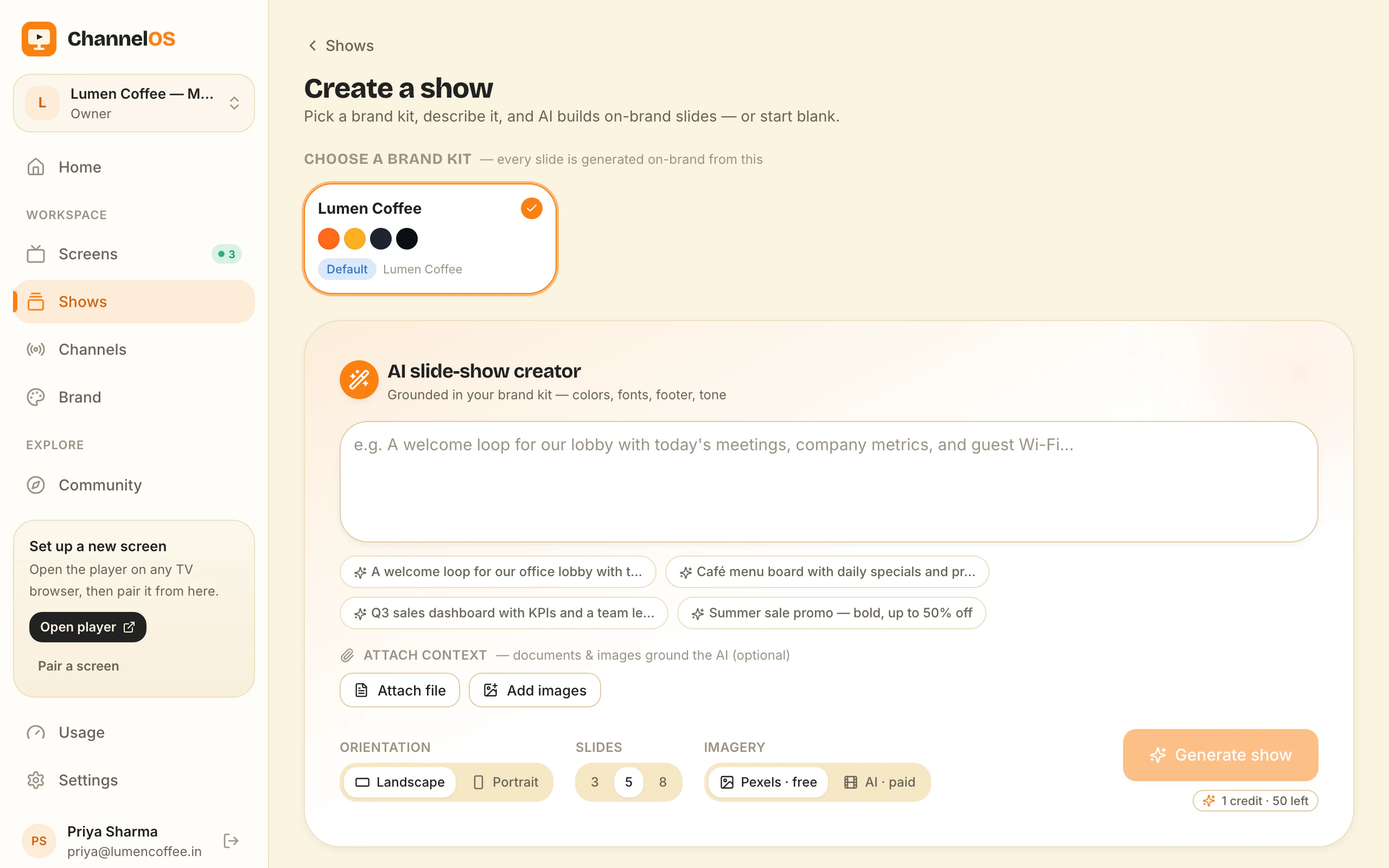
Describe it. Tell ChannelOS what the screen is for — a café menu, a clinic waiting room, a shop promo — and AI drafts every slide, on-brand, in seconds. Attach PDFs, images or a webpage URL and it reads them into slides. The output is a real, editable show, not a flat export.
Design it. When you want the last 10%, the editor is right there: Canva-style drag, resize, rotate and group, with undo, copy/paste and keyboard shortcuts that match across every surface. One-tap background removal, rich text, live widgets, and free Pexels photo and video are built in.
Creation by description, with the editor as your fallback — not your starting line.
3. Publish — push, or program
Two ways to get a show on glass:
- Push a show straight to a screen for an instant result.
- Program it onto a channel — a named broadcast feed with a real timeline and dayparting (weekday/weekend, by hour, set once a week).
The key idea: what’s on a screen is derived from the show and the schedule, never pushed slide-by-slide. So when you edit a show, every screen tuned to it updates in real time — no re-publish, no device-sync wait. Edit once; it airs everywhere.
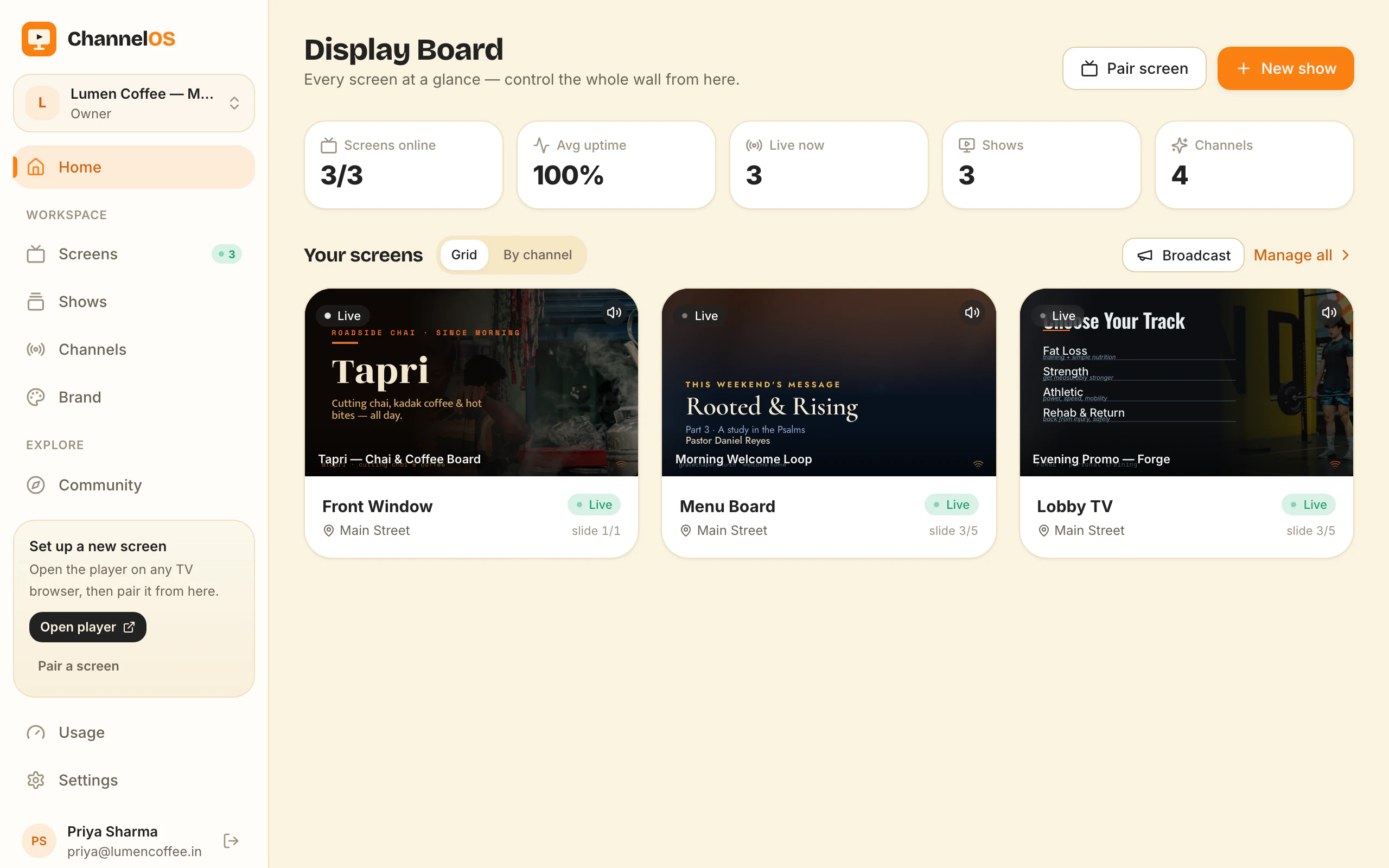
The board ties it together
Above the three verbs sits one live board: every paired screen with a real rendered preview, pulsing live status, and one-tap controls — play, pause, blank, mute, next, hold. The board and the screens never drift, and actions hit the glass in milliseconds.
That’s the model. Three verbs to learn, one board to run the wall. Everything powerful underneath stays invisible until the moment you want it.
So here is the only question worth answering, and you can settle it tonight: can you get one true sentence onto one screen before you lose interest? Pair, build, publish. If three verbs is still too many, tell us which one is in the way.
Frequently asked questions
- How does pairing a TV work without installing an app?
- You open play.channelos.tv in the TV's browser. The page mints a screen and displays a pairing code and QR. You scan it from your phone, which links that screen to your account. The TV only ever runs a web page — there is nothing to install or license.
- What does 'edit once, airs everywhere' mean?
- What a screen shows is derived from your show and the channel schedule, not pushed file-by-file. When you edit a show, every screen tuned to it updates in real time — no re-publishing or device sync step.
- Can I control screens from my phone?
- Yes. Every action — play, pause, blank, mute, next, swap, schedule — works one-thumbed from the live board on your phone.
Your screen is two minutes away.
Open the player on a TV, scan the code, publish a show. Your first screen is free.
Free screens show a ChannelOS banner along the bottom of the screen, and any paid plan removes it.