Portrait digital signage, end to end: four decisions in the order you hit them
Portrait is not a mode you switch on. It is four separate decisions, two of them made with a tape measure and two of them in software, and doing them out of order is why so many vertical boards end up sideways, cropped or just worse than the landscape one they replaced.
The short version, in 5 steps
- Stand where your customer will stand and check the spot is taller than it is wide, and that nothing blocks its lower third.
- Read the set's own manual for portrait mounting, then check the bracket's VESA plate and weight rating before you drill.
- Create the show with Shape set to Portrait 9:16, and keep everything that has to be read inside the middle 90% of the slide.
- Open play.channelos.tv on the TV and pair it by entering the six-character code on your phone.
- Set How it is mounted on that screen to match the TV's top edge: Turned left if the top edge is now on the left, Turned right if it is on the right.
The bracket arrives before anything else does, so the bracket goes up first. The board then gets designed around whatever the bracket turned out to allow. By the time you notice that every photograph in your library is the wrong shape, the holes are in the wall and the TV is above head height.
Portrait digital signage is an ordinary television hung a quarter turn round. There is no portrait mode to buy and no vertical display you have to own. What there is instead is four separate decisions, and they come at you in a fixed order:
| # | The decision | Where it is actually made |
|---|---|---|
| 1 | Is this spot read head-on at all? | Standing in the room with a tape measure |
| 2 | Will this panel hang sideways on this bracket? | The set’s manual and the bracket’s VESA plate |
| 3 | What shape is the show? | ChannelOS, at New show under Shape |
| 4 | Which way was the TV turned? | ChannelOS, under Screens |
Two of the four are settled before you open any signage software at all, and they are the expensive ones: a setting is one click to change, and a hole in a wall is not.
Is portrait right for this spot, or does it just look modern?
Measure the spot before you like the idea. Portrait earns its place when the space is taller than it is wide and the content is genuinely a list read top to bottom. A pillar between two windows, the wall beside a doorway, the run along a queue line: all good.
Then run the test that decides it, which needs no equipment. Stand where your customer will actually stand and look at the lower third of the spot. A portrait board stacks its content vertically, so the bottom of it carries real information. If there is a head, a counter, a chiller cabinet or a plant in that lower third from where people read, the shape is wrong for that wall, whatever the wall’s proportions are. Judging the spot from the far side of an empty room is what hides it: the lower third stays clear until the room fills up.
The other half of the test is the angle. A tall board read head-on from about three metres, or ten feet, is comfortable; the same board seen from the side foreshortens, and the bottom lines go first. A board behind a till that people pass sideways wants to be landscape.
And if the only argument is that portrait looks current, either turn the set or build the show landscape. A 9:16 show left on a TV the normal way up is letterboxed to under a third of the glass width. The sizes are in the size and resolution guide.
Will the TV I already own hang sideways?
Usually, yes. A bracket does not care which way up a panel is, and most VESA hole patterns are square (200x200, 400x400), so the plate mounts either way round. A rectangular pattern such as 400x200 does not rotate on a fixed plate and needs an adapter or a rotating mount.
Three things decide it, and only one of them is about the picture:
- The hole pattern, which is on the back of the set.
- The weight and the bracket’s rating, because a panel on its side loads a bracket differently.
- The set’s own manual, which is the authority on whether the manufacturer supports portrait. Heat moves differently through a panel on its side, and some manuals say so.
We cannot tell you whether your model supports it. Read the manual, then do the bracket properly: mounting a TV vertically covers the plate, the weight and the bits the box does not mention.
How do I build a show that is actually portrait?
Create it in the shape you will show it in, not the shape you are used to.
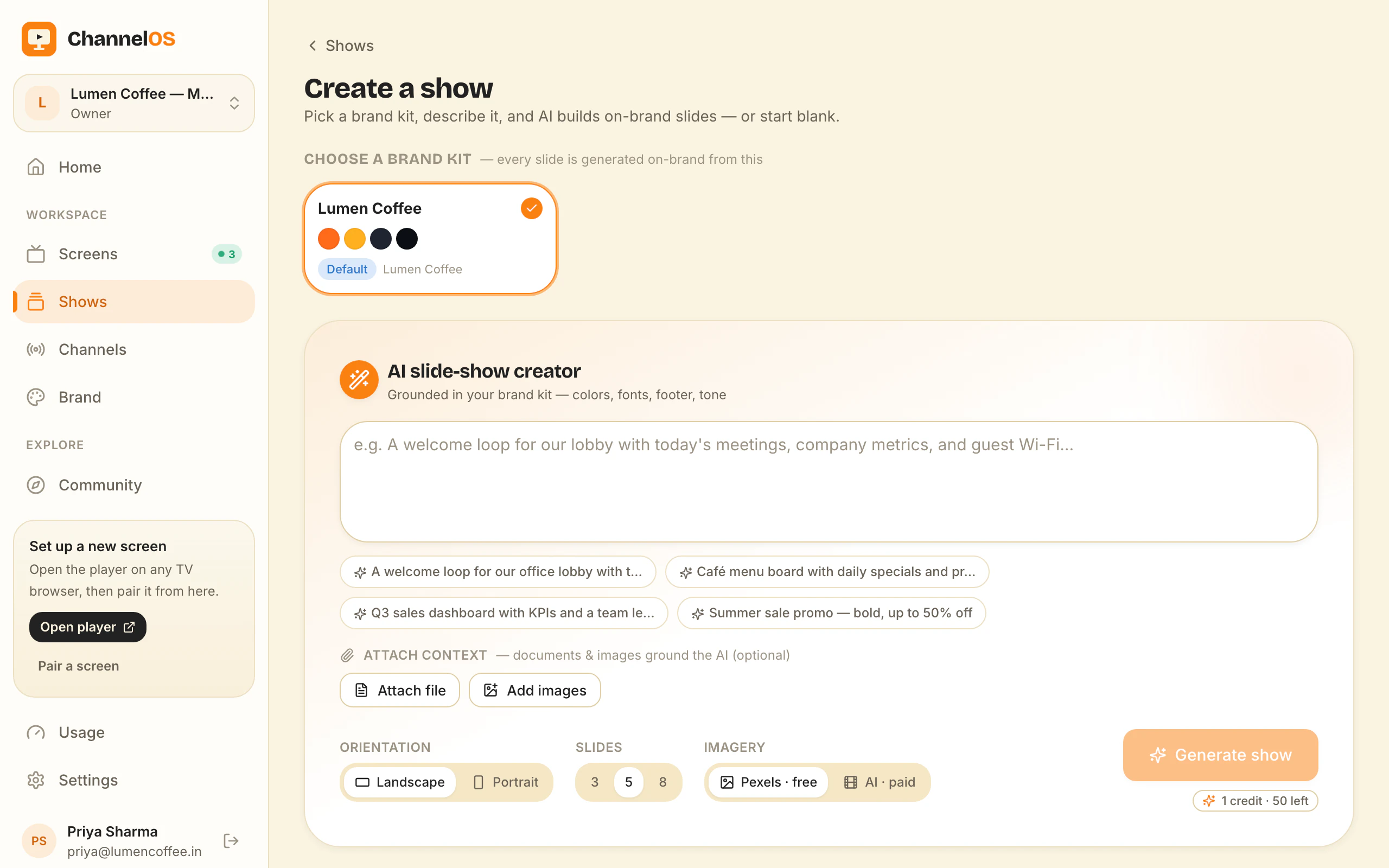
- New show, then set Shape to Portrait 9:16. You can flip a show’s shape later in the editor, but starting in the right one saves re-placing everything.
- Build at 1080x1920 and keep everything that has to be read inside the middle 90%, a 5% margin at every edge, because some televisions still overscan.
- Expect fewer lines than you planned. Once item names are large enough to read from where people stand, three to five lines is usually what fits, not twelve. Treat that as a rule of thumb and count your own at size.
The design work is its own job: building a show designed for a portrait screen.
Why does the board come out sideways when the TV is mounted right?
Because decision 3 and decision 4 are different settings and people assume they are one. The show has a shape. The screen has a rotation. Setting one does nothing to the other.
The screen’s rotation lives under Screens, on the screen’s Device card, in a section headed How it is mounted, and it is four quarter turns rather than a portrait switch: Upright, Turned left, Upside down, Turned right. Pick the one matching the TV’s top edge as it now hangs. Top edge on the left is Turned left; on the right, Turned right. Those two look identical on a desk and opposite on a wall, so a single portrait toggle could not tell them apart. The arithmetic for every mount and shape pairing is in hanging the TV sideways and telling ChannelOS which way you turned it.
Changing it reaches the screen immediately: nothing to republish, nobody walking over to the television.
Why do portrait boards so often look worse than landscape ones?
Because they are landscape designs cropped, and the media library is against you.
A 16:9 photograph cropped to fill a 9:16 frame keeps 81/256 of its width, which is 31.6%: the frame’s 9:16 divided by the picture’s 16:9. Two thirds of the picture is gone, and whatever the photographer composed for is usually in the part you lost. Stock video is worse: open the picker and you will find far more landscape clips than vertical ones. A wide wordmark has the same problem in miniature: on a narrow slide it shrinks to nothing or has to stack.
None of that is a portrait problem, it is a sourcing problem, and the fixes are dull: pick vertical photographs and clips on purpose, crop deliberately rather than letting the frame do it, and lean on flat colour and large type.
When is portrait the wrong answer?
Four cases where you should keep the set the normal way up, or keep the printed poster.
- The wall is wider than it is tall, or it is read from the side. Shape follows the sightline.
- One deck has to fill both shapes automatically. ChannelOS does not swap in a shape-matched variant per screen. A show is authored in one shape and every screen airing it gets that shape letterboxed into whatever its mount produces. Nothing is cropped and nothing is stretched, but a mixed fleet means authoring the portrait boards separately, or buying a platform built around per-screen layouts.
- The screen is hard to reach and the power gets switched off. A playing screen keeps playing if the wifi drops, and it holds the show’s pictures and clips in the browser’s own storage. It still needs the connection back to come up again after a power cut, because the page is fetched fresh each time the screen starts. If a board has to survive a long outage on its own, a vendor who sells a media player with local storage is the better answer, and that is a real reason to buy hardware.
- The only reason is the look. That is a real reason to choose landscape.
What should I do first?
Take a tape measure to the spot today, stand where your customers stand, and check the lower third. That single check is the whole of decision 1 and it costs nothing.
The first screen is free too, for ever, with one thing to know before you put it in a window: a free screen carries a ChannelOS banner along the bottom, and about every two minutes that banner opens into a full ChannelOS slide for roughly 30 seconds naming what ChannelOS is and the channelos.tv address, then folds back. Any paid plan removes both. Next: mounting a TV vertically.
Frequently asked questions
- Is portrait or landscape better for digital signage?
- Neither is better in general. Portrait suits a spot that is taller than it is wide and content that is genuinely a list read top to bottom: a pillar, a doorway, a queue line, a window beside a door. Landscape suits a wall wider than it is tall, content laid out in columns, and anything read from a sharp angle, because a tall board loses its lower half behind whoever is standing at the counter.
- Can I use a normal TV in portrait?
- Mechanically, usually yes. A bracket does not care which way up a panel is, and most VESA hole patterns are square, so the plate mounts either way round. What varies is whether the manufacturer supports it: some sets state portrait mounting in the manual and some say nothing, and heat moves differently through a panel on its side. Read that model's own manual before you drill, because we cannot answer it for a TV we have not seen.
- What resolution is a portrait screen?
- 1080x1920 on an ordinary 1080p television, because a 1920x1080 panel still reports 1920x1080 when it is hung sideways. It does not know it has been turned. Build the show at Portrait 9:16 and keep a 5% margin clear at every edge, which leaves 972x1728 to design in. A 4K panel needs no separate file: a ChannelOS slide is laid out in percentages, so it renders at whatever pixel size the screen supplies.
- Do I need a special display for vertical signage?
- No, not for the orientation alone. Portrait is one of a handful of cases where a commercial display can earn its higher price over a consumer TV, along with a 16 to 24 hour duty cycle and direct sunlight, mostly because the manufacturer states portrait support rather than leaving you guessing. If the set you already own says it can be hung sideways, hang it sideways. You do not need a media player box either: the TV's own browser is the player.
- Will my photos work on a portrait screen?
- Most of them will not, and this is the part nobody mentions. A 16:9 photograph cropped to fill a 9:16 frame shows only about 31.6% of its width, so two thirds of the picture is outside the frame and the thing the photographer composed for is usually in the part you lost. Stock video is worse: the libraries hold far more landscape than vertical. Pick vertical sources, or build the board out of flat colour and type.
Further reading
Do it on a real screen.
Open the player on the TV, scan the code with your phone, and publish a show. Your first screen is free.
Free screens show a ChannelOS banner, and about every 2 minutes it opens into a full ChannelOS slide; any paid plan removes both.